Full Xero Review With Updated US Pricing and Features (2026)
Home
/
Blog
/
Cloud Accounting: Everything You Need to Know in 2026
Cloud Accounting: Everything You Need to Know in 2026
Written by
Reviewed by
Learn what cloud accounting is, how it differs from traditional accounting, who it’s for, and how to move to it in this clear, no-jargon guide for 2026.
Cloud accounting is accounting software that runs over the internet instead of on your own computer or server. Your financial data lives on the provider's secure servers; you log in through a browser or app, and everything updates in real time. That's the whole idea: there are no installs, no version-control headaches, and no waiting for month-end to know where your business actually stands.
If you’ve ever opened three different spreadsheet versions trying to figure out which one is actually current, you already understand the problem cloud accounting solves.
This guide walks you through what cloud accounting is, how it’s different from the old way of doing things, who it actually makes sense for, and what to expect if you decide to make the switch.
What Is Cloud Accounting?
Cloud accounting is accounting software that lives online instead of on your hard drive.
With traditional software, you install a program on a specific computer, and your data lives on that machine (or on a server you maintain).
With cloud accounting, none of that applies. You open a browser, log in, and your books are right there. They’re fully up-to-date, no matter where you're sitting.
A few things happen automatically once you're in the cloud:
- Every transaction you enter updates instantly across the whole system.
- Reports refresh on their own; there’s no manual recalculation.
- Multiple people can work in the same file at the same time, without overwriting each other.
- Backups happen in the background, automatically, with no one needing to remember to do it.
Think of it the same way you think about email. You don’t download your inbox onto one specific computer and lose access everywhere else. You just log in. Cloud accounting works the same way: your books follow you, not your laptop.
Cloud Accounting vs. Traditional Accounting
Traditional accounting usually means one of two things: desktop software installed on a specific machine, or spreadsheets passed around by email. Both approaches were fine for a long time. They just don't hold up well once a business grows past a certain point.
None of this means traditional software is bad; plenty of businesses ran perfectly well on it for decades. It just means the tradeoffs get harder to ignore as you add more people, more clients, or more complexity to the picture.
Who Is Cloud Accounting For?
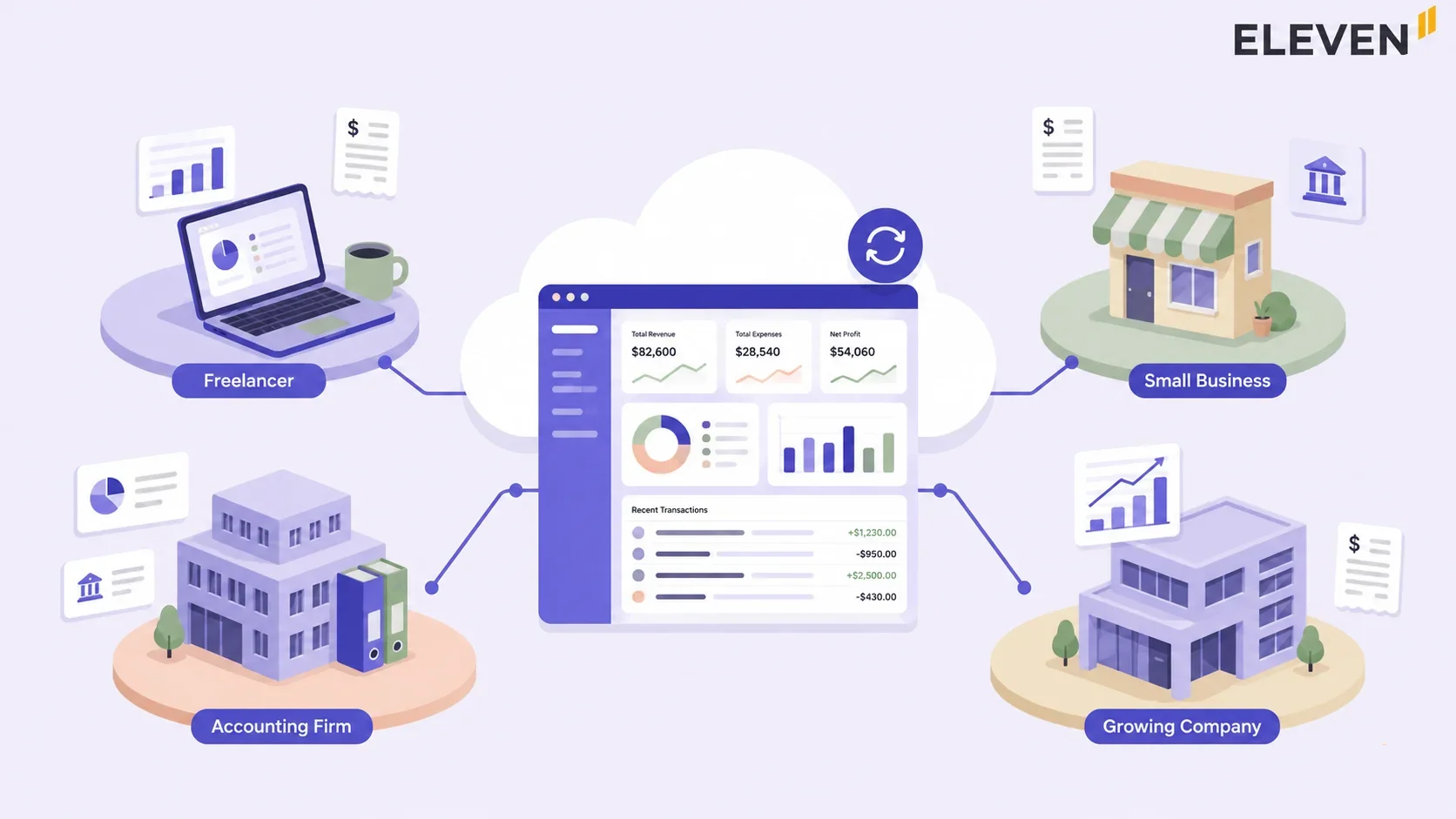
The short answer is that almost everyone benefits, but the specific benefit looks different depending on where your business sits.
Small Businesses
You get professional-grade bookkeeping without needing to hire a full-time accountant or maintain expensive servers. The time you save on manual data entry is time you can spend actually running the business.
Growing Businesses
Cloud platforms scale with you. Adding a new client or a new team member doesn't mean restructuring your whole system; you just add a seat or a new set of books.
Most platforms also give you live dashboards so you can keep an eye on cash flow and trends without waiting for someone to build you a report.
Accounting Firms and Family Offices
This is where cloud accounting earns its keep the most. Multi-company and multi-currency features let you reconcile several sets of books without juggling separate logins, and built-in tax engines can handle VAT, GST, and sales tax across different jurisdictions without manual recalculation every time a rate changes.
If you're managing books for multiple clients or entities, this is the part worth paying close attention to. Our guide on multi-entity accounting goes deeper into what changes once you're consolidating more than one company's numbers.
What Are the Benefits of Cloud Accounting?
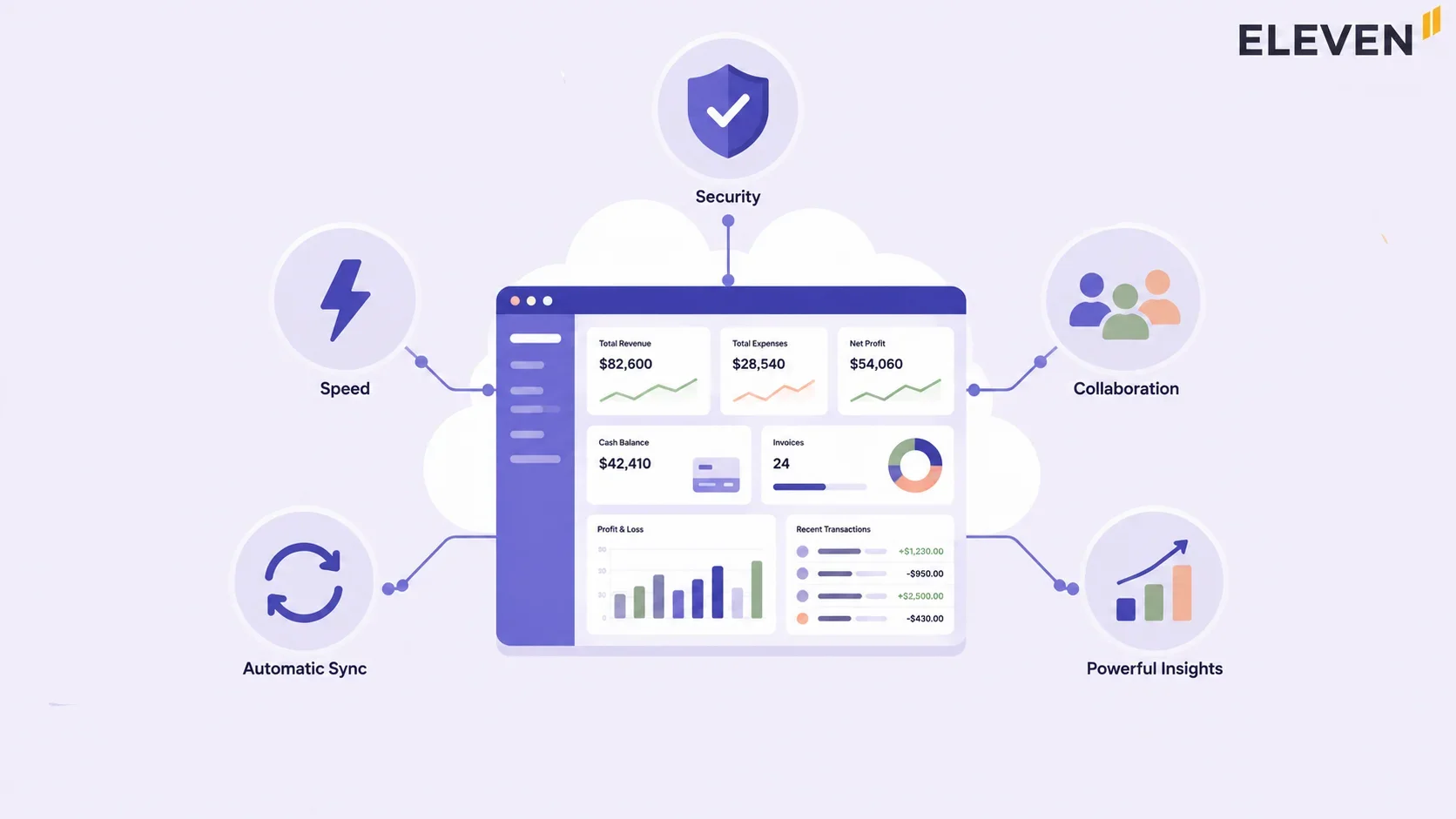
Moving your finances to the cloud pays off in everyday ways that go far beyond just keeping up with technology.
You Always Know Where Things Stand
Because data updates as transactions happen, you're not waiting for month-end to see your actual cash position.
Checking a bank balance before approving a big expense, or reviewing margins mid-quarter, becomes a normal part of the week instead of a special request.
Repetitive Work Disappears
Bank reconciliations, recurring invoices, and routine reports can happen with a few clicks instead of an afternoon of manual entry.
Incoming payments get matched to invoices automatically. Subscription billing generates itself. The hours that used to go into this kind of busywork go back into actual analysis and client conversations.
Security Becomes Stronger
Cloud accounting security surprises people. Cloud platforms typically offer bank-level encryption, automatic backups, and continuous security updates: protection that would cost a small or mid-sized business a fortune to build and maintain on their own.
If a laptop gets lost or a hard drive fails, your books are untouched, because they were never sitting on that machine in the first place.
Costs Become Predictable
Cloud accounting runs on a subscription model, so there's no large upfront software purchase. You scale the subscription as you grow, adding users or features only when you actually need them, not paying for capacity you don't use yet.
For a full breakdown of cloud accounting pricing, check out our dedicated guide. We explain the different pricing models and how they behave at scale.
Pro Tip: When you’re comparing the cost of cloud software against the cost of doing nothing, remember to count the hidden cost of the old way too: the hours spent reconciling spreadsheet versions, the risk of a lost laptop without wiping out your records, and the time a new hire spends just learning where everything lives. Those costs are real even when they don’t show up on an invoice.
How to Move to Cloud Accounting In 7 Easy Steps
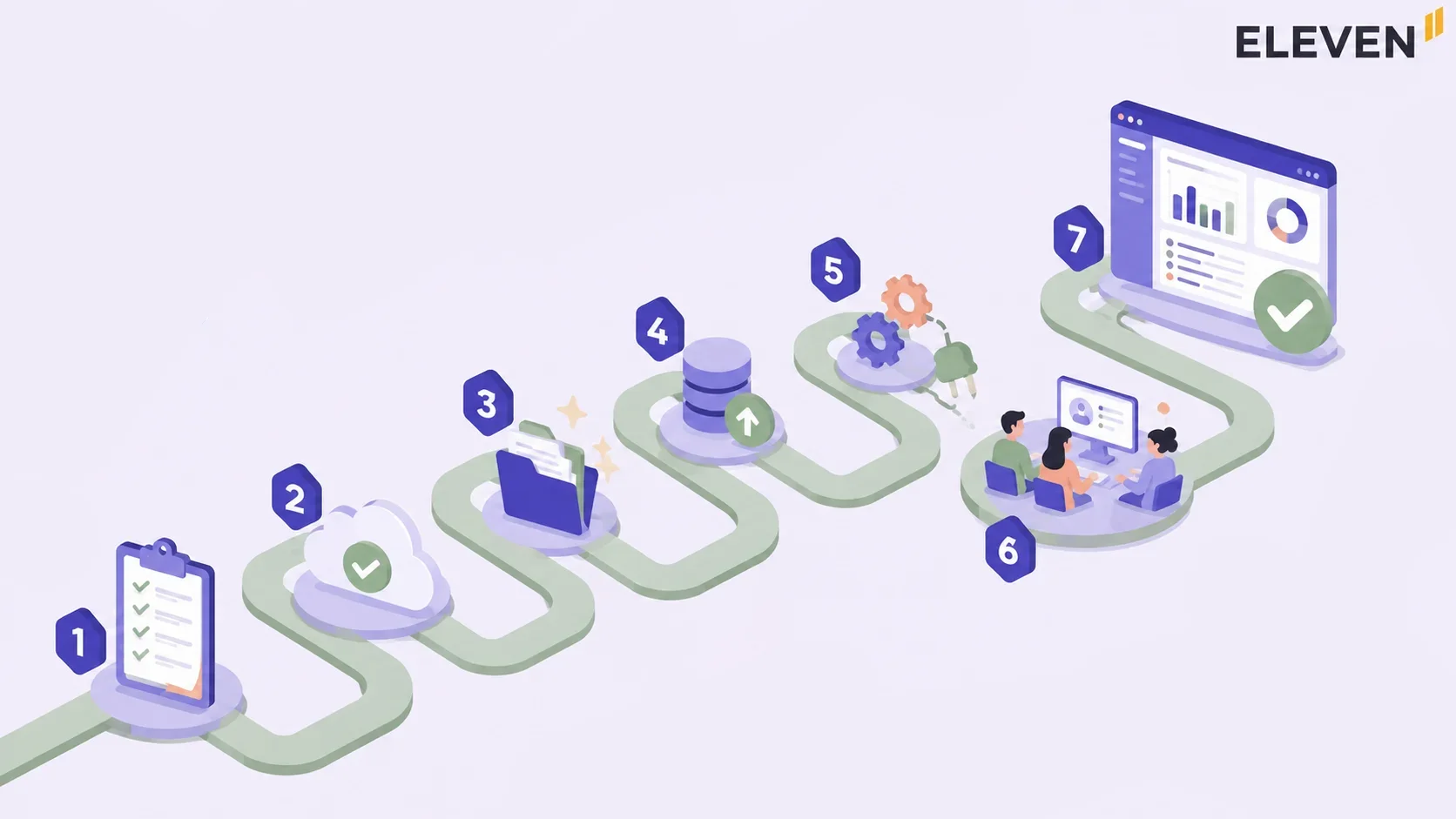
Switching systems sounds intimidating, but it doesn't have to be a disaster. Here's the sequence that actually works, broken into steps that don't require a finance degree to follow.
1. Find Out What’s Not Working
Before picking a new tool, figure out what's actually frustrating about your current setup. It could be the slow reports, painful collaboration, or the constant version confusion.
Naming the real problem makes it much easier to pick the right solution instead of just the popular one.
2. Pick a Platform That Matches Your Size
A solo freelancer and a 30-client accounting firm need very different tools. Smaller and mid-sized businesses tend to do well with platforms like Eleven, Xero, or QuickBooks Online.
Larger organizations with more complex structures often look at NetSuite or similar enterprise platforms instead.
3. Plan the Move Before You Make It
Decide who's handling the transition, what data needs to move, and whether you're doing it all at once or in phases. Back everything up first. Clean up your chart of accounts and remove duplicates before importing anything; migrating a mess just gives you a cloud-based mess.
We have a separate guide covering migration from one accounting system to another.
4. Set the New System Up Properly
Configure your chart of accounts, tax settings, and user permissions. Import your opening balances and define your fiscal periods so the new system actually reflects how your business runs, not a generic default.
5. Automate the Busywork First
Start with the tasks eating the most time: recurring invoices, bank reconciliation, and expense tracking. Test each automation before expanding it. Then connect the other tools you rely on (payroll, CRM, and payment platforms) so data flows between systems instead of being re-typed everywhere.
6. Train the Team, Then Go Live
Give your team time to get comfortable before flipping the switch. If you can, launch during a quieter period and watch the first few weeks closely so small issues get caught early instead of compounding.
7. Tune It as You Go
The first few months are about fine-tuning, not perfection. Track whether reporting actually got faster, whether close times shortened, and whether the team is genuinely spending less time on manual work. Adjust from there.
What to Watch For: The most common mistake in any software migration isn’t picking the wrong tool: it’s migrating dirty data. A messy chart of accounts or years of uncategorized transactions will follow you into the new system if you don’t clean them up first. Spend the time here; it pays for itself almost immediately.
What Can Cloud Accounting Software Actually Do?
At a basic level, every cloud accounting platform automates the routine parts of bookkeeping from one secure, online dashboard. The depth of what that includes varies a lot by platform, but the core capabilities most professionals rely on look like this:
- AI-assisted data entry: Upload an invoice, bill, or receipt as a PDF or photo, and the system extracts the details, creates the journal entry, and links the document to the transaction automatically. You can learn more about such features in our guide to AI in accounting.
- Automated bank feeds and reconciliation: Transactions flow in directly from connected bank accounts and get matched against your books without manual cross-checking.
- Multi-company and multicurrency support: For firms managing more than one entity, this means handling several sets of books, potentially in different currencies, from a single interface instead of juggling separate logins.
- Real-time collaboration: Accountants and clients can work in the same data simultaneously, with a full audit trail showing who changed what and when.
- Reporting and dashboards: Profit and loss, balance sheets, and cash flow reports generate on demand, with the ability to drill into the details behind any number.
If you're trying to figure out which platform actually delivers on these features versus which ones just advertise them, our best cloud accounting software comparison breaks down the leading options side by side.
Is Cloud Accounting Worth the Switch?
If your current setup involves spreadsheets, manual backups, or anyone asking "Wait, which version is the right one?”, the answer is almost always yes. The flexibility, the real-time visibility, and the reduced IT burden tend to pay for themselves quickly, especially once you factor in the time your team gets back.
That said, not every platform is built the same way, and not every business needs the same depth of features. A solo consultant and a CPA firm managing 40 client entities are looking for very different things under the same "cloud accounting" label.
Curious what cloud accounting looks like when it’s actually built for multi-entity, multicurrency work? Start a free 7-day trial of Eleven and see it firsthand. →
Frequently Asked Questions (FAQs)
What is cloud accounting?
Cloud accounting is online accounting software that stores and processes your financial data on remote servers instead of your own computer. You access your books anytime, from anywhere, through a secure internet connection. No installs are required.
What are the benefits of cloud-based accounting?
Real-time financial updates, easy collaboration across teams and clients, automatic backups, lower IT costs, and stronger security than most businesses could build on their own. It also scales naturally as your business grows.
How is cloud accounting different from traditional accounting?
Traditional accounting runs on local computers or servers and requires manual updates and backups. Cloud accounting runs entirely online, updates automatically, and lets multiple people access the same live data from any location at the same time.
How do you actually use cloud accounting software?
You log in through a web browser or app, record transactions, send invoices, and review reports, all online. The system saves everything automatically and keeps your data current in real time, so you can check in on your finances whenever you need to.
Is cloud accounting expensive?
Generally, no. Most cloud accounting platforms run on affordable monthly subscriptions, which typically cost far less than traditional software licenses, in-house servers, or hiring additional accounting staff. We explain this in-depth in our cloud accounting software pricing guide.
What are some examples of cloud accounting software?
Eleven is built specifically for multi-entity, multi-currency accounting with automated bookkeeping and real-time collaboration, which makes it a strong fit for firms managing several clients.
Other widely used platforms include QuickBooks Online, Xero, Sage, and NetSuite for larger organizations.
Was this article helpful?
Thank you! Your feedback has been received!
Oops! Something went wrong while submitting the form.