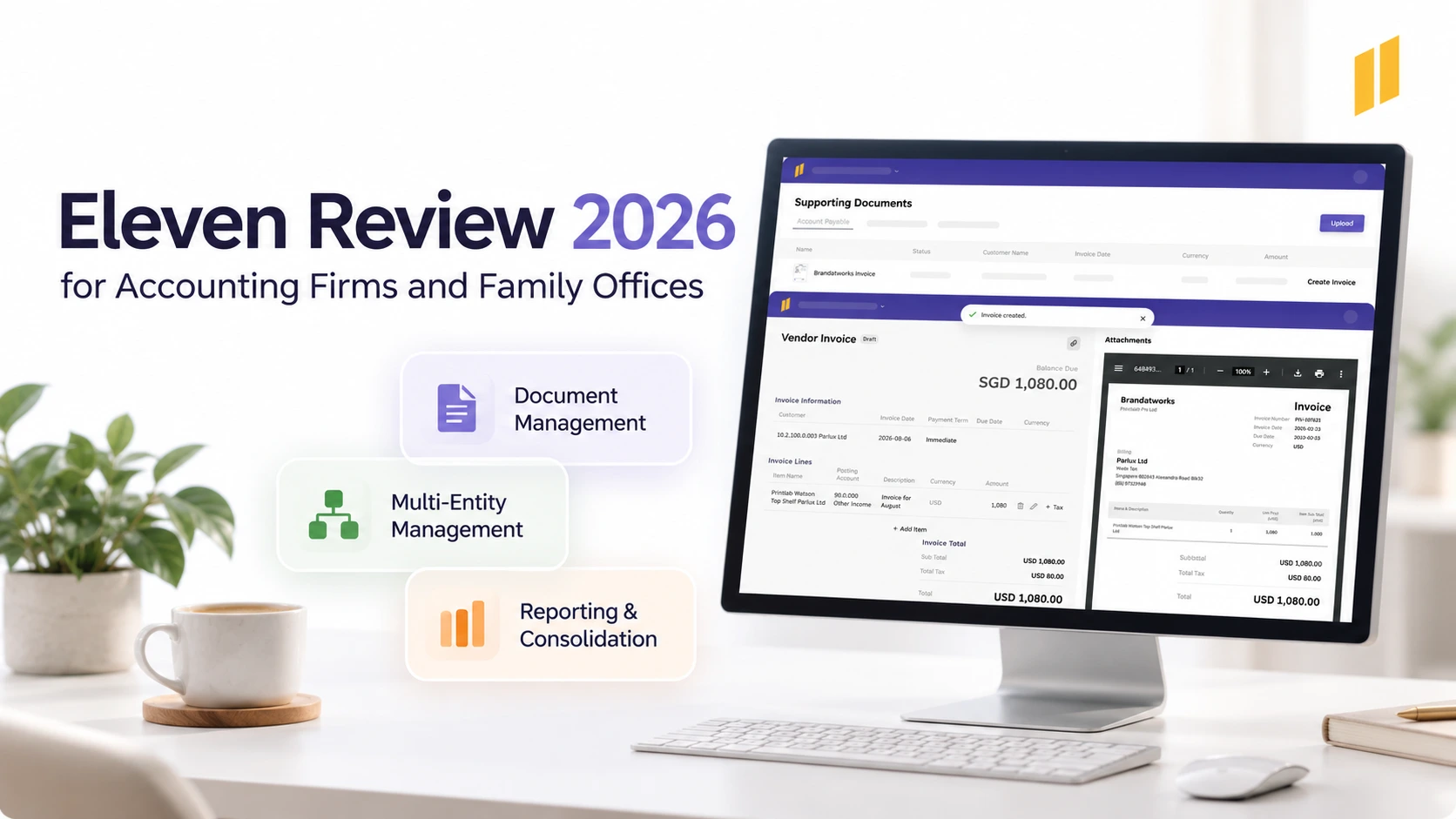
Full Eleven Review for Accounting Firms and Family Offices (2026)
Home
/
Blog
/
Full Xero Review With Updated US Pricing and Features (2026)
Full Xero Review With Updated US Pricing and Features (2026)
Written by
Reviewed by
Xero is a cloud accounting platform for small businesses and accountants. Explore its features, pros, cons, pricin, and how it compares to Eleven.

Xero is a cloud accounting platform for small businesses and small accounting or bookkeeping firms. It covers invoicing, bank feeds, and basic automation at a reasonable price, with limits around advanced reporting, automation depth, and multi-entity work. This review covers Xero's recent pricing increase, features, user reviews, and how it compares to Eleven.
Xero brings invoicing, bills, banking, and financial reporting into one cloud accounting platform. Its appeal is that it keeps the books organized and makes it easier for business owners and accountants to work together.
The buying decision takes a little more thought. US prices increased on October 1, 2026; some useful features require the Established plan; and connected services can add to the bill.
This Xero review examines its current US offering, specific experiences shared by users, and how the decision changes when you manage several businesses or client entities.
Where Xero Works Best and What to Consider
Xero is a strong option for small businesses that want connected bookkeeping and collaboration without per-user license fees.
Its invoicing, banking, and accounting workflows are worth considering, particularly when the business and its accountant both work in the system.
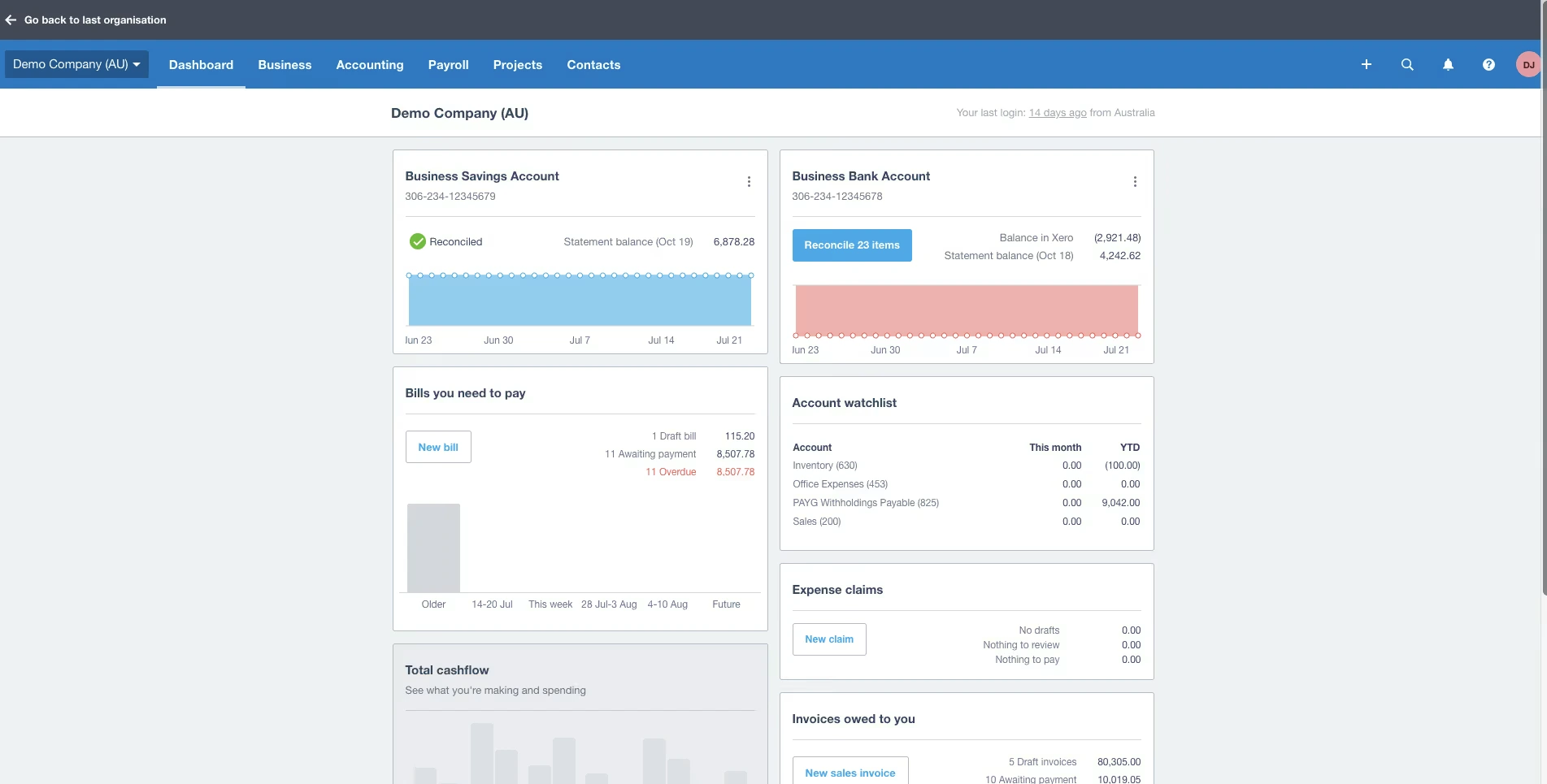
The main trade-offs concern the plan you need, the services you connect, and the way you expect to get help.
- The entry plan has tight transaction limits. Early permits 20 invoices and five bills.
- Multicurrency requires Established. Businesses trading internationally need to account for that upgrade.
- Payroll costs extra. The US offering is Xero Payroll, powered by Gusto.
- Support starts online. Xero doesn’t publish a general support phone line.
- Managing separate organizations involves separate subscriptions. Consolidated reporting is available through Syft, with an eligible partner offer.
Those considerations help establish which version of the setup you’re actually buying.
How Much Does Xero Cost in the US in 2026?
As of October 2026, Xero's regular US prices range from $27 to $97 per month across its Early, Growing, and Established plans.
There's also an introductory offer for new customers. Eligible US customers purchasing their first organization through Xero currently receive 80% off their base subscription for the first three months. After that, the subscription returns to its regular monthly price.
The difference between the introductory price and the regular rate is worth budgeting for. For example, Growing costs $11.80 per month during the promotion but increases to $59 from the fourth month onward.
The offer applies to the first organization purchased by an eligible new US customer, not every additional company they might manage. It also excludes add-ons, usage charges, and payment fees. Promotional terms can change, so check the current Xero US pricing before subscribing.
Separately, Xero increased its regular US subscription prices on October 1, 2026. Early rose by $2 per month, Growing by $4, and Established by $7. These increases apply to new and existing subscribers, although eligible existing promotional discounts continue until they expire.
For accounting firms managing multiple organizations, those changes add up. At full list price:
- 30 Growing subscriptions now cost $1,770 per month, an increase of $120 per month or $1,440 over 12 months.
- 30 Established subscriptions now cost $2,910 per month, an increase of $210 per month or $2,520 annually.
Xero also announced that its existing multi-organization discount would begin to be phased out from October 1, potentially increasing costs further for affected subscribers. The exact impact depends on the discounts currently applied to each account.
For firms and family offices overseeing multiple entities, the important figure is the total cost across the portfolio, not just the price of an individual subscription.
Which Xero Plan Do You Need?
Early suits businesses with a small volume of invoices and bills. Its invoice limit applies to approving and sending invoices, and transactions initiated by connected apps can contribute to the limit.
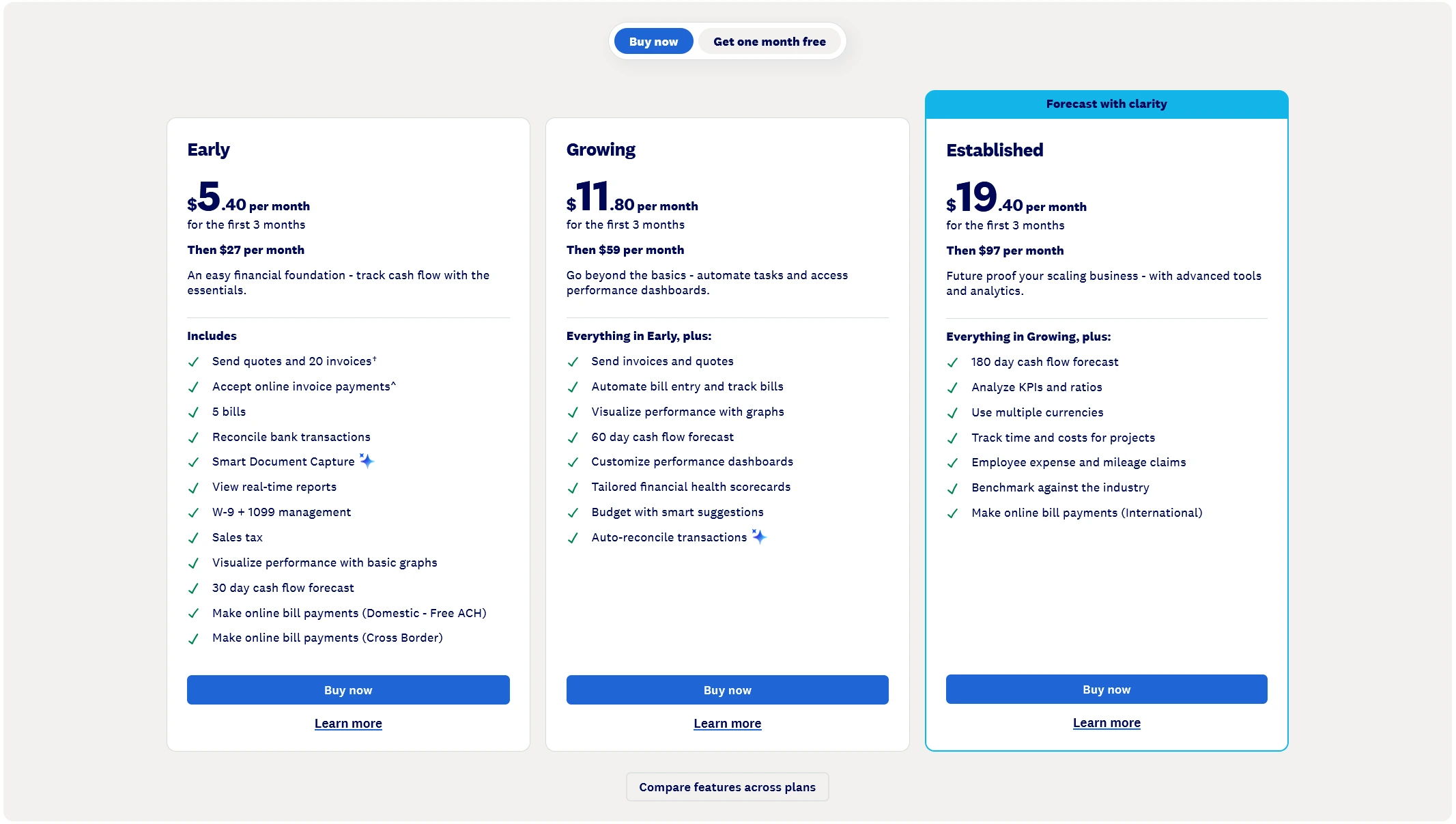
Five supplier bills can disappear quickly. A business paying rent, utilities, software subscriptions, insurance, and several reviewers praise Xero's interface, invoicing tools, bank integrations, and connected accounting workflows.
Growing removes those entry-level invoice and bill caps and adds more analytics and automatic reconciliation. Established adds multicurrency, Projects, and employee expense claims.
The practical approach is to price the plan your normal workload requires. An introductory discount is welcome, but it won’t make the wrong plan fit. For a wider budgeting framework, see our guide to cloud accounting software pricing.
What Does the Price Increase Mean for Family Offices?
Family offices often maintain separate accounting records for holding companies, property-owning entities, operating businesses, and other legal structures.
With Xero, each subscribed organization has its own accounting plan. That makes it important to review costs across the entire structure, particularly after the October 2026 price increase and the announced phaseout of multi-organization discounts.
But subscription costs are only one consideration.
A family office may also need consistent reporting across entities, foreign-currency accounting, controlled access to financial records, and a reliable process for preparing consolidated reports.
Xero's separate organizations, partner tools, and Syft Analytics may meet those requirements. Eleven is another option worth evaluating because its platform is designed for multi-entity accounting.
For family offices, the useful comparison is the complete workflow: how transactions enter each ledger, how documents are reviewed, how intercompany balances are handled, and how quickly the team can produce the reporting it needs.
Eleven offers separate pricing arrangements for family offices, so those costs should be evaluated against a tailored Xero setup rather than the accounting-firm prices shown above. We compare them further below.
Xero’s Best Features
Xero’s useful features connect ordinary accounting tasks: issuing an invoice, collecting payment, entering a supplier bill, matching a bank transaction, and reviewing the resulting accounts.
Invoicing and Payment Collection
Xero supports branded invoices, repeating invoices, automatic reminders, and online payment options through providers such as Stripe and GoCardless. You can set reminder timing rather than manually chase every overdue invoice.
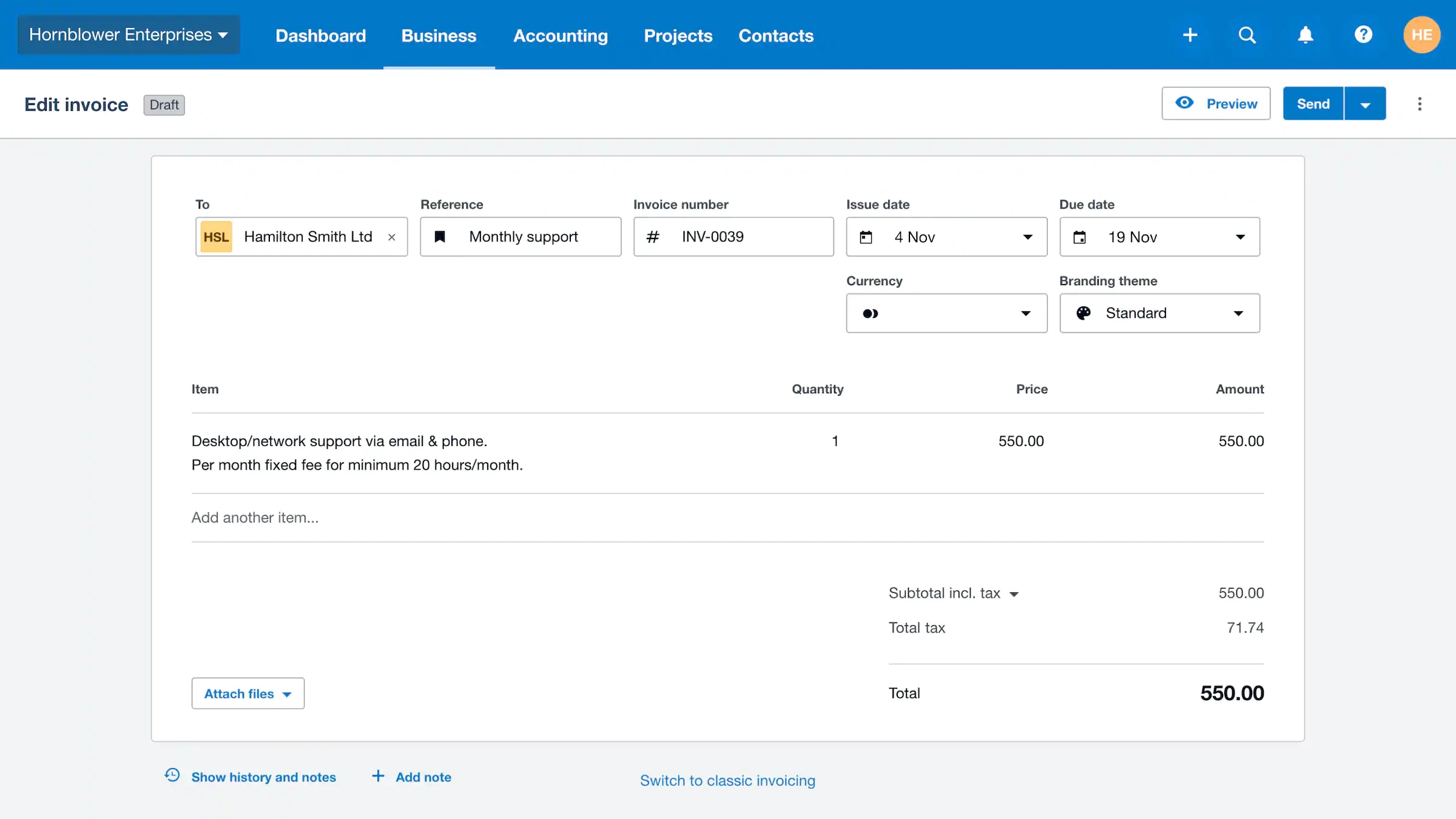
For a service business with regular monthly clients, that makes the workflow straightforward: prepare recurring invoices, let reminders handle routine follow-ups, and investigate exceptions.
Timothy G., a G2 reviewer, described straightforward invoice creation and useful automatic reminders. He also felt price increases and paid additions had weakened the value:
“It is still worth the cost for the time saved, but the ROI isn't as high as it once was."
— Timothy G., G2, August 31, 2026
That’s one user’s assessment, but it captures a sensible buying question: does the time saved justify the full recurring cost?
Bills and Document Capture
With Xero, you can upload or email supplier bills, extract information into draft bills, organize amounts due, and control who can create or approve bills. It also provides duplicate-bill detection.
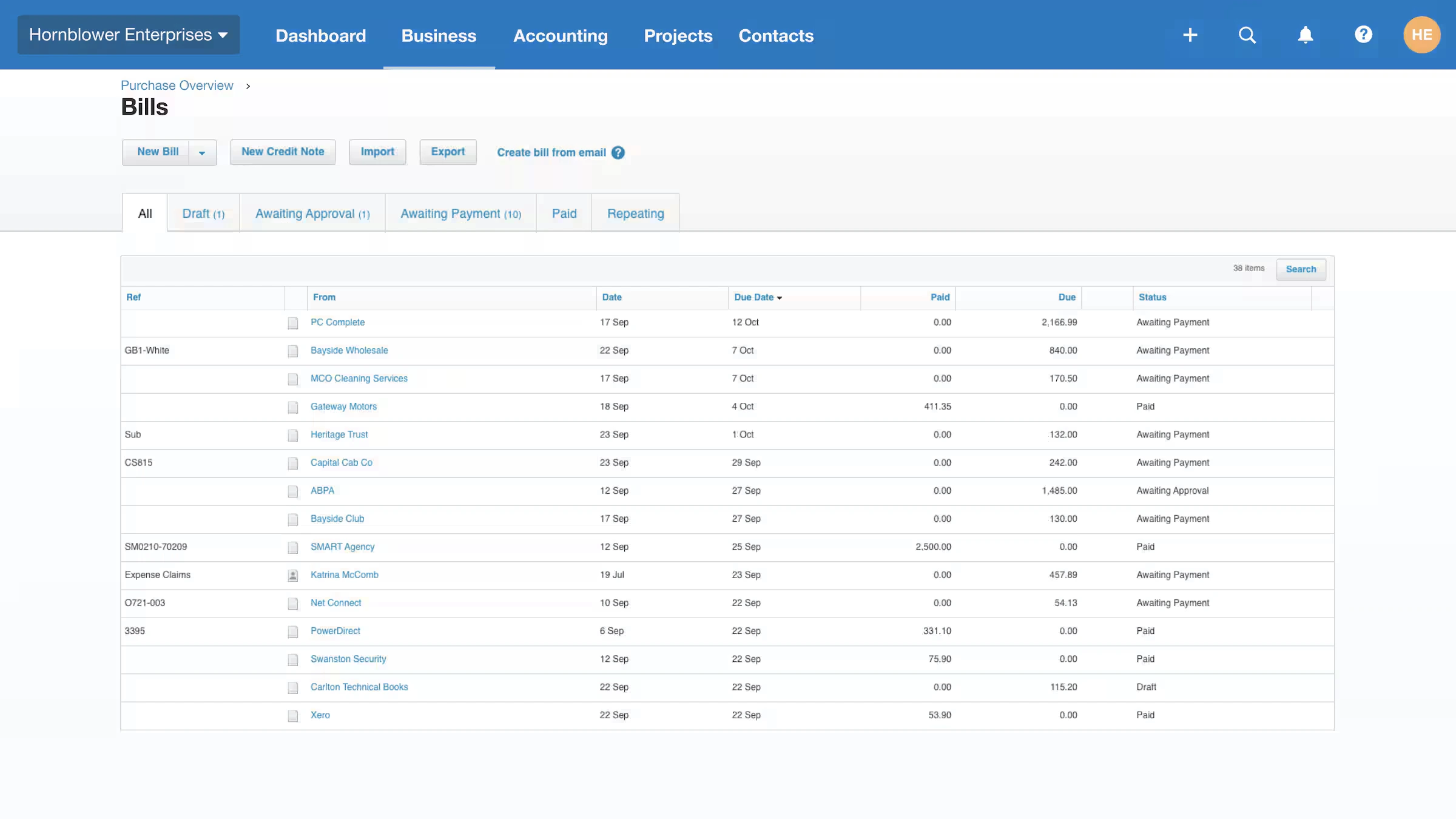
Document extraction reduces typing. The draft still needs checking: supplier details, dates, amounts, account coding, and tax treatment all affect the resulting records.
Standard domestic USD ACH bill payments are included in US business plans. Other payment methods and international or cross-border payments can carry fees, so “bill payments included” shouldn’t be read as “every payment is free.”
US Tax Features
All three US plans include W-9 and 1099 management, along with sales tax tools. Xero lets businesses collect W-9 information from contractors, track payments, and prepare 1099 reports for filing.
Its sales tax tools also help calculate applicable rates and prepare sales tax reports. These features are useful for US businesses managing contractors or taxable sales, although an accountant still needs to check the underlying records, tax treatment, and filing obligations.
Bank Feeds and Reconciliation
Xero imports bank transactions through supported connections and provides tools to match them with accounting records. Bank rules and bulk coding can reduce repetitive processing. If a bank connection is unavailable, transaction data can be imported manually.
Some banks charge for direct feeds, so check whether your particular connection carries an additional fee. Availability, transaction details, and import frequency can also vary by bank.
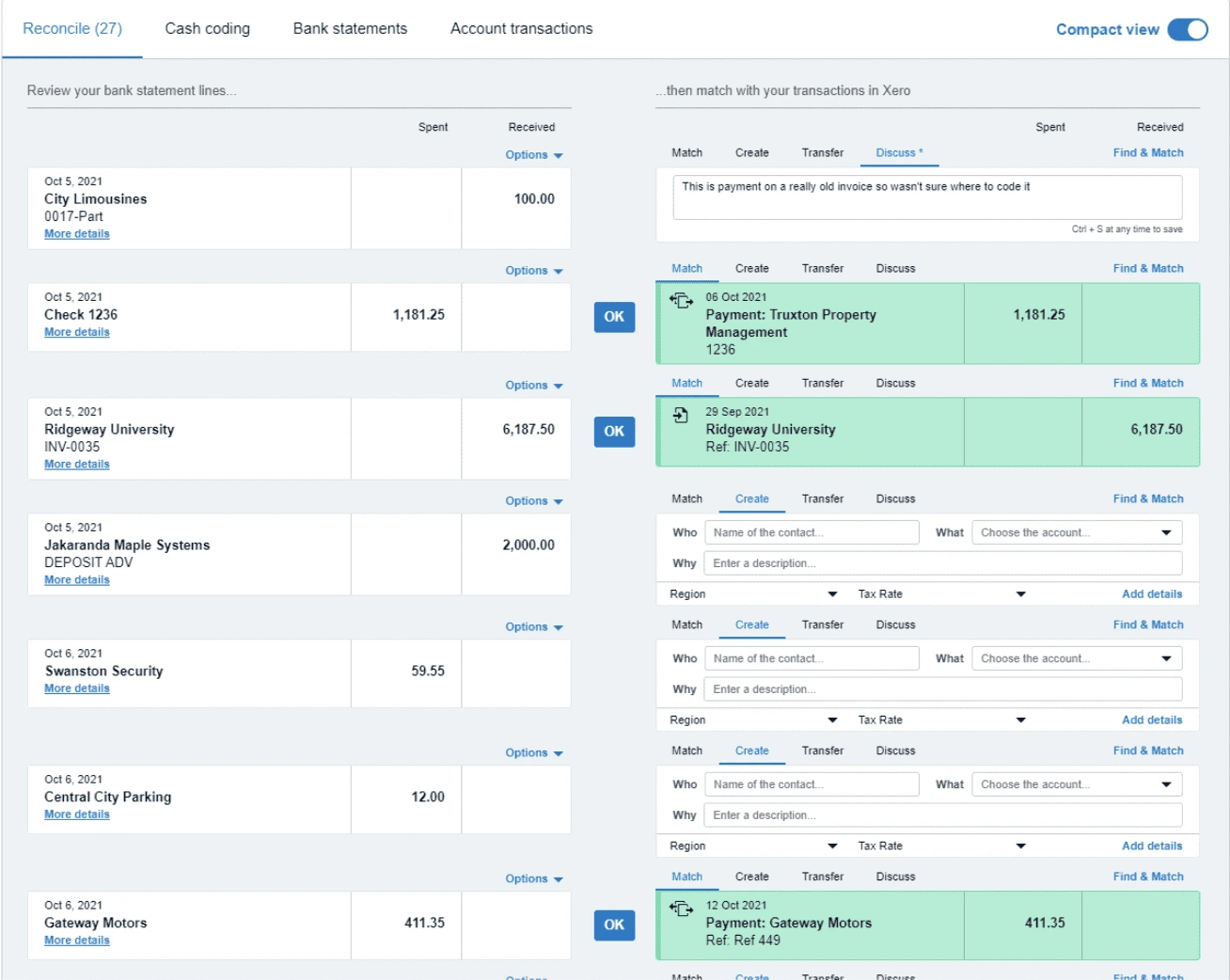
The workflow matters as much as the connection. Check whether your own bank imports complete descriptions, whether transactions arrive when expected, and how the system handles transfers, refunds, and payment-provider settlements.
A successful match is also only part of the accounting review. At period-end, you still need to establish that the ledger balance agrees with the bank statement and investigate outstanding items.
Reporting and Cash Flow Visibility
Xero combines financial reports with dashboards and analytics. Its advertised cash flow forecast horizons are:
- 30 days on Early
- 60 days on Growing
- 180 days on Established
Higher plans add more analytical tools.
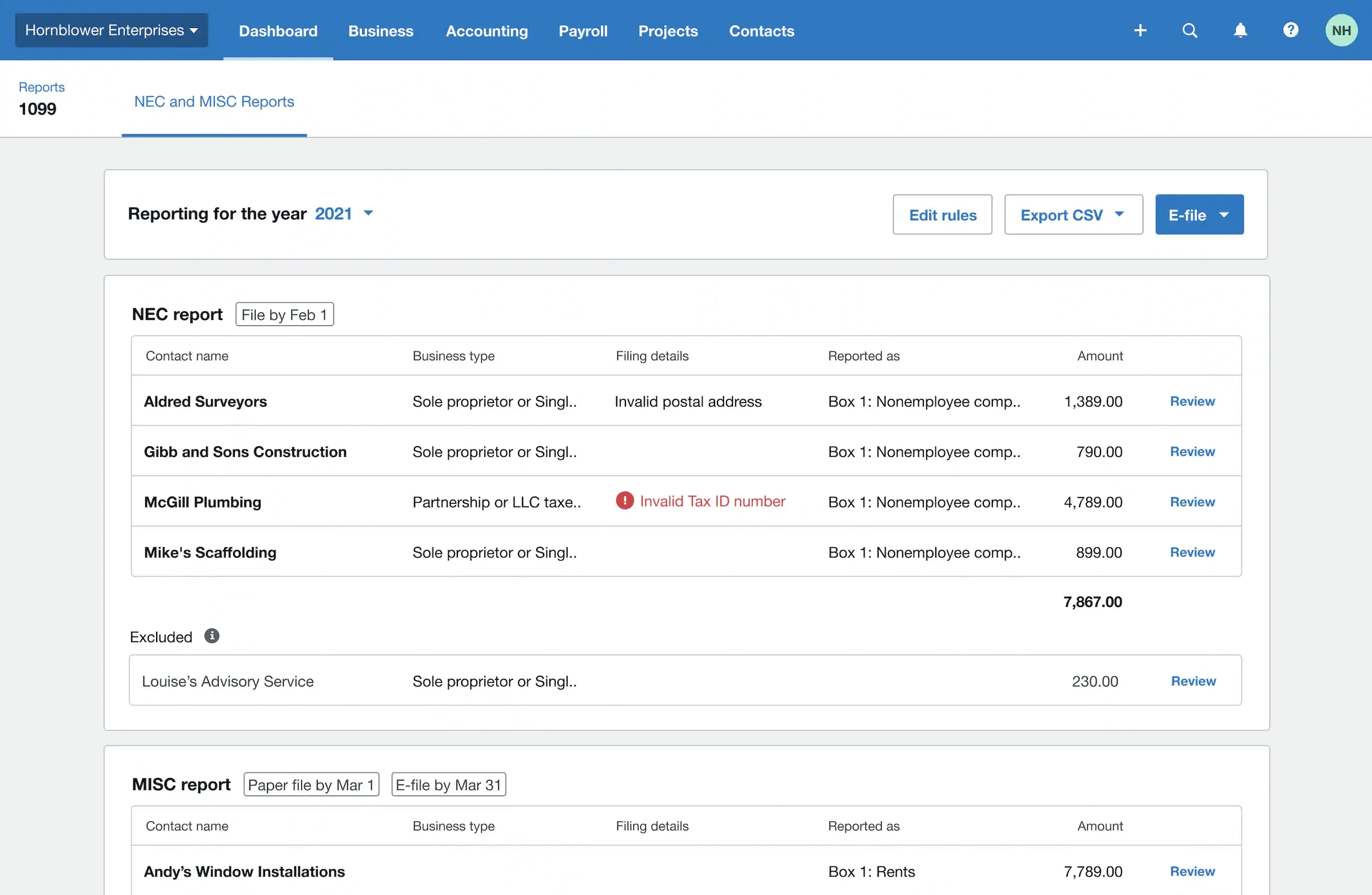
That can help an owner move from “what’s in the bank?” to questions about overdue receivables, upcoming bills, and operating performance.
Reporting experiences still depend on the work involved.
“Some of the reports are also good, in that they are easy to generate and comprehend. They also generate quickly. The bank reconciliation screen isn’t as easy to use as other alternatives, and it ends up taking much longer to complete reconciliations when the data input hasn’t been 100% accurate.”
— Stephen H., Accountant, G2
During a trial, build a report you actually deliver to management or clients. Include the comparisons, categories, and presentation you normally need.
Inventory, Projects, and Expenses
Xero’s core inventory tools track items, quantities, and values. Inventory Plus is a distinct offering for more involved e-commerce workflows, including multiple channels and locations, so its capabilities shouldn’t be attributed to the base inventory tools.
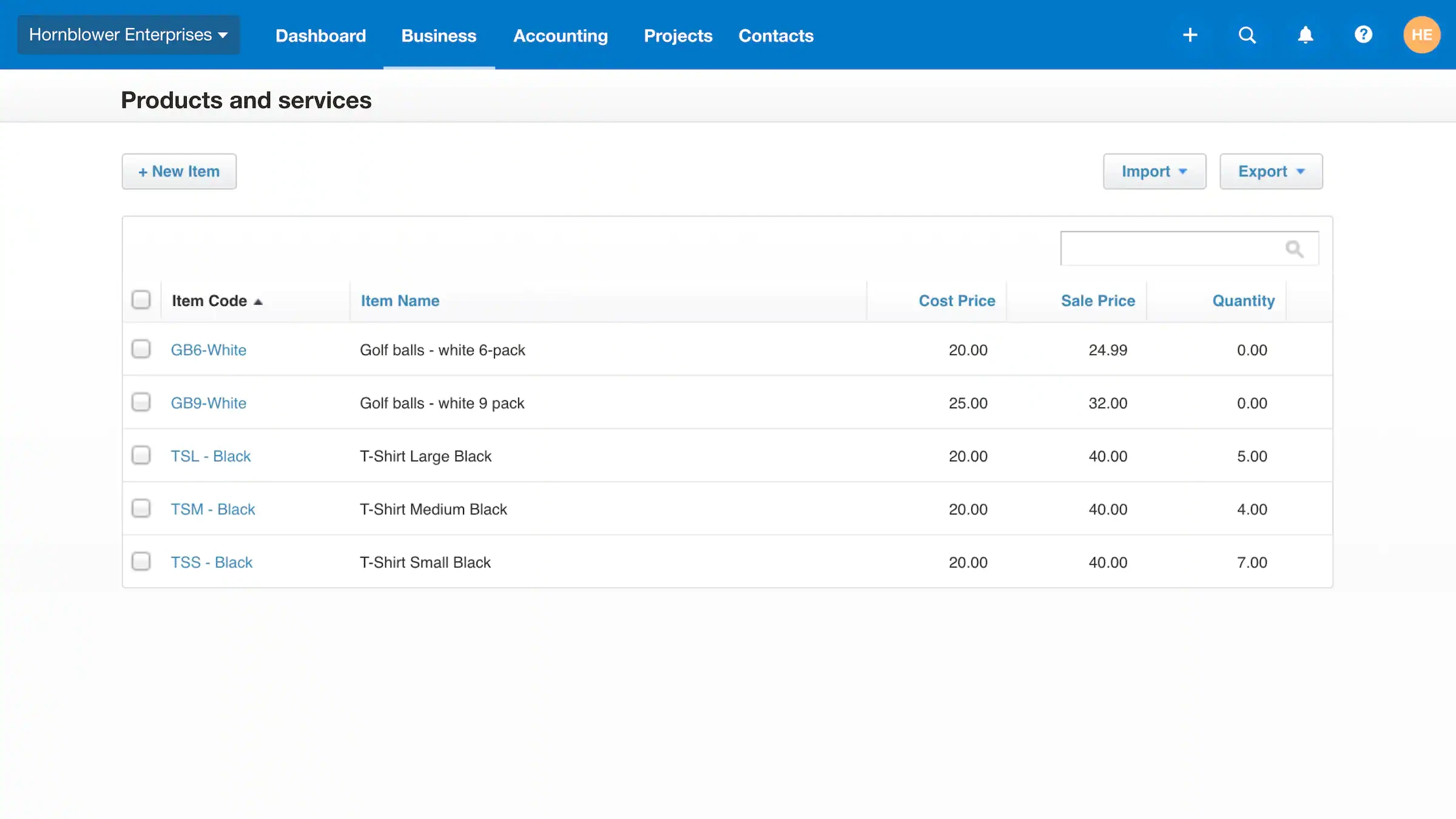
Projects, included in US Established, connects time, costs, and invoicing with project profitability. Established also includes employee expense and mileage claims.
For an agency or consultancy, those tools may justify the upgrade. For a retailer, inventory requirements and ecommerce integrations may have a greater effect on the final setup.
Xero AI Features
Xero’s AI capabilities serve different purposes. Conversational assistance, document extraction, and automatic reconciliation should be evaluated separately.
JAX Chat
JAX can answer questions about financial data in Xero, assist with administrative tasks, and respond to general business questions. For example, you might ask about your outstanding invoices or research a typical cost in your industry.
Answers based on your accounting records should be checked against the underlying transactions, while external research should be verified against reliable sources before it's used in financial decisions.
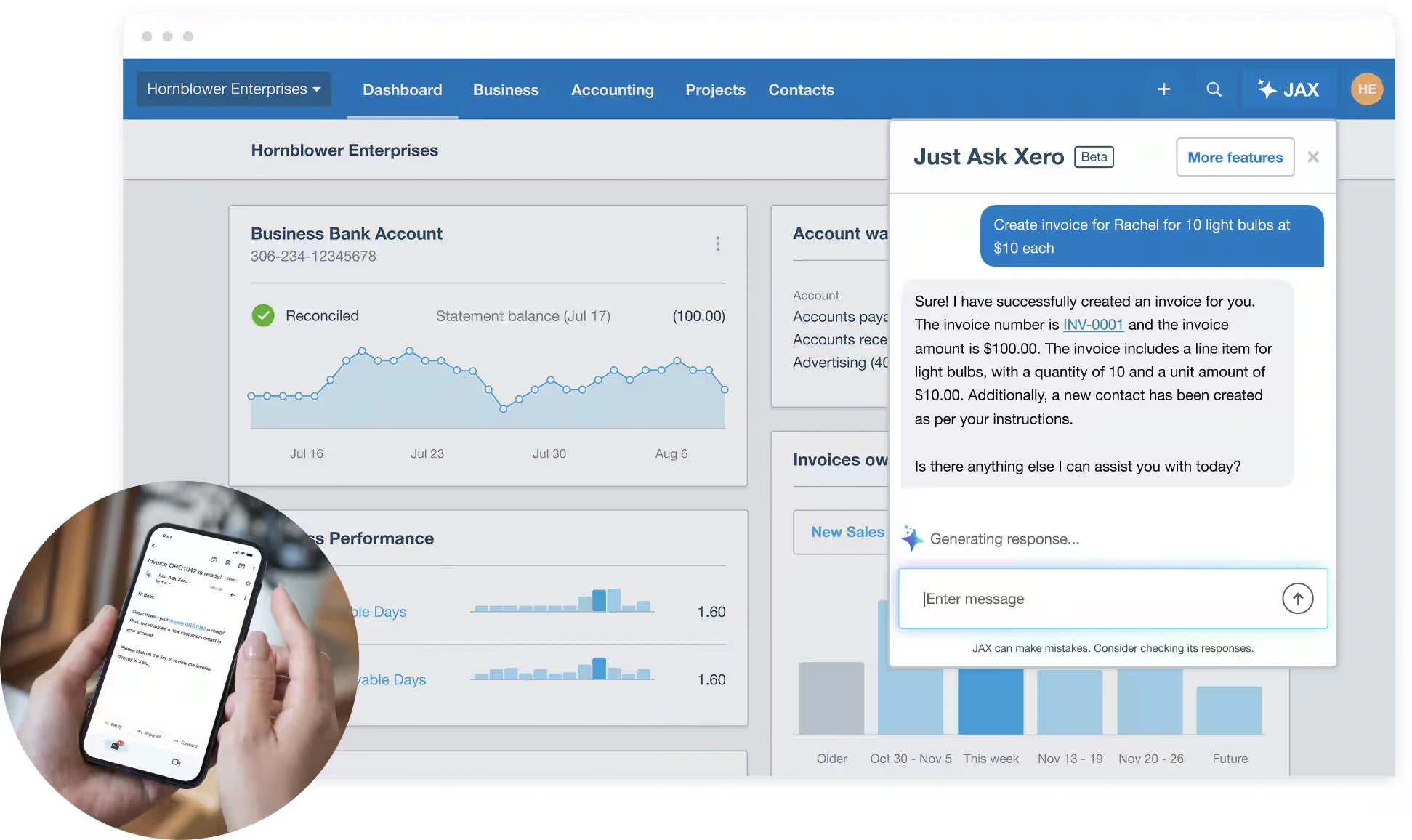
Xero says chat is available to subscribers and users at no additional charge currently, with access governed by their existing permissions. Xero reserves the right to change the terms, including pricing.
Automatic Reconciliation
Xero says automatic reconciliation uses four methods:
- Bank rules,
- Matches to existing records,
- Previous reconciliation patterns, and
- Predictions.
When Xero is sufficiently confident, it can automatically match or categorize individual imported bank transactions. Otherwise, it suggests a match for the user to review.
This automates part of the day-to-day bank transaction reconciliation process, not the entire month-end close. Accountants still need to review outstanding items, confirm statement balances, and investigate discrepancies before finalizing the books.
The US pricing page lists this as included on Growing and Established, with a $5 monthly option on Early. That’s different from the availability of JAX chat.
A useful trial should include awkward transactions as well as easy ones: split payments, refunds, transfers, and deposits net of processing fees. Those cases reveal how much review your books will need.
Xero Users’ Feedback
The reviews below are selected examples from G2 (4.4/5, 1,830+ reviews) and Trustpilot (4.1/5, 11,425+ reviews). They illustrate experiences with particular workflows, though they aren’t a representative survey of Xero customers.
- Several supplied reviews value the interface, invoicing, banking, and integration options.
- Others describe difficulty with setup, support, report customization, or the cost of additional services.
- Some reviewers express both views in the same review.
Kenyon S., for example, praised Xero’s ecosystem and helpful support but described trouble connecting a bank and paying for A2X to handle Shopify bookkeeping:
“I find it pretty annoying that I have to pay for a second subscription to A2X”
— Kenyon S., G2, January 22, 2026
That doesn’t establish that every Shopify business needs the same setup. It does show why integration costs belong in an evaluation.
Other complaints involve unexpected charges and confusion regarding the cancellation notice period:
“FURIOUS right now. I cancelled my subscription a few days before it renewed, and they still charged my card. I talked to customer service and they said that you have to give a one-month notice for cancellations, like they are an apartment complex or something. They refused to give me a refund and cancel the service. This is NOT how apps work or any subscription I've ever had. This is deceptive and scam-y.”
— Cody Craig, Trustpilot
The useful lesson is to check the documented cancellation rules. A review can show how a policy affected someone; the policy itself needs a primary source.
How Does Xero Support Work?
Xero support begins through Xero Central. Its documentation says there’s no general support email address or phone line; users raise and manage cases online, where expected response times and case status are displayed.
Phone conversations can form part of an individual support case, as examples in the supplied reviews show. That’s different from having an inbound number to call whenever an issue arises.
Some reviewers describe positive support experiences with onboarding and account recovery alongside reports of slow or unresolved assistance. Those examples don’t establish a typical response time.
If your team works to filing or month-end deadlines, find out how urgent issues are escalated and what support is available to your subscription.
What Should You Know About Cancellation and Data?
Xero’s US cancellation guidance specifies a one-month notice period for paid subscriptions, with charges continuing during that period. Only the subscriber can cancel, and canceling Xero doesn’t cancel connected app subscriptions.
Before leaving, export the records and reports you need while access remains available. After the notice period, Xero archives the organization’s data; restoring access requires reactivation under the applicable conditions.
There’s also a distinction between data ownership and permitted processing. Xero’s terms say it doesn’t own your uploaded data, but receives rights to process it for delivering and developing services, among other specified purposes. The terms also address anonymized statistical data.
Separately, Xero says information processed by JAX’s third-party large language model providers isn’t used to train those models. That statement shouldn’t be expanded into a claim that Xero never processes customer data for product development.
Can Xero Handle Multiple Clients and Companies?
Yes. Xero supports accounting firms managing multiple clients through its partner tools, including Partner Hub. Each organization maintains its own accounting records and subscription, although one subscriber can manage billing for several organizations.
For firms serving unrelated clients, keeping those accounts separate is usually appropriate. The priority is being able to move between clients, manage access, and complete each set of books efficiently.
Related companies present a different challenge. A family office or corporate group may need financial statements covering several entities, including currency translation, intercompany adjustments, and consolidation.
Xero offers a route to group reporting through Syft Analytics:
- Syft supports multi-entity reporting and advertises features such as eliminations and fractional ownership.
- Eligible Xero accounting partners can also access Syft at no additional cost for clients on qualifying Growing and Established plans.
The important detail is that the Syft plan corresponds to the underlying Xero subscription. Confirm which consolidation features your specific arrangement includes, particularly if you need eliminations, minority interests, or multi-currency group reporting.
This gives Xero users a credible consolidation option, although it introduces a separate reporting workflow alongside the underlying accounting organizations.
For a broader explanation of these requirements, see our multi-entity accounting guide.
How Xero and Eleven Compare for Multi-Entity Accounting
Xero deserves consideration when a business needs invoicing, banking, payments, and connected operational tools alongside its accounting. Its partner tools also support firms managing client portfolios.
Eleven becomes relevant when the central requirement is coordinating separate ledgers across client entities or a corporate structure.
Both products offer collaboration across multiple entities, so a comparison should go beyond counting companies or users.
- For a firm, evaluate a complete client workflow.
- For a related group, evaluate a complete close: entity reports, currency handling, intercompany adjustments, and consolidated output. Include the operational services your businesses need when comparing total costs.
How Do Xero and Eleven Costs Compare for Accounting Firms?
Xero's October 2026 price increase makes portfolio-wide subscription costs worth reviewing, especially for firms maintaining dozens of separate organizations.
The comparison below uses Xero Established at its current US monthly list price of $97 per organization and Eleven Professional at $40 per entity per month under an annual agreement, with published volume discounts applied.
These plans both provide multicurrency accounting and a route to consolidated reporting, although their operational features and reporting workflows differ.
Eleven prices are monthly equivalents of annual agreements, with discounts of 10%, 15%, and 20%, respectively. Xero figures assume full monthly list prices.
For an accounting firm managing 30 entities, that amounts to $34,920 annually for Xero Established compared with $12,240 for Eleven Professional, a difference of $22,680 in base subscription charges.
That isn't a guaranteed saving from switching. Xero offers operational features such as invoicing, payment collection, Projects, and employee expense management that may be important to your clients. Eligible accounting partners may also receive Syft access without an additional Syft subscription charge.
Xero's Growing plan costs less than Established, but it doesn't include multicurrency accounting. Firms with entirely domestic requirements should consider Growing separately rather than assuming every organization needs Established.
The comparison also uses different billing commitments: Xero is charged monthly, while the Eleven prices shown require an annual agreement. Taxes, promotions, partner discounts, implementation requirements, integrations, and changes in future pricing are excluded.
The practical decision comes down to which accounting and reporting workflows your firm needs, how much it pays across its entire entity portfolio, and what work remains outside the accounting platform.
Where Does Xero Stand After Its October Price Increase
For many small businesses, yes. Xero remains a capable accounting platform, with invoicing, banking, reporting, and a wide range of integrations. Its unlimited-user model and accountant collaboration tools also make it a practical option for businesses working with external accounting firms.
The October price increase doesn't take those strengths away. However, it does make the cost harder to ignore when you're managing dozens of organizations, especially with Xero phasing out its multi-organization discount.
For accounting firms and family offices, this is a good opportunity to review more than the subscription bill. Consider how much time your team spends switching between entities, reviewing documents, managing foreign currencies, and preparing reports.
That's where Eleven offers a different approach.
Built for multi-entity accounting, Eleven brings bookkeeping, document management, batch processing, and multicurrency support into one platform. Its Professional plan also includes consolidated reporting, helping firms manage more of their accounting workflow in one place. And you can see how it works before making a decision.
Eleven's free test drive lets you explore a preconfigured environment or try the platform with your own client entities. Process documents, review bank transactions, and explore the reporting tools to see how the experience compares with your current setup.
Start your free Eleven test drive
Xero Review FAQs
How Much Does Xero Cost in the US?
As of October 2026, US list prices are $27 per month for Early, $59 for Growing, and $97 for Established. Eligible new customers can currently receive 80% off their first three months before regular pricing applies. These rates took effect on October 1. Applicable taxes and additional services can increase the total. Xero will also increase its global pricing starting November 1, 2026.
Does Xero Charge for Additional Users?
Xero’s US business plans offer unlimited users without per-user license fees. Permissions still determine what each person can access, and separate organizations retain their own subscriptions.
Does Xero Support Multiple Currencies?
US Established includes multicurrency. Xero advertises support for more than 160 currencies. Recording foreign-currency transactions is distinct from translating and consolidating the accounts of related entities, so groups should evaluate their reporting requirements separately.
Does Xero Include US Payroll?
Payroll is an optional paid offering called Xero Payroll, powered by Gusto. The advertised starting price is $36 per month plus $6 per employee or contractor.
Five employees would bring that payroll charge to $66 per month before other applicable charges, in addition to accounting.
Can Xero Produce Consolidated Reports?
Syft Analytics provides a consolidation route. Eligible Xero partners receive Syft access for qualifying Growing and Established subscriptions, with features depending on the corresponding plan.
Establish which functions are included in your arrangement before comparing it with another system.
Can You Cancel Xero Immediately?
A paid US subscription has a one-month cancellation notice period, during which billing continues. Connected apps must be canceled separately. Export the records you need before the notice period ends and confirm the cancellation date shown in your account.
Was this article helpful?
Thank you! Your feedback has been received!
Oops! Something went wrong while submitting the form.