Full Xero Review With Updated US Pricing and Features (2026)
Home
/
Blog
/
QuickBooks Review 2026: Is QuickBooks Online Still Worth It?
QuickBooks Review 2026: Is QuickBooks Online Still Worth It?
Written by
Reviewed by
QuickBooks is the strongest accounting platform on the market for US-based single-entity small businesses that need native payroll, deep tax compliance, and a mature ecosystem. It remains the category leader for that specific buyer. However, it was never built for multi-entity operations, and the per-entity cost compounds quickly the moment a firm manages more than a handful of client companies. Understand which buyer you are before reading the rest of this review.
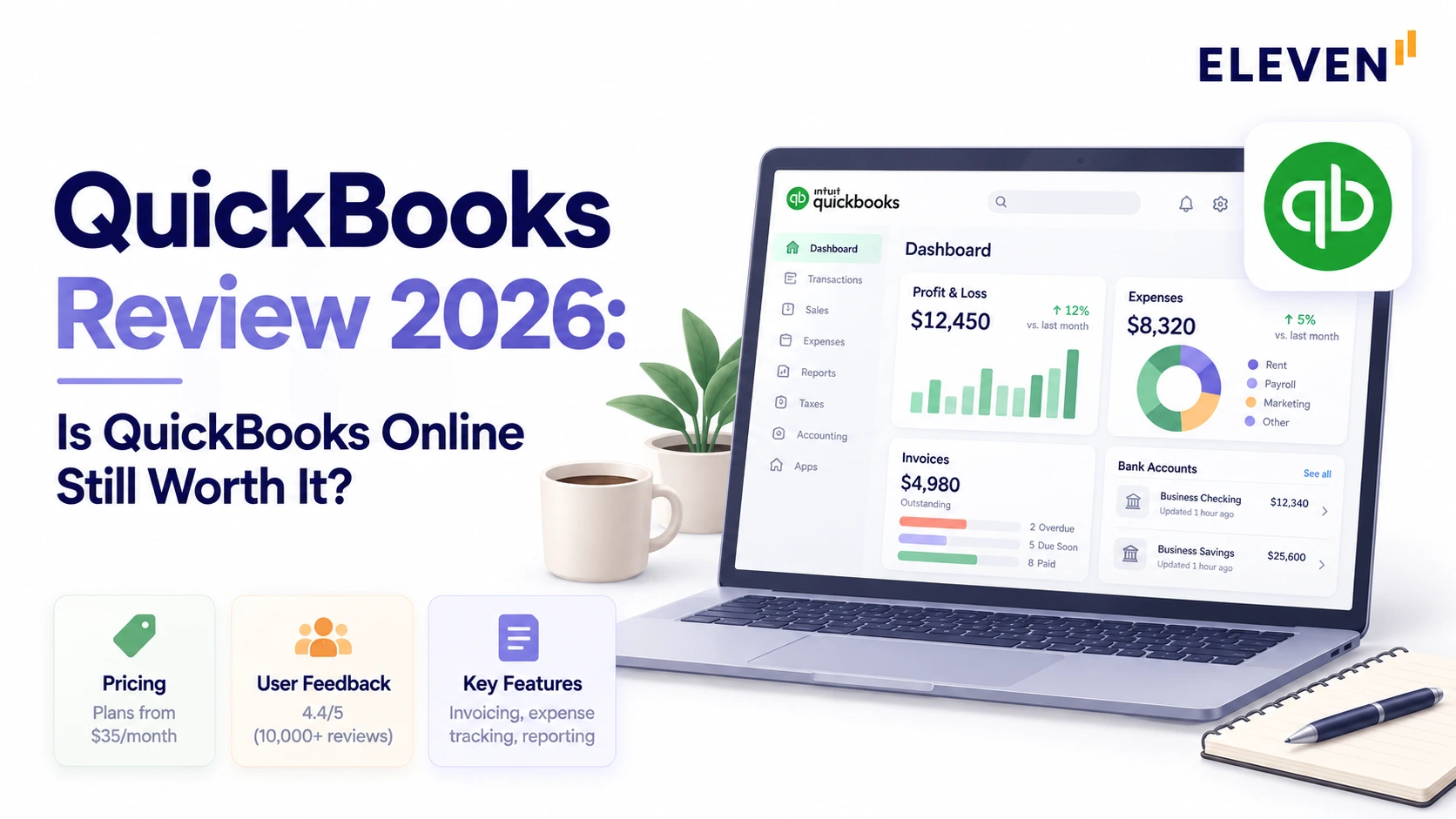
Designed primarily for small and medium-sized businesses, QuickBooks provides cloud-based and desktop accounting solutions. This article explores QuickBooks’ main products, including QuickBooks Online, Solopreneur, Payroll, Time, and Desktop Enterprise.
QuickBooks Online handles invoicing, reporting, and everyday bookkeeping, with inventory and payroll available depending on your plan and add-ons.
But prices rose by as much as 24% in August 2026, and users have reported problems with AI categorization, payments, and payroll.
So, is QuickBooks still worth the cost? Let's look at the numbers, features, and user complaints.
Is QuickBooks Online Good?
Yes, particularly for US small businesses that want invoicing, bill payments, and reporting in one place. However, costs increase as you add features, and managing several companies can get expensive.
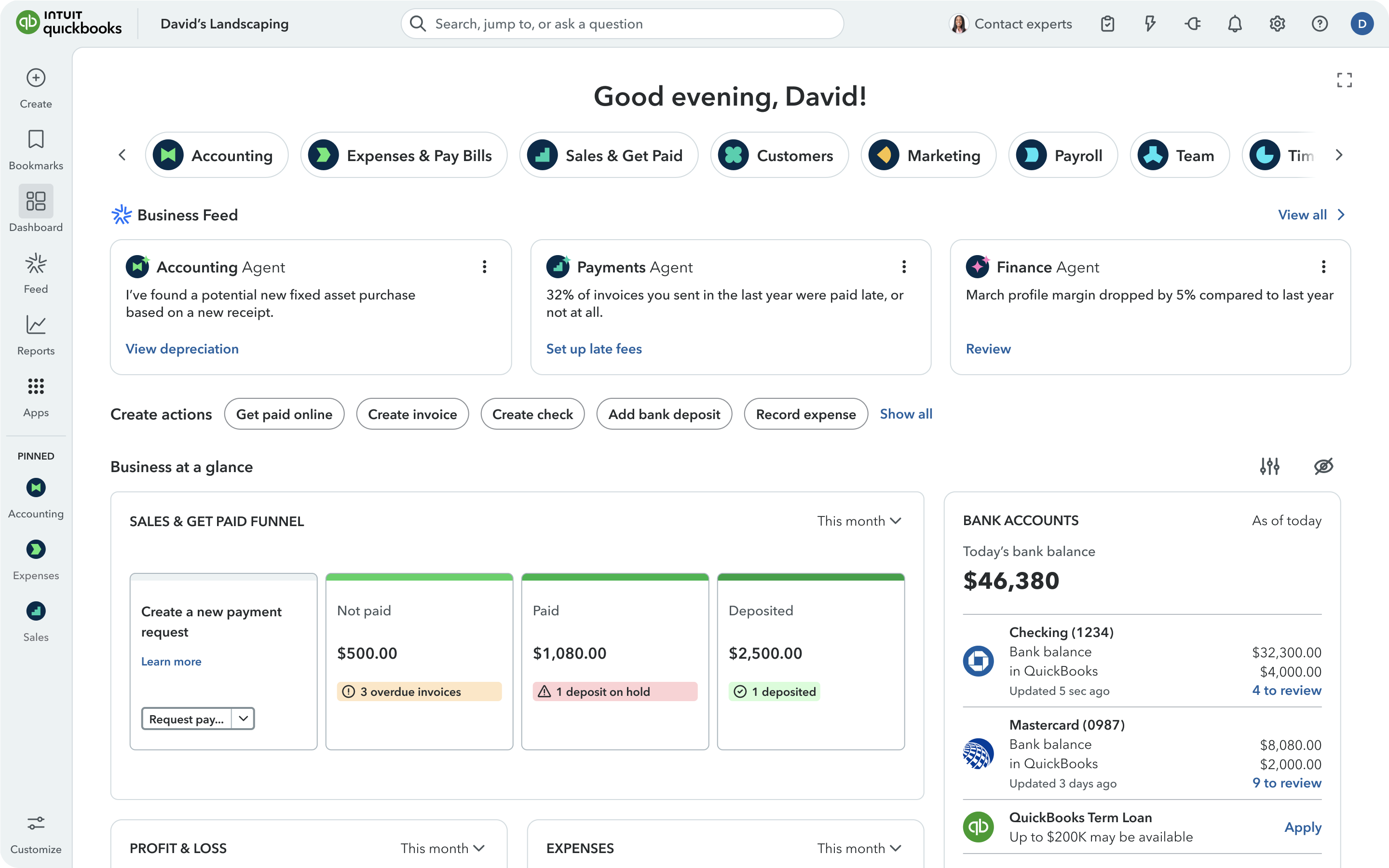
Here are the main drawbacks:
- It got more expensive. Essentials, Plus, and Advanced went up 13% to 24% for renewals from August 1, 2026.
- G2 users complain about the product. Bugs and slowness, interface changes, and AI categorization errors lead.
- Trustpilot users complain about money. 9 of 19 recent one-star reviews describe held, debited, or double-charged payments.
- Each QuickBooks Online company needs a separate subscription. You can switch between company files with one login, while Intuit Enterprise Suite adds multi-entity consolidation for related businesses.
How Much Does QuickBooks Online Cost in 2026?
As of October 9, 2026, QuickBooks Online's standard US prices are $38 for Simple Start, $85 for Essentials, $140 for Plus, and $340 for Advanced per month. New-customer promotions change, so check Intuit's current offer before subscribing.
These limits apply to users within an individual company subscription. They don't cap the total number of client companies an accounting firm can access through QuickBooks Online Accountant.
How Much Did the August 2026 Price Increase Add?
The August 2026 price increase added between $120 and $780 a year per company, depending on the plan. Advanced saw the largest dollar increase.
Intuit raised Essentials, Plus, and Advanced for renewals on or after August 1, 2026, and left Simple Start unchanged.
Intuit ties the increase to new AI features and to Bill Pay Elite, which it values at $540 a year, now bundled into Advanced.
The same post says not every feature arrives on August 1, and that its product direction "should not be relied on when making a purchasing decision."
New subscribers keep their price until their seventh invoice.
Reviewers noticed. "Once they have your data in their system they can simply increase the price at any time," said Paul U. on G2, an HR and Bookkeeper.
For context against other tools, see our guide to cloud accounting software pricing.
What Features Does QuickBooks Online Include?
All QuickBooks Online plans cover invoicing, bill payments, bank feeds, and reporting. Essentials adds multicurrency, while Plus and Advanced include inventory and project tools.
AI features vary by plan, and payroll costs extra.
How Good Is QuickBooks Invoicing and Bill Pay?
QuickBooks’ invoicing and bill pay are strong. Every plan includes the following:
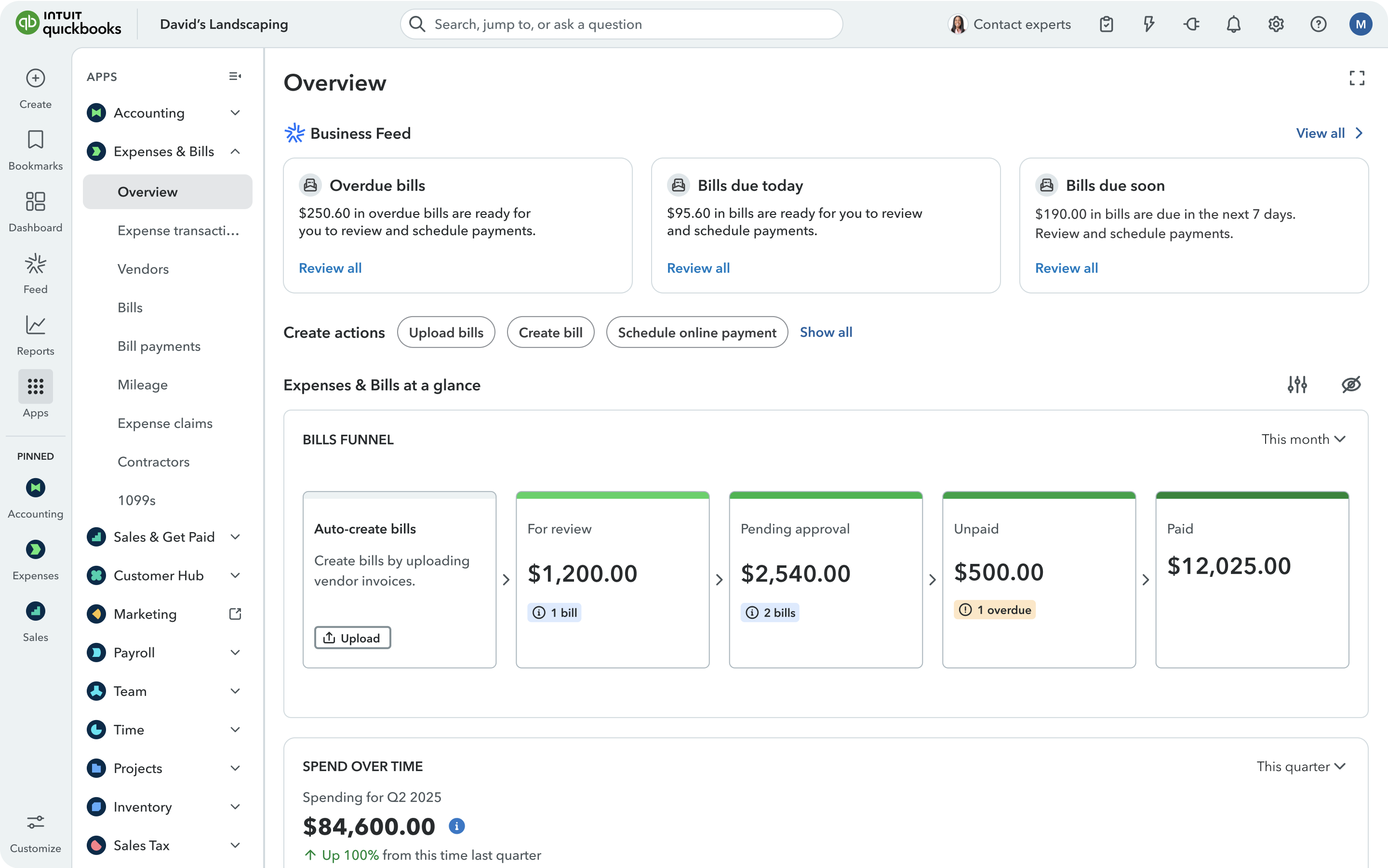
- Invoicing
- Buy Now Pay Later on pay-enabled invoices
- Free standard ACH bill payments.
- Essentials and up add "Invoicing on Autopilot" **(in beta, with monthly limits).
- Advanced now includes Bill Pay Elite with approval workflows and 1099 e-filing.
Other plans can add Bill Pay Elite for $45 a month. Bill Pay isn't available in US territories or outside the US.
QuickBooks Payments has no monthly fee, and each payment type has its own rate:
That $15 cap matters on large invoices. A $15,000 bank payment costs $15 in QuickBooks, while Wave's uncapped 1% would cost $150.
Standalone Bill Pay costs nothing on Basic (free ACH, $1.50 per check), $15 a month on Premium, and $45 a month on Elite.
How Well Do QuickBooks Bank Feeds and AI Categorization Work?
The bank feed works well; the AI on top of it is uneven. Intuit redesigned the bank feed in August and added auto-categorization on Plus and Advanced.
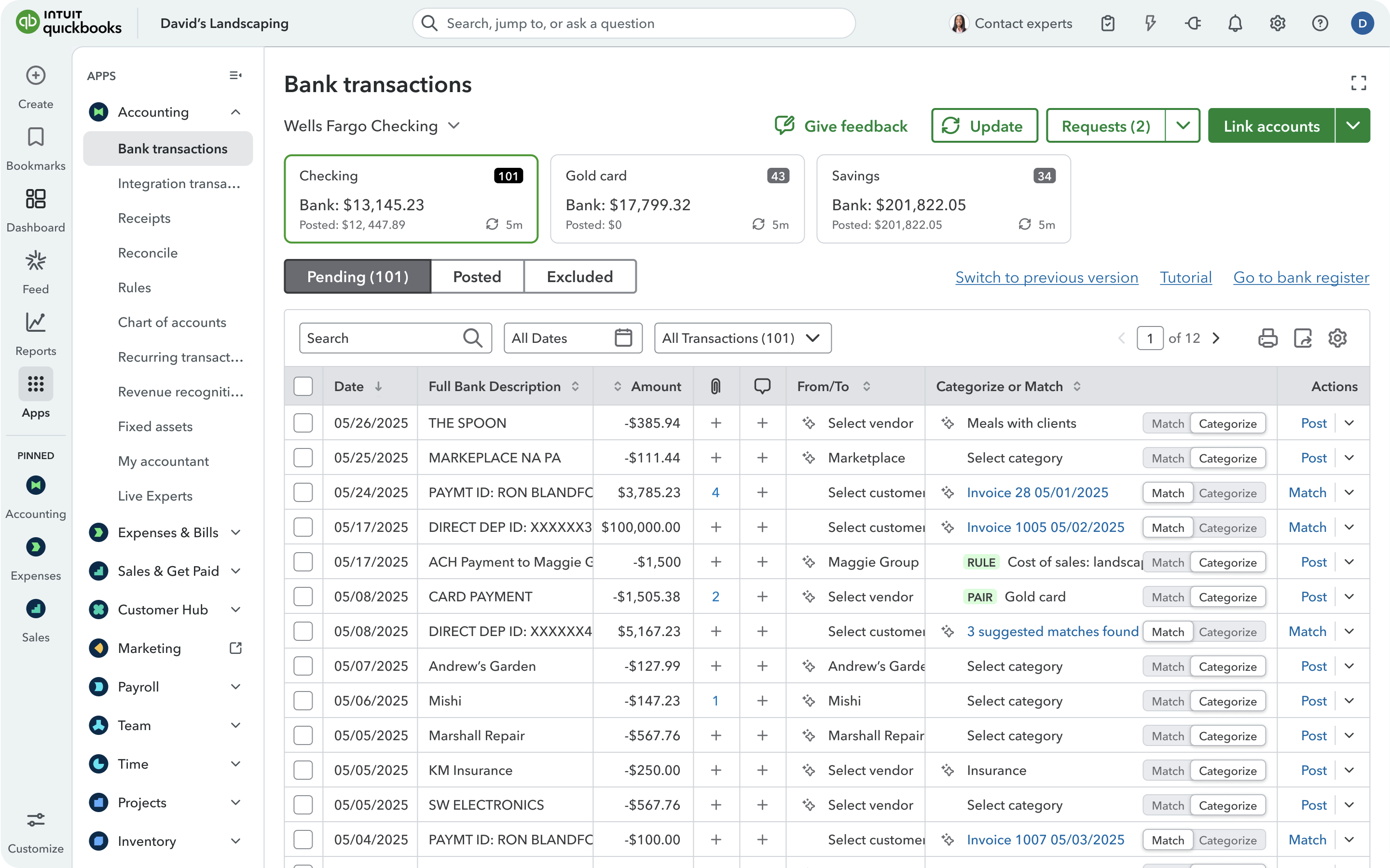
- Reviewers like the feed but often fix the AI's work. "It tends to automatically categorize charges, which can add extra time when reconciling the books," wrote Christine D. on G2, who still gave it 4.5 stars.
- A less patient user in retail said, "Everything the AI does I have to fix."
What Reports Does QuickBooks Online Include?
Reporting is one of QuickBooks' strengths, and it scales with the plan.
- Essentials and Plus get enhanced reports, KPIs, and dashboards.
- Advanced adds a full suite with a custom report builder, management reports, and forecasts.
Ashish R., a G2 reviewer, valued that "the reports also allow me to compare between periods."
Others on lower plans call reporting basic or slow with heavy data.
Does QuickBooks Track Inventory and Projects?
Yes, on Plus and Advanced. Plus covers inventory, sales and purchase orders, and project profitability, and Advanced adds project financials and a construction solution.
Simple Start and Essentials can add inventory for $40 a month.
That makes Plus and Advanced worth considering for businesses that need inventory and project tracking, rather than primarily invoicing and bookkeeping.
Does QuickBooks Online Support Multiple Currencies?
Yes, from Essentials up, QBO supports multiple currencies, with strings attached:
- Once you turn multicurrency on, you can't turn it off, your home currency is locked, QuickBooks Payments and Bill Pay stop being compatible, and the cash flow planner is disabled.
- Revaluation is a manual home-currency adjustment.
Viyella, an accountant in Curaçao, told Trustpilot that QuickBooks still didn't support the island's new currency more than a year after the March 2025 switch.
If currencies are central to your work, compare the best multi-currency accounting software.
How Much Does QuickBooks Payroll Cost?
Payroll is now sold as QuickBooks Workforce, from $50 a month plus $7 per employee.
- Premium costs $88 plus $13 per employee and adds time tracking and HR tools.
- Elite costs $134 plus $17 per employee and is the only tier with tax penalty protection.
- Accounting firms in the ProAdvisor program get 30% off the base price and 15% off per-employee fees, so Workforce Payroll drops to $35 a month plus $5.95 per employee.
Bundling doesn't save money. Workforce Premium with Plus costs $228 a month, which is exactly $88 plus $140.
A business with five employees on that bundle pays $293 a month, or $359 if it wants penalty protection on Elite.
What Do QuickBooks Online Reviews Say?
QuickBooks scores 4/5 on G2 (3,880+ reviews), but just 1.1/5 on Trustpilot (1,525+ reviews).
To understand the difference, we examined 30 G2 reviews across five-, three-, and one-star ratings, counting every complaint mentioned. We also analyzed 19 recent negative Trustpilot reviews, counting each review's main complaint.
Here's what we found:
G2 users, most of whom still use QuickBooks, complain about the product itself: three of the ten five-star reviewers mention AI categorization problems.
Trustpilot complaints are mostly about money, from both business owners whose payouts were held and customers who paid through QuickBooks invoices.
- Roger J. said a church payment to a contractor never reached the contractor; Wes M. said a single invoice was charged twice for $18,020.
Accountants in a 2026 Reddit thread drew the same line.
- "QuickBooks Online, the bookkeeping software, works just fine. Their add-ons, like payroll and bill pay, are notoriously bad," one accountant wrote.
- A Gold-level ProAdvisor in the same thread said their firm only uses QuickBooks Online "cause it's still the best on the market, but of course it's far from being ideal."
- Users do praise how quickly staff pick it up. "Its the easiest one to train inexperienced staff on by far," said Lilly W., an accounting assistant, on G2.
What Do the QuickBooks Terms Say About Prices and Your Data?
Intuit's US terms include several conditions worth checking before subscribing.
- Go over your plan's limits and you can lose access.
Limits cover users, chart of accounts, and classes and locations.
If you exceed them, Intuit may "immediately cancel or suspend your subscription... and to your data without notice," with read-only access for up to 12 months.
- You can't downgrade until you fit.
A downgrade won't go through until your file is under the lower plan's limits. Plus allows 40 classes and locations, so a company using 55 can't drop to Essentials without cleaning up first.
- Price changes apply at your next period, with no refunds.
Annual customers get a reminder 30 to 60 days before renewal, and Intuit doesn't refund partial periods.
- Your data feeds Intuit's marketing.
Intuit owns de-identified and aggregated data derived from your content and "may use this data without restriction," including for marketing.
Using certain services also authorizes Intuit to pull and refresh your consumer credit report for marketing and eligibility.
- Payments can be paused.
Intuit's terms for customers paying a QuickBooks invoice say it may pend, delay, or reverse a payment it believes is invalid or fraudulent, and that disputes are between the payer and the business.
- Liability is capped at the greater of 12 months of fees or $100.
Can Accountants Manage Multiple Clients in QuickBooks?
Yes. Accounting firms can access multiple client companies from one QuickBooks Online Accountant login, but each company still needs its own QuickBooks Online subscription.
- QuickBooks Online Accountant provides a central way to access and manage client files.
- ProAdvisor benefits include firm software and preferred client subscription pricing, subject to eligibility.
Intuit's international terms state that each QuickBooks Online account may only be used to support one business.
For year-end or tax-only clients, Intuit now offers QuickBooks Ledger at $10 a month with a 30% revenue share for the firm.
Intuit gives firms three ways to handle client subscriptions, each with a different discount:
Over 36 months, one Plus subscription would cost $3,528 under firm billing, $4,536 with the Direct discount, or $4,690 under Revenue Share, assuming current prices and promotional terms remain unchanged.
Firm billing is the cheapest option, but your firm pays Intuit and decides how to recover the cost.
With Revenue Share, clients pay Intuit directly, while your firm earns eligible commissions for the first 12 paid months. Those commissions don't reduce what clients pay.
- At scale, a firm billing 30 clients on Plus pays $2,940 a month.
- Before August, the same setup cost $2,415, so the price increase adds $6,300 a year to the firm's software bill.
Standard QuickBooks Online plans keep each company's books separate and don't provide native group consolidation. Intuit Enterprise Suite, however, is designed for multi-entity businesses and supports consolidated reporting, intercompany journal entries and eliminations.
Intuit positions Enterprise Suite for businesses managing related entities, rather than accounting firms maintaining books for unrelated clients. Pricing is available by quotation.
If you run one group of companies, it's worth a demo. If you're a firm serving unrelated clients, see our guide to accounting software for CPA firms and our multi-entity accounting explainer.
Is QuickBooks Desktop Being Discontinued?
QuickBooks Desktop 2024 has no announced sunset deadline. Intuit has moved away from its traditional three-year release cycle and says it will continue supporting Desktop 2024, including Pro Plus, Premier Plus and Enterprise 24.0.
The May 31, 2026 service-discontinuation date applied to Desktop 2023, which lost access to connected Intuit services such as payroll and bank feeds, along with security updates.
Separately, Intuit stopped selling new US subscriptions to Desktop Pro Plus and Premier Plus after September 30, 2024. Existing eligible subscribers can still renew.
If you do move to Online, Intuit offers free assisted migration, batch migration of up to 50 client files, and 12 months of view-only Desktop access.
Our QuickBooks alternatives guide covers other options.
How Does QuickBooks Compare to Eleven for Accounting Firms?
QuickBooks Online offers a broad set of business accounting features, including invoicing, payments, inventory and optional payroll. Eleven focuses on accounting firms and teams managing separate ledgers across multiple entities.
The comparison below looks at standard QuickBooks Online subscriptions against Eleven. Intuit Enterprise Suite is a separate option for businesses needing native multi-entity consolidation.
We scored both on the same scale:
- 1 = documented
- 2 = shown in a demo
- 3 = confirmed by users.
QuickBooks requires a separate subscription for each client company. Eleven manages multiple client ledgers within one platform.
For direct matchups, see QuickBooks vs. Xero and Zoho Books vs. QuickBooks.
Is QuickBooks Online Worth It in 2026?
QuickBooks Online still makes sense for US small businesses that need accounting, invoicing, and optional inventory or payroll. Just account for the higher 2026 prices and additional fees.
For accounting firms, the costs add up faster. QuickBooks Online Accountant makes client access easier, but each company still needs its own subscription.
Eleven takes a different approach, letting firms manage multiple client ledgers from one platform, with unlimited users, 170+ currencies, and per-entity pricing. Its Professional plan also includes implementation and migration.
Managing books for multiple clients? Try Eleven for free →
QuickBooks Review FAQs
Is QuickBooks good for small businesses?
Yes, especially for US businesses with one set of books that sell products and services. It's less suited to multi-company or multi-currency setups.
How much does QuickBooks Online cost in 2026?
$38 to $340 a month, plus payroll from $50 a month and $7 per employee. Prices for Essentials, Plus, and Advanced rose on August 1, 2026.
Can QuickBooks Online handle multiple companies?
Each company needs its own subscription. Accountants can switch between client files in QuickBooks Online Accountant, and consolidation requires Intuit Enterprise Suite.
Is QuickBooks Desktop going away?
Not on a deadline. Intuit says Desktop 2024 has no sunset date, though new Pro Plus and Premier Plus subscriptions aren't sold to US customers.
Was this article helpful?
Thank you! Your feedback has been received!
Oops! Something went wrong while submitting the form.