Full Xero Review With Updated US Pricing and Features (2026)
Home
/
Blog
/
Best Accounting System in 2026: 7 Platforms by Business Type
Best Accounting System in 2026: 7 Platforms by Business Type
Written by
Reviewed by
Tired of accounting software that works for others but not for you? Discover which platforms actually match your business structure and growth stage.
.avif)
This comparison looks at seven accounting systems and explains which business setups each one is actually designed to handle.
Choosing the best accounting system used to be simple: pick a popular tool, connect your bank, and move on. That approach stopped working as soon as multi-entity structures, stricter compliance expectations, and audit scrutiny entered the picture.
While many well-known platforms excel at basic bookkeeping, they break down once documentation, consolidation, and control actually matter.
This guide compares seven systems by the business structure each one is built for, not by a generic feature checklist.
If you’re not yet sure which category your business falls into, our guide to types of accounting systems is the better starting point. It covers flat ledgers, dimensional systems, and multi-entity architecture before you compare specific platforms.
What Are the Categories of Accounting Platforms?
Accounting platforms are built for different levels of complexity. Most fall into one of four categories:
- Small-business accounting software: optimized for ease of use and fast setup.
- **Cloud-based accounting automation software:** focused on integrations and workflow automation.
- Multi-entity accounting software: designed for groups, holdings, and firms managing client entities.
- Enterprise accounting systems: built for compliance, internal controls, and scale.
Comparing platforms without acknowledging these categories leads to mismatched decisions. A family office evaluating QuickBooks against Eleven on price alone is asking the wrong question entirely.
Best Accounting Systems by Category: At a Glance
Rather than naming one universal winner, we’ll match each platform to the business type it actually serves well. Find your structure below; here’s a quick breakdown.
Note: Many of these platforms offer generous first-time discounts. Xero, for example, offers 80% off your first 3 months, whereas QuickBooks offers 50% off.
1. Eleven — Best for Family Offices and CPA Firms
Eleven is an accounting platform designed for family offices and CPA firms managing complex corporate structures. It focuses on multi-entity ledger management and cross-border accounting rather than rapid, single-company bookkeeping.
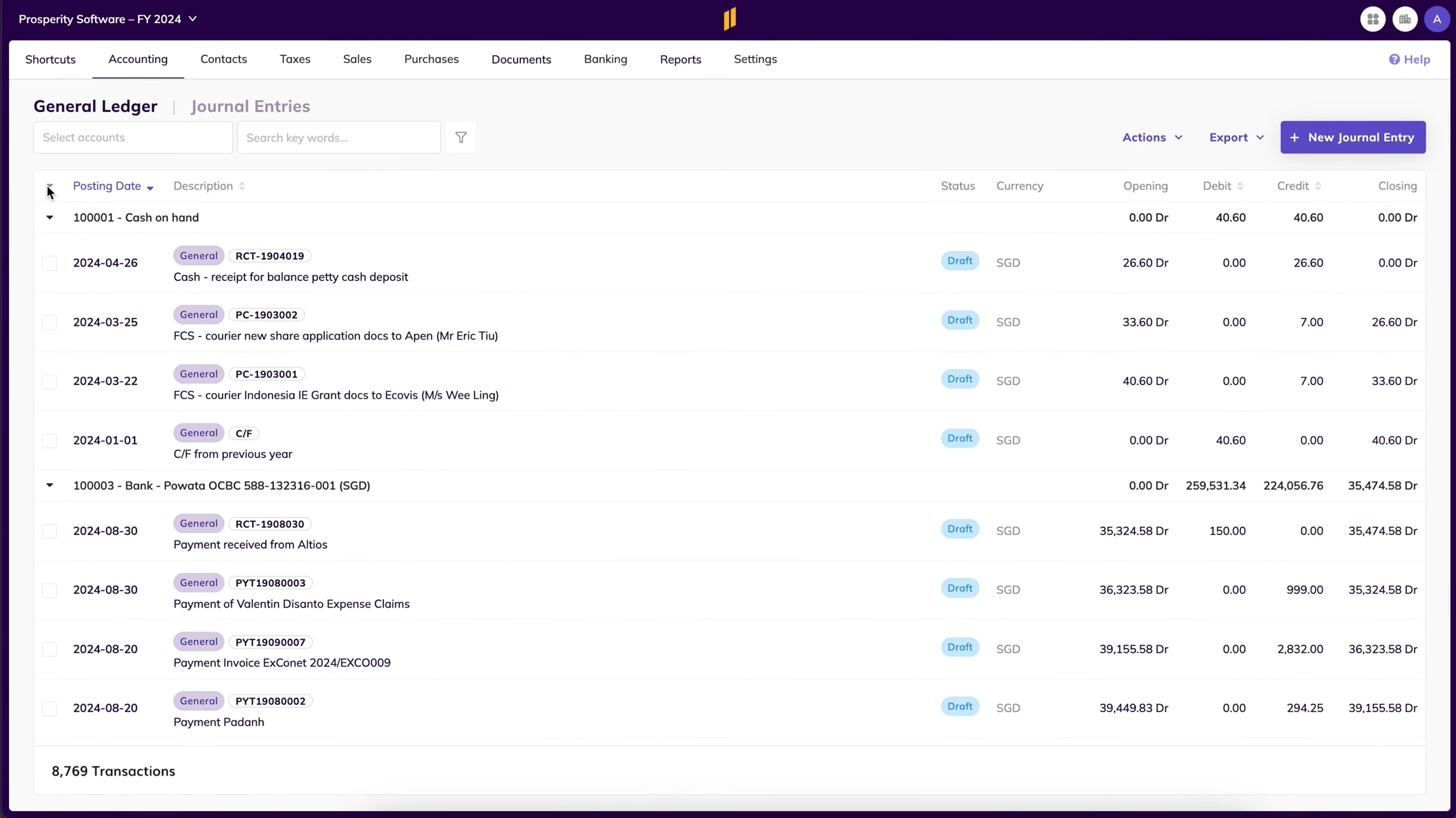
- Integrated document management: Financial records and supporting documentation live alongside transactions via Dokmee, which supports internal audits trails across multiple legal entities.
- Native multi-entity and multicurrency accounting: Supports 170+ currencies with IAS 21-compliant foreign exchange (FX) revaluation and consolidated dashboard reporting.
- Built for structure over speed: The design prioritizes ledger traceability and multi-tiered consolidation workflows over simple, automated cash-basis tracking.
Eleven is built specifically for complex corporate structures and is poorly suited for freelancers, solo operators, or micro-businesses requiring minimal setup. Plus, its native app marketplace is smaller than mass-market competitors, making it less suitable for teams dependent on a wide variety of third-party operational plug-ins.
Pricing: Eleven uses entity-based pricing. Standard costs $35/mo. per entity; Professional costs $40/mo. per entity ($13,440/yr. for 50 entities); and Enterprise pricing at scale is custom. Implementation, migration, training, and document management are included on every plan. Data migration from QuickBooks and Xero is available.
2. QuickBooks Online — Best for Small Businesses
QuickBooks Online is a popular solution that focuses on basic bookkeeping, invoicing, and a broad third-party integration ecosystem.
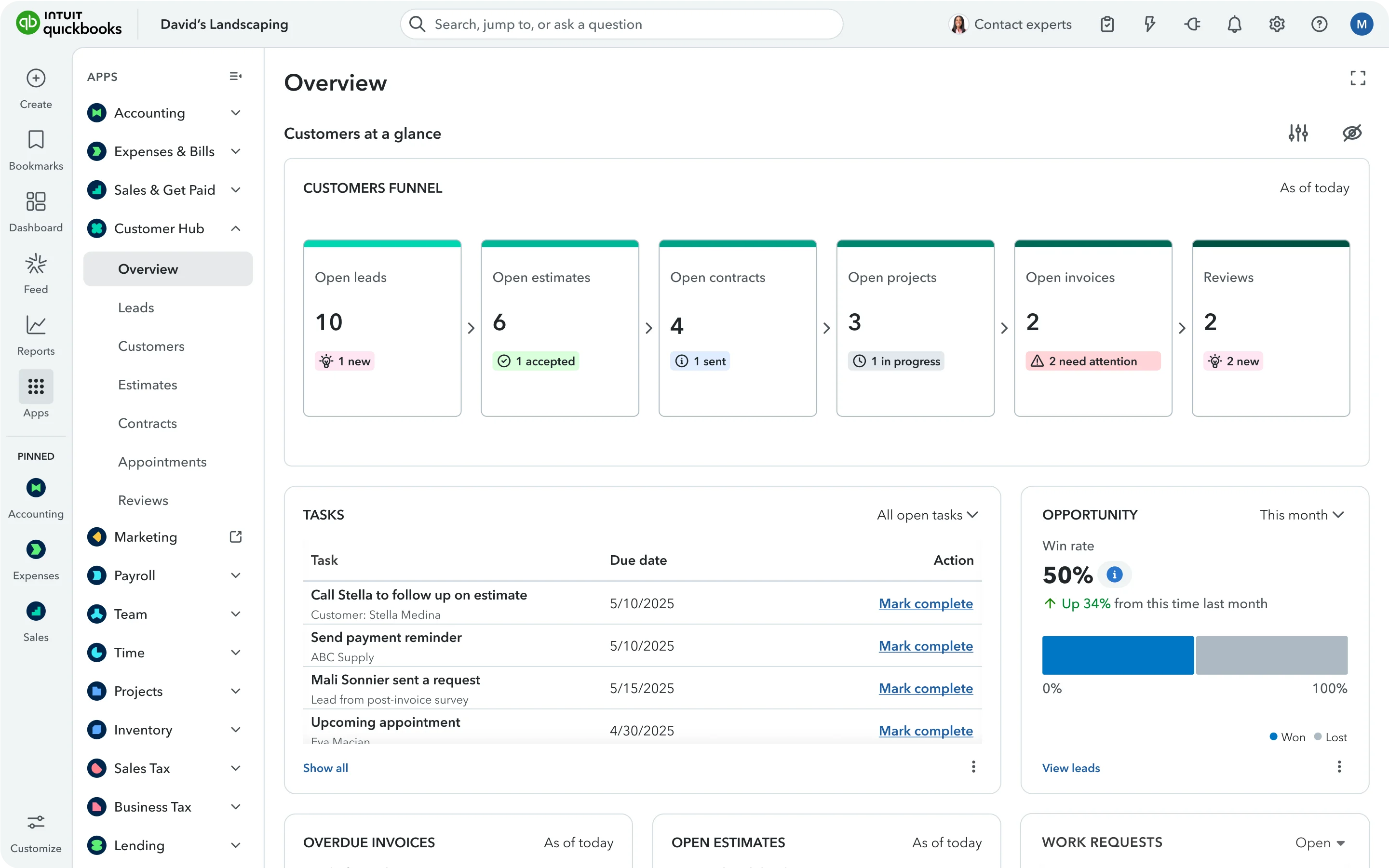
It’s great for small businesses that need fast setup, familiar workflows, and the largest accountant-familiarity base in the market.
- Invoicing, expense tracking, and payroll add-ons: Automated bank feeds and AI-driven categorization reduce manual entry for single-entity bookkeeping.
- Large user base and accountant familiarity: QuickBooks is used by over 36 million companies across industries. This reduces onboarding friction; most bookkeepers and accountants already know the platform.
QuickBooks Online's core product has limited native multi-entity support and no consolidated reporting. Intuit offers Intuit Enterprise Suite for more complex structures, but that's a separate, higher-cost product. Standard QuickBooks Online users hit workarounds quickly once they manage more than one entity.
We cover this gap in detail in our full QuickBooks review, including the ProAdvisor pricing structure most comparisons skip.
Pricing: Quickbooks starts at $75/mo. for the Essentials plan and goes up to $275/mo. for the Advanced, 25-user plan. For a mid-size business, the Advanced or a custom Enterprise Suite plan are recommended.
3. Xero — Best for Cloud-Based Automation and Reporting
Xero is a modern, cloud-first accounting system built around automation, collaboration, and an open integration model, making it a great fit for businesses that work closely with external advisors, particularly outside the US.
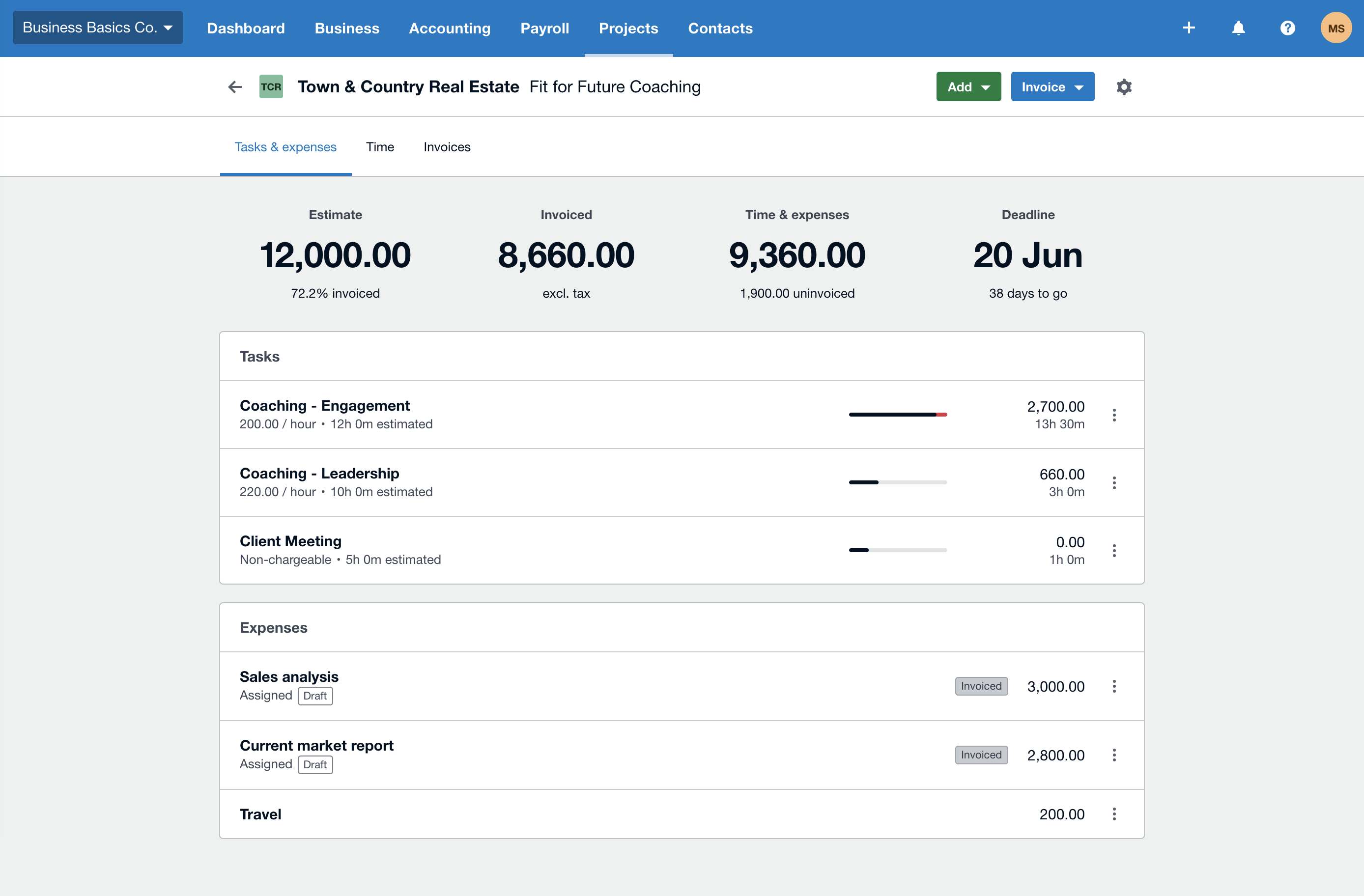
- Automated bank reconciliation and multicurrency support: Real-time dashboards and an ecosystem of 1,000+ integrations extend reporting and operational workflows.
- Unlimited users on every plan: A genuine structural advantage over QuickBooks for larger teams accessing a single entity.
Note that advanced reporting and budgeting often require third-party add-ons rather than native functionality. Plus, complex entity structures aren't handled natively; each Xero organization is an isolated ledger with no consolidation layer.
See our QuickBooks vs. Xero comparison for the full per-entity cost breakdown between the two.
Pricing: Xero starts at $29/mo. and goes up to $75/mo. for its Premium plan, making it one of the more affordable options in this list.
4. NetSuite — Best for Enterprise Security and Compliance
Oracle NetSuite targets larger organizations whose accounting needs exceed what general-purpose platforms can support.
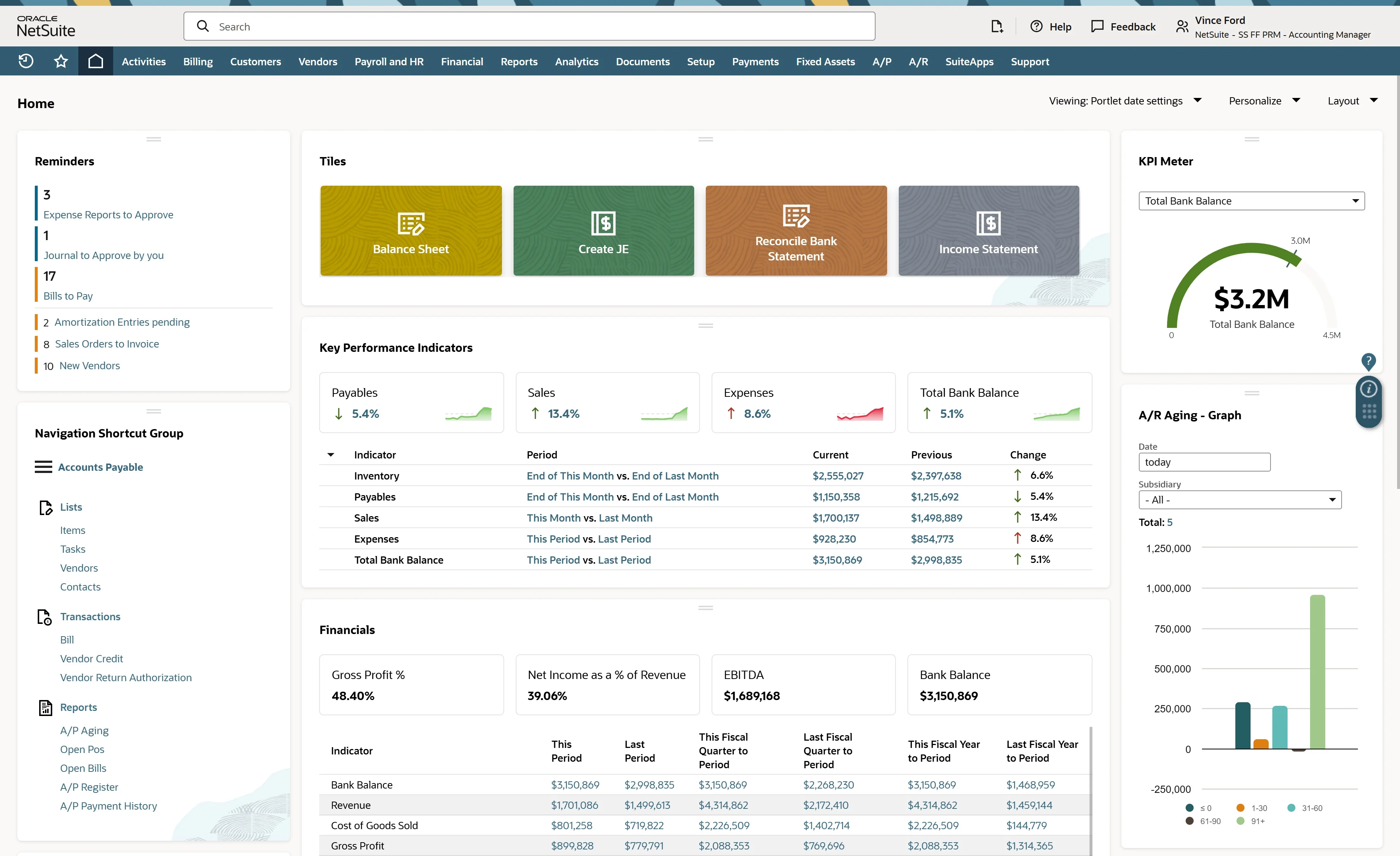
It’s great for mid-market and enterprise organizations that require strong internal controls, formal compliance frameworks, and scalability across complex operations.
- Multi-entity accounting and consolidations: Native role-based access controls and audit trails, commonly used in regulated environments and by organizations with formal financial governance.
The concern is that implementation is complex, costly, and typically requires outside consultants. NetSuite isn’t practical for small teams or for firms whose primary need is managing external client entities rather than internal enterprise operations.
Pricing: NetSuite’s pricing is quote-based and includes an implementation fee. According to ex-NetSuite employees, annual recurring cost for a small business ranges from $20,000 to $40,000.
5. Sage Intacct — Best for Mid-Market and Industry-Specific Needs
Sage Intacct is designed for mid-market organizations with more formal financial processes, particularly nonprofits, professional services firms, and SaaS companies that need dimensional reporting and compliance-friendly controls without the complexity of a full ERP.

- Dimensional reporting and multi-entity support: Ten predefined GL dimensions allow flexible reporting without the chart-of-accounts bloat that flat-ledger systems accumulate.
Sage’s pricing is higher than SMB tools and typically custom-quoted. Customization frequently requires additional modules, and as with NetSuite, the platform is built for internal finance teams, not for accounting firms managing many external clients.
Check out our Sage vs. NetSuite article for a full comparison between the two.
Pricing: Sage’s pricing is quote-based, but it’s reported that typical annual subscription costs range from $15,000 to $35,000.
6. FreshBooks — Best for Service-Based Businesses
FreshBooks is a lightweight accounting solution focused on billing and financial tracking for client-based service work. Its strengths are invoicing and time tracking rather than complex accounting, reporting, or multi-entity financial management.
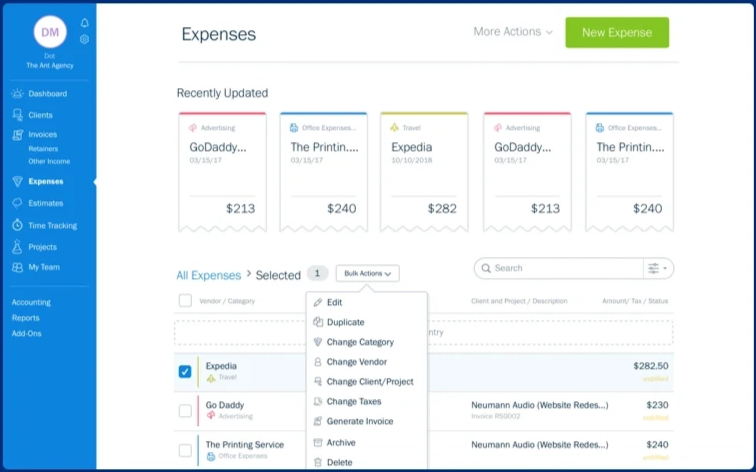
- Ease of use and client billing: An interface accessible to non-accountants, with strong time tracking and expense capture built in.
- Integrated time and project tracking: Features built-in time clocks and team logging that link billable hours directly to active client projects, reducing leakage before generating the final invoice.
- Accessible ledger management: Utilizes a simple, highly visual interface designed for business owners without formal accounting training, handling core double-entry tasks automatically behind the scenes.
However, FreshBooks is poorly suited for inventory-heavy businesses, complex retail operations, or growing organizations that require multi-tiered reporting.
Its underlying database is architecturally single-ledger, meaning there’s no native multi-entity consolidation or parent-subsidiary rollup features. Plus, its basic pricing tiers impose hard caps on the total number of billable clients, forcing growing agencies into higher-cost plans purely to expand their client roster.
Pricing: FreshBooks starts at $23/mo. for the Lite plan. The Premium plan costs $70/mo? However, FreshBooks over 90% off for the first 6 months, pulling the price down to less than $10 across all plans.
7. Zoho Books — Best for Budget-Conscious Cloud Teams
Zoho Books is a cost-effective cloud accounting tool that performs best as part of the broader Zoho ecosystem, making it a strong choice for small businesses already using Zoho CRM, Zoho Inventory, or other Zoho applications.
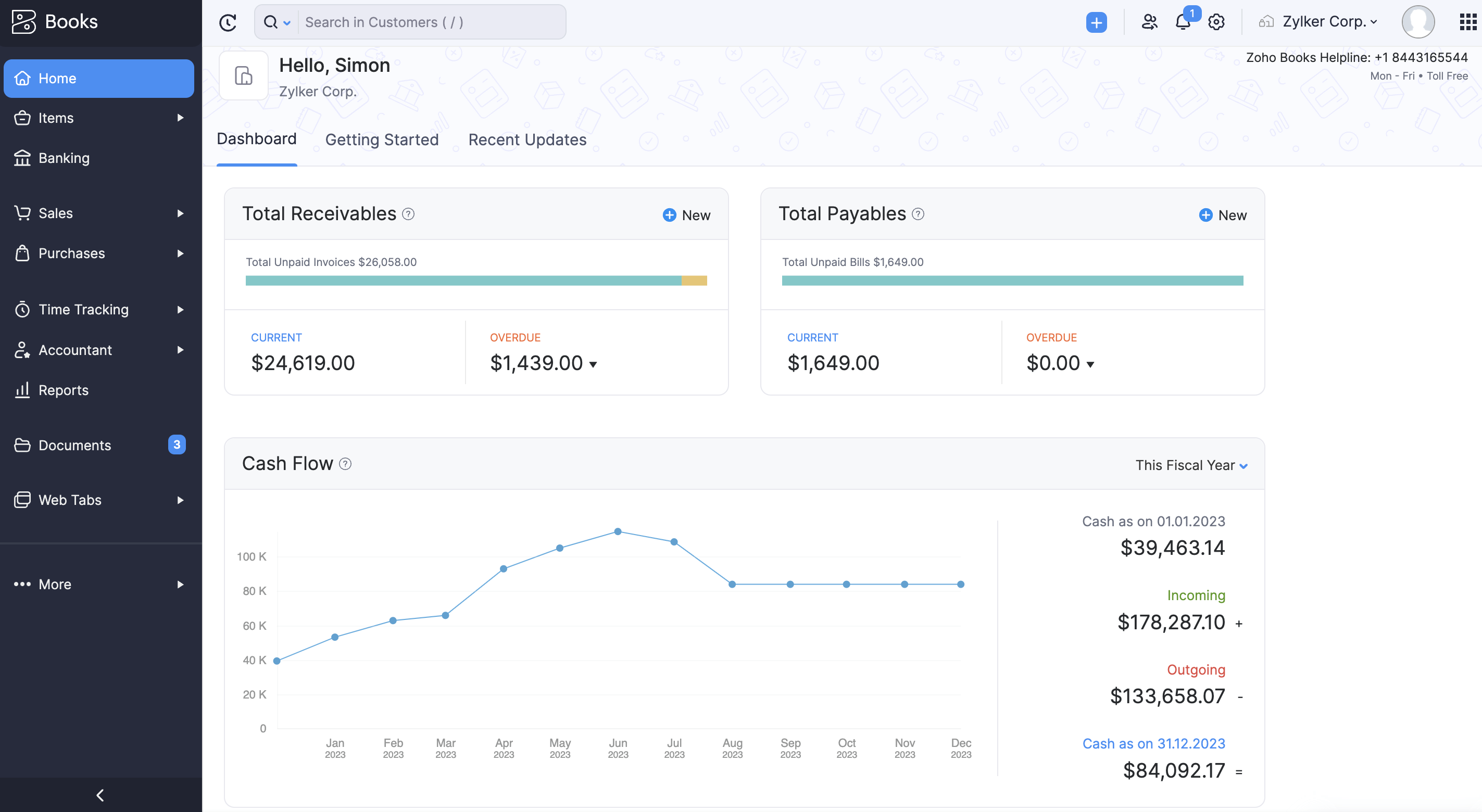
- Automation, invoicing, and reporting at a lower price: Tight integration across the Zoho product suite extends value beyond standalone accounting.
- Ecosystem interoperability: Connects natively and seamlessly with Zoho CRM, Zoho Inventory, and Zoho Projects, allowing cross-departmental data to flow into the general ledger without custom API integrations.
- Granular workflow automation: Allows users to build custom workflow rules, automated field updates, and custom webhooks to trigger financial actions based on specific operational events.
- Robust core accounting: Delivers surprisingly deep functionality for its price tier, including multi-currency transaction handling, bank reconciliation, and customizable client portals.
Note that advanced accounting features and scalability are limited compared to enterprise or multi-entity platforms; Zoho Books hits the same architectural ceiling as QuickBooks and Xero once entity count grows.
Specifically, high-volume transactional businesses (like rapid retail or massive e-commerce) frequently run into data processing hurdles and API rate limits on lower tiers.
Pricing: Zoho Books is one of the few platforms that offer a free plan, but its actual pricing starts from $6/organization/mo. and goes up to $125/organization/mo.
Why Does Multi-Entity Accounting Software Matter?
Managing multiple entities breaks most entry-level or single-ledger accounting software. When using platforms designed for single-company bookkeeping, scaling means separate logins, separate subscriptions, and a total lack of visibility without manual spreadsheet consolidation.
Eleven, Sage Intacct, and NetSuite are engineered fundamentally differently. They handle multi-entity structures natively, but they approach ledger architecture, database separation, and user governance from three distinct directions.
- Sage Intacct (Dimensional Ledger): Uses a shared, top-level database where a single corporate finance team handles dependent subsidiaries via dropdowns and automated intercompany cross-charges.
- NetSuite OneWorld (Enterprise ERP): Unifies global, deeply complex multinational holding companies where accounting must tie directly into massive operational systems like supply chain and inventory.
- Eleven (Portfolio Hub): Designed specifically for the outsourced model (CPAs and family offices) where an external team needs to switch seamlessly between a vast portfolio of completely independent client ledgers.
How to Choose the Best Accounting System for Your Business
Choosing the right accounting system isn’t about picking the most popular or cheapest option. It’s about matching the platform to how your business actually works. Consider these factors before comparing specific tools:
What Is the Best Accounting System for Your Business?
There’s no universal best accounting system. There’s only the system that matches your structure.
If your setup is simple, most of the tools on this list will get the job done. Once you manage multiple entities, shared documentation, and professional oversight across clients, generic platforms start showing their limits, workarounds replace workflows, spreadsheets fill the gaps, and audits become harder than they need to be.
That's the specific problem Eleven was built to solve.
Want to see structured, multi-entity accounting without enterprise complexity? Start your free 7-day Eleven trial today and enjoy full access to core features. No credit card is required.
Frequently Asked Questions (FAQs)
What is the best accounting system for a small business?
QuickBooks Online and Xero are the strongest options for single-entity small businesses, offering fast setup, broad integration ecosystems, and accountant familiarity.
The right choice between them usually comes down to whether you need US-specific payroll and tax tooling (QuickBooks) or unlimited users and stronger international coverage (Xero).
What is the best accounting system for a CPA firm managing multiple clients?
A native multi-entity platform is the requirement, not a preference. Eleven is purpose-built for this. It offers unlimited entities from a single dashboard, native consolidated reporting, and entity-based pricing rather than per-user costs that don't scale with client count.
Sage Intacct and NetSuite offer similar architectural depth but are designed for internal enterprise finance teams rather than outsourced multi-client accounting.
Can QuickBooks or Xero handle multiple entities?
Not natively. Both treat each company file or organization as a fully separate subscription with no consolidated reporting layer.
Managing multiple entities on either platform means manual exports and spreadsheet consolidation every period. That’s workable at a small scale but increasingly unmanageable as entity count grows.
How is an accounting system different from an ERP system?
An accounting system focuses specifically on financial record-keeping: the general ledger, accounts payable and receivable, and financial reporting.
An ERP (enterprise resource planning) system extends that core with operational modules (inventory, supply chain, HR, and CRM) unified on one platform. NetSuite is the clearest example of an ERP with accounting built in; most platforms on this list are accounting-first rather than full ERPs.
What should I prioritize when choosing between accounting systems?
Start with your entity structure, not your budget. A single-entity business has fundamentally different requirements than a CPA firm or family office managing multiple client entities, and choosing based on price alone before establishing that fit is the most common mistake firms make when evaluating accounting software.
Was this article helpful?
Thank you! Your feedback has been received!
Oops! Something went wrong while submitting the form.