Full Xero Review With Updated US Pricing and Features (2026)
Home
/
Blog
/
FreshBooks Review 2026: Pricing, Complaints, and Must-Knows
FreshBooks Review 2026: Pricing, Complaints, and Must-Knows
Written by
Reviewed by
What FreshBooks really costs after the promo, what users and bookkeepers complain about, and how it works for accountants.
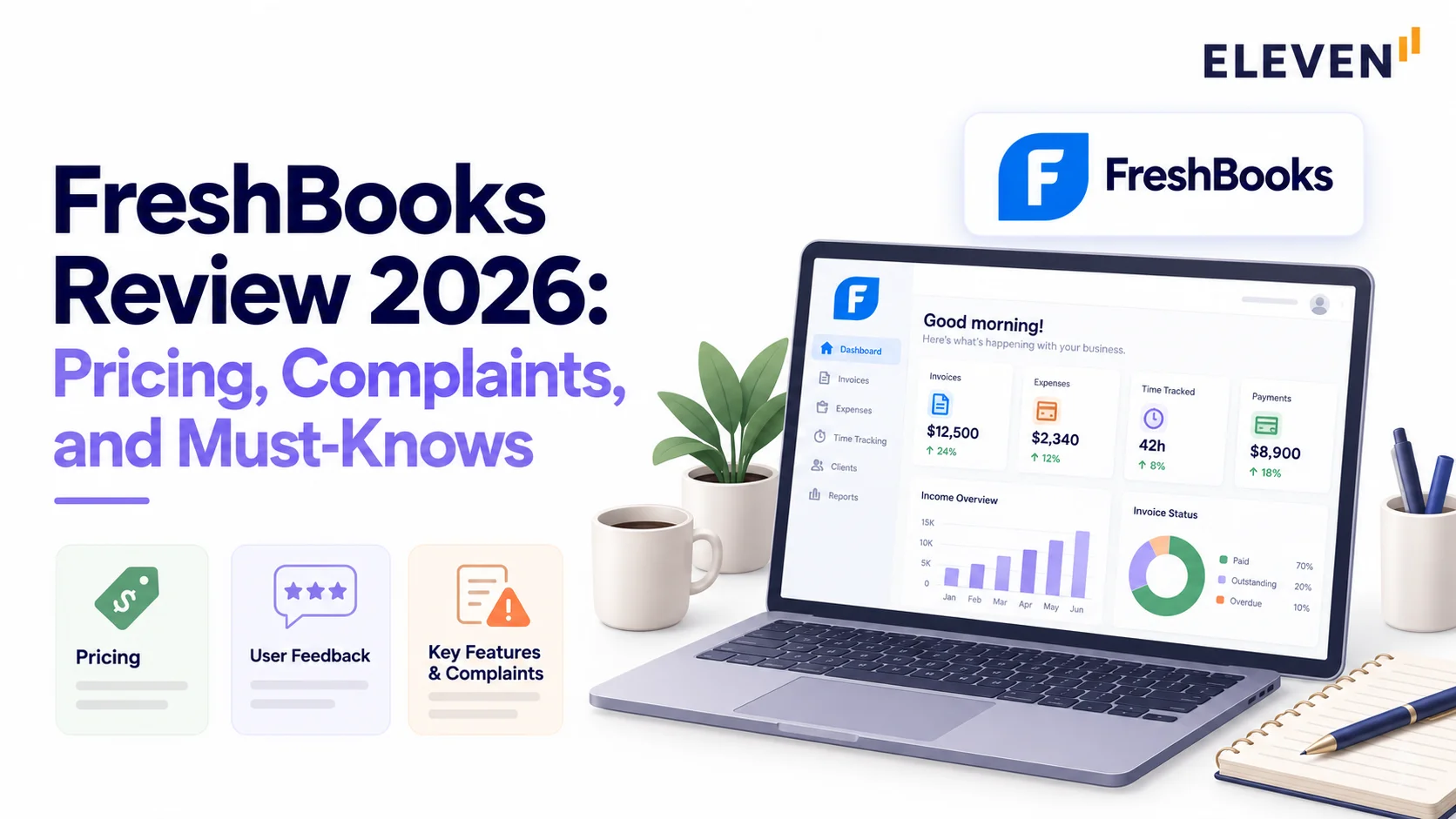
FreshBooks is one of the easiest ways for a service business to send invoices and get paid, but its price rises sharply after the first-year discount, and archived clients count toward plan limits. We coded 24 recent G2 reviews and read bookkeeper threads on Reddit to find where users hit a ceiling: basic reports, limited multi-currency, and accounting that bookkeepers say takes longer to reconcile. We also break down the terms that matter, including no refunds and the deletion of inactive accounts, plus free accountant access on Plus and above.
FreshBooks is one of the easiest ways for a service business to send invoices and get paid, but users and bookkeepers keep hitting the same limits: basic reports, shallow accounting, and a price that jumps once the introductory discount ends.
Our FreshBooks review looks at the issues from two sides: the business owner billing clients and the accountant or bookkeeper doing the books.
Is FreshBooks Good?
FreshBooks is good for freelancers and small service businesses that bill clients for time and projects.
It's a weaker choice if you need detailed reports, multi-currency accounting, or books a bookkeeper can move through quickly.
Here’s what to keep in mind:
- The regular price is much higher than the promo. Lite is $1 a month for a year, then $23.
- Client limits count archived clients, so "cleaning up" doesn't free a spot.
- Accountants get free access, but not on Lite.
- Happy users still name the same limits: interface gaps, basic reports, and outgrowing it.
How Much Does FreshBooks Cost?
At regular prices, FreshBooks costs $23, $43, or $70 a month for Lite, Plus, and Premium, and Select is custom priced.
New customers get a big introductory discount.
Every plan charges extra for the following:
- Team members: $11/month each
- Advanced Payments: $20/month, included on Select
- Payroll through Gusto: $40/month plus $6 per person
You’ll pay more in year two than year one on every plan. Note that the figures below reflect monthly billing under the introductory promotional rates; opting for an annual upfront plan offers separate discounting structures.
Add two team members and Advanced Payments to Plus, and year two costs $1,020.
FreshBooks can also raise subscription prices with 30 days' notice, and payment fees can change without notice.
For comparison, see our guide to cloud accounting software pricing.
How client limits work the billable cap counts both active and archived clients. If a consultant on Plus has 40 active and 15 archived clients, they exceed the 50-client limit and must either upgrade to Premium (an extra $27/month) or delete older clients. Deleting a client frees up capacity without destroying historical records; invoices, payments, and past reports remain accessible, and deleted clients can be restored later if needed.
What Features Does FreshBooks Include?
FreshBooks offers invoicing, payments, time tracking, projects, expenses, bill pay, basic accounting and reports, and optional payroll.
Billing is the strength. Accounting depth is the weak spot.
How Good Is FreshBooks Invoicing?
FreshBooks’ invoicing is great. You can send branded invoices, set up recurring billing and retainers, take deposits on estimates, charge late fees, and turn tracked time and expenses into invoices.
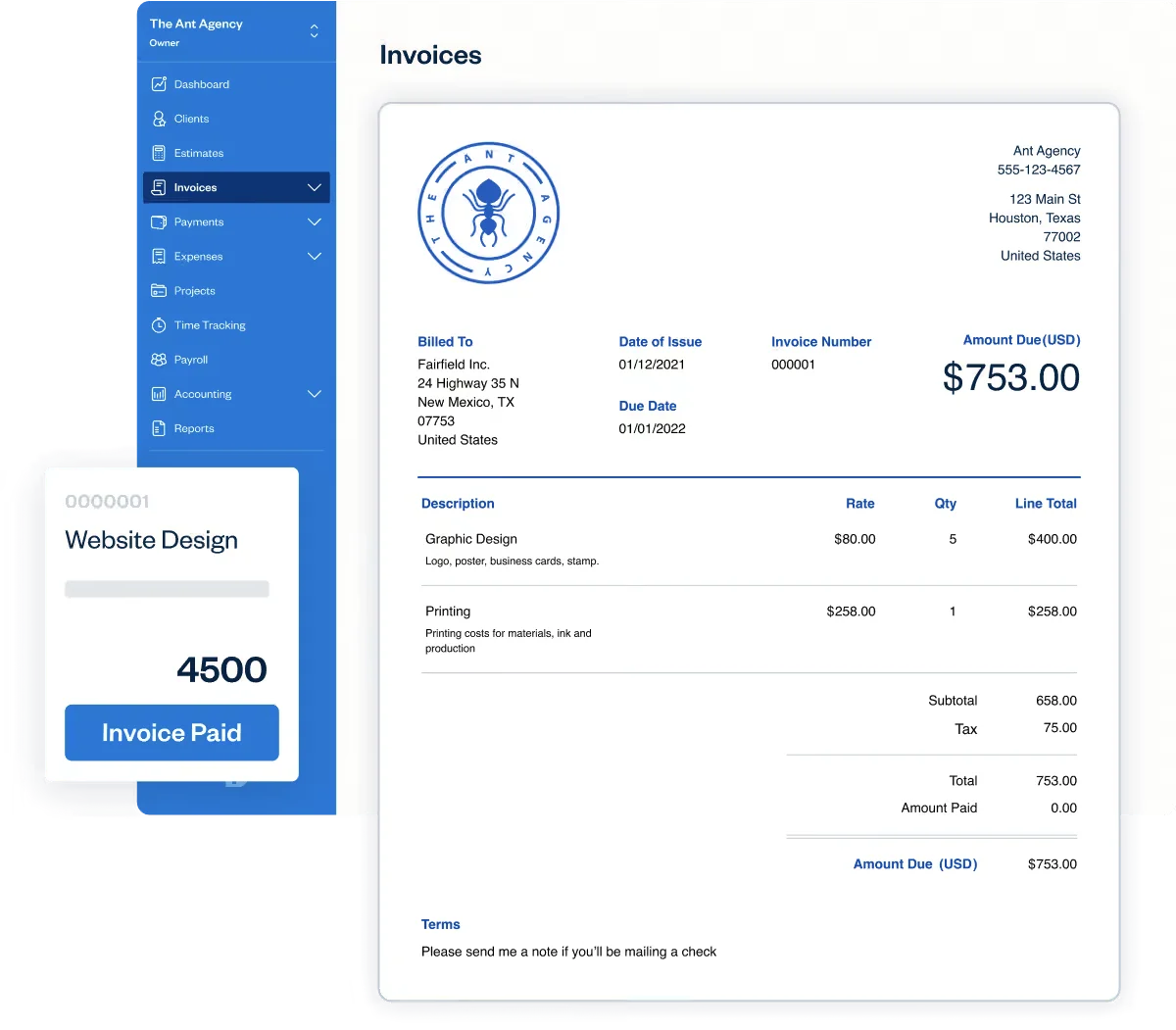
Users say they're up and running fast. Phil J., a product and growth lead on G2, said, "Within the first afternoon, I'm already creating estimates, turning them into invoices, and setting up recurring billing.”
Our accounting and billing software roundup compares alternatives.
How Do FreshBooks Payments Work?
FreshBooks Payments is powered by Stripe.
- Cards cost from 2.9% + $0.30.
- ACH bank transfers cost 1% (US only).
- Buy Now, Pay Later costs 6% + $0.30.
- Instant payouts cost 1.5%.
Some users find that expensive, and a few report problems:
- Christian E. on G2 complained that their transaction fees are too high.
- Wanda S. noted that the company initially accepted a credit card with a wrong name, then later denied it, placed her account on hold for one week, and prevented her from receiving payments on a large invoice.
How Does FreshBooks Time Tracking and Project Management Work?
You can track time, assign it to projects and clients, and bill it directly. Premium adds project profitability reports, which show what each project actually earns after time and costs.

Phil J., a product and growth lead on G2, compared revenue, hours, and expenses in FreshBooks and found that their most popular service ate the most unbilled time, while a less popular one had better margins.
Does FreshBooks Use Double-Entry Accounting?
FreshBooks uses double-entry accounting, but access depends heavily on your tier. Basic income and expense categorization exist on Lite, but core accounting functionality, including manual journal entries, a customizable chart of accounts, and automated bank reconciliation, is gated behind Plus, Premium, and Select plans.
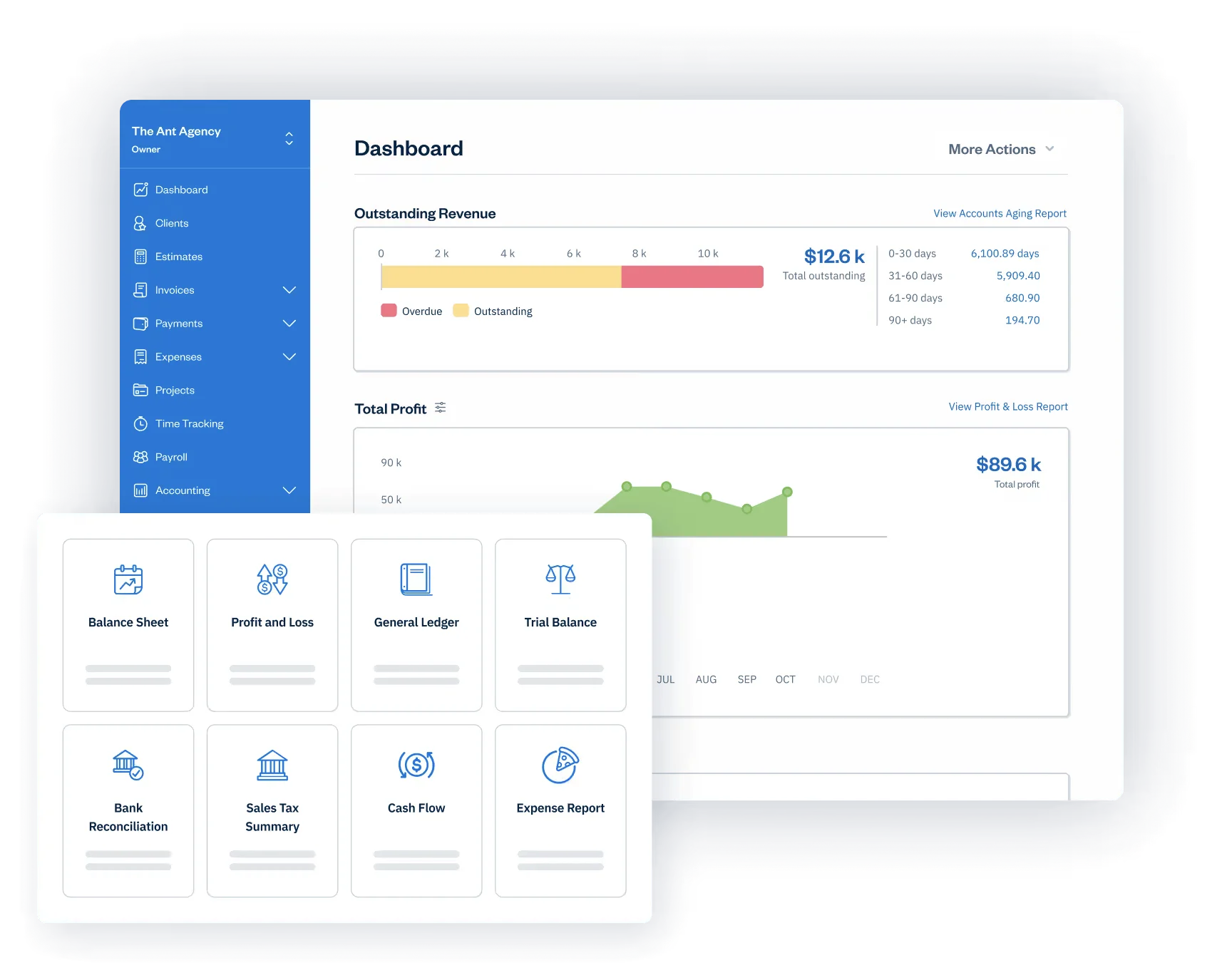
Even on higher tiers, businesses frequently encounter limitations:
- Plan-gated tools: Lite users cannot manually reconcile bank feeds or adjust journal entries without upgrading.
- Limited reporting flexibility: Standard reports like Profit & Loss or Sales Tax Summary run smoothly, but customization options are narrow. Leandro A., a web developer on G2, noted that “reporting works, but it doesn’t allow for much customization,” while marketing specialist Farhan A. highlighted that tax breakdowns require extra manual effort.
- Currency and entity ceilings: Reporting is isolated to single currencies, there is no native multi-entity consolidation, and inventory management is strictly rudimentary.
Does FreshBooks Support Multiple Currencies?
Partly, but with an important operational distinction: sending an invoice in a foreign currency is not the same as managing a unified multi-currency general ledger.
While FreshBooks lets you bill international clients in their local currency, it isolates transactions into separate dashboards and reports for each currency rather than converting your books into a single home-currency view or automatically tracking realized and unrealized foreign exchange gains and losses.
To consolidate multi-currency reporting, users must rely on manual spreadsheets or third-party marketplace integrations.
If you work across currencies, see our multi-currency accounting software guide.
What Do FreshBooks Users Complain About?
FreshBooks users complain mostly about small things, plus a ceiling. FreshBooks has 4.5/5 on G2 from 980+ reviews, though G2 tagged 14 of the 26 reviews we collected as incentivized.
We coded 24 G2 reviews from 2023 to 2026 by every complaint they mention:
FreshBooks works well until your business grows. Ignacio C., a finance manager, said it "can feel restrictive as a business gets bigger," and Ronald R. lost access to "all my old invoices and customer data" after cancelling.
What Do Bookkeepers Think of FreshBooks?
Several bookkeepers in the discussion threads we reviewed prefer QuickBooks Online or Xero when managing comprehensive client ledgers.
Their recurring frustrations stem from workflows on the accounting side rather than invoicing:
- One bookkeeper, who charges a client extra for staying on FreshBooks, said, "it takes 3-4 times as long to categorize and reconcile each month."
- Another user struggled to bring over the previous year's data and moved the client to QuickBooks Online.
Not everyone agrees. Some bookkeepers praise FreshBooks’ direct customer support as responsive and helpful. However, as client operations expand, businesses often encounter limits as transaction volumes, user seats, entities, currencies, and reporting requirements become more complex.
Can Accountants Use FreshBooks With Their Clients?
Yes, on Plus, Premium, and Select tiers. Clients can invite up to 10 accounting professionals per business at no added charge, and each client organization appears under a single multi-business login switchboard.
Permissions, however, depend on role assignment:
- Standard accountant role: Grants access to the general ledger, journal entries, chart of accounts, and bank reconciliation, but restricts access to broader business settings, client payment methods, or administrative controls.
- Full access permission: Must be granted explicitly if an external accountant requires unrestricted visibility into billing configurations, company profiles, and deeper administrative tasks.
Note: Clients subscribed to Lite can’t invite an external accountant; they must upgrade to Plus (an additional $20/month at standard pricing) to unlock accountant seats. Additionally, FreshBooks lacks a unified consolidated practice dashboard across all separate client entities. For firm-side tools, see our guide to accounting software for CPA firms.
What Do FreshBooks' Terms Say About Refunds and Your Data?
FreshBooks’ legal terms and privacy disclosures outline explicit boundaries regarding retention, billing, and account status:
- Refund policies (Terms of Service): Subscriptions are non-refundable. You can cancel anytime, but billing runs through the end of the paid term. Billing disputes must be submitted within 90 days, and any service credits are capped at three months.
- Inactive account deletion sequence (Terms of Service): If an account remains inactive for two consecutive months, FreshBooks reserves the right to deactivate it. If the customer does not contact support or reactivate within 30 days following deactivation, FreshBooks may permanently delete or anonymize all associated content without further notice.
- Data retention (Terms of Service): FreshBooks retains archival copies of your business content and records after account closure as required by law and operational auditing practices.
- Analytics and marketing use (Privacy Policy): Under its separate Privacy Policy, FreshBooks may process de-identified, aggregated user data for internal analytics and to optimize promotional offerings for its own services and partner products. The policy specifies that it doesn’t sell identifiable personal information to third parties.
Pro Tip: Export your invoices, clients, and general ledger reports before you cancel or pause a subscription, as well as during seasonal client pauses, to prevent data loss during inactivity periods.
How Does FreshBooks Compare to Eleven?
FreshBooks wins on client billing and free accountant seats. Eleven wins on multi-entity and multi-currency accounting.
We scored both on the same scale:
- 1 = documented
- 2 = confirmed by users
Outgrowing FreshBooks' Reports? Eleven Is Built for the Books Behind the Billing
If you mostly bill clients for time and projects, we recommend FreshBooks for its easy invoicing. Once you're working across several entities or currencies, its basic reports start slowing you down.
If your firm keeps the books for many entities, Eleven gives you one login for all of them, each with its own ledger, plus 170+ currencies and unlimited users on every plan. Pricing is published per entity, and Eleven's team moves your data over for free on the Professional and Enterprise plans.
FreshBooks Review FAQs
Is FreshBooks better than QuickBooks?
For invoicing and ease of use, G2 reviewers often praise FreshBooks. For accounting depth, most bookkeepers we read preferred QuickBooks Online. See our QuickBooks alternatives guide.
Does FreshBooks have a free trial?
Yes, 30 days with no credit card. FreshBooks says it keeps your data if you don't subscribe.
Can my accountant access FreshBooks for free?
Yes, on Plus or higher, up to 10 accountants per business.
What happens to my data if I cancel?
Export it first. FreshBooks' terms let it delete a deactivated account without notice.
Was this article helpful?
Thank you! Your feedback has been received!
Oops! Something went wrong while submitting the form.