Full Xero Review With Updated US Pricing and Features (2026)
Home
/
Blog
/
Zoho Books Review (2026): The Ultimate QuickBooks Killer?
Zoho Books Review (2026): The Ultimate QuickBooks Killer?
Written by
Reviewed by
Big automation on a small budget. Our 2026 review breaks down Zoho Books' features, hidden transaction limits, and who it’s actually built for.

Zoho Books is a capable cloud accounting platform that delivers more feature depth per dollar than most competitors at its price points. Its automation tooling is genuinely best-in-class for the SMB tier. However, invoice and transaction volume caps are an operational constraint that forces plan upgrades faster than pricing implies, US-based firms lose the payroll convenience they get from QuickBooks, and customer support response quality is the most consistent complaint across every independent review source. For businesses already in the Zoho ecosystem, the value compounds considerably.
Zoho Books is part of a 55-product suite used by over 100 million people worldwide.
The accounting platform itself serves businesses primarily in India (40% of its user base), the United States (34%), and the UAE (8%), which shows that it was built with global compliance requirements in mind from the start, not added as an afterthought for markets outside the US.
This Zoho Books review covers what the platform actually does well, where the cracks show up in daily use, how the 2026 pricing structure really works, and who should and shouldn't consider it.
Who Is Zoho Books Built For?
Zoho Books is a good fit when most of these apply to your situation:
- You're a small- to mid-sized business that needs more automation than basic bookkeeping software offers, without paying QuickBooks Advanced prices to get it.
- You're already using other Zoho products or seriously considering them. The value of Zoho Books grows proportionally with your investment in the Zoho ecosystem: CRM, Inventory, Projects, Expense, and Analytics all connect natively.
- Your business operates internationally or invoices clients in multiple currencies. Zoho Books' global compliance tooling, multilingual invoicing, and multicurrency support are mature.
- You want strong automation without needing a developer to configure it, though more advanced customization uses Zoho's own scripting language (Deluge), which has a learning curve.
It's a less natural fit if:
- You're a US-based firm that relies heavily on fully integrated payroll with direct 1099 contractor payouts in the same portal.
- You're a CPA practice managing multiple clients: while Zoho Books includes 1 free accountant seat per organization, there is no centralized firm-management dashboard equivalent to QuickBooks Online Accountant (QBOA) or Xero HQ. Managing multiple client files requires switching between separate accounts without a unified client view.
- You are managing multiple legal entities that need native consolidation.
For CPA firms and multi-entity operations specifically, our accounting software for CPA firms guide covers where Zoho Books fits in the broader landscape of professional firm tools.
What Features Does Zoho Books Offer?
Zoho Books enters the market at a highly competitive price point, but its actual feature set punches well above its weight, rivaling legacy platforms in core accounting workflows.
Invoicing and Accounts Receivable
Zoho Books' invoicing is one of the stronger implementations in its price tier. You get customizable templates, multi-lingual invoicing in 10+ languages, automatic payment reminders, retainer invoices, progress invoicing, early payment discounts, and customer portals where clients can view, approve, and pay invoices directly.
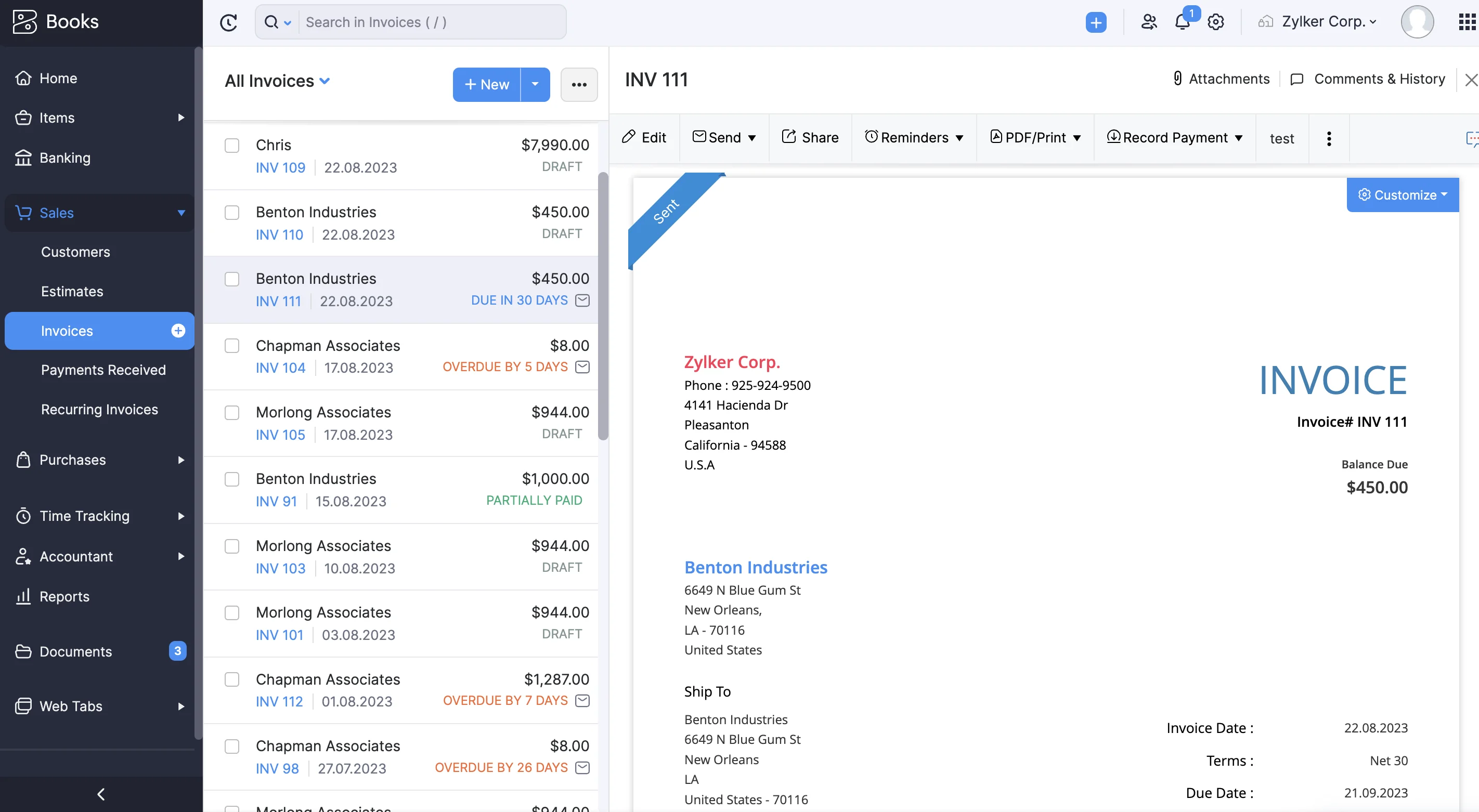
The automation layer lets you configure reminders at multiple intervals before and after due dates, set up recurring invoice profiles that auto-charge linked cards or bank accounts, and convert quotes to invoices or sales orders to invoices in a single action.
What to Watch For: Invoice volume caps are the most underappreciated constraint in Zoho Books' pricing. The Free plan caps you at 1,000 invoices per year; Standard at 5,000; Professional at 10,000; Premium at 25,000. For a small service business, these limits sound generous. For any business with frequent transactions, they become an operational ceiling that forces a plan upgrade faster than the base price suggests. Model your actual invoice volume before choosing a plan tier.
Automation and Workflows
Business.com named Zoho Books the best accounting software for automation after head-to-head testing, and that verdict holds up.
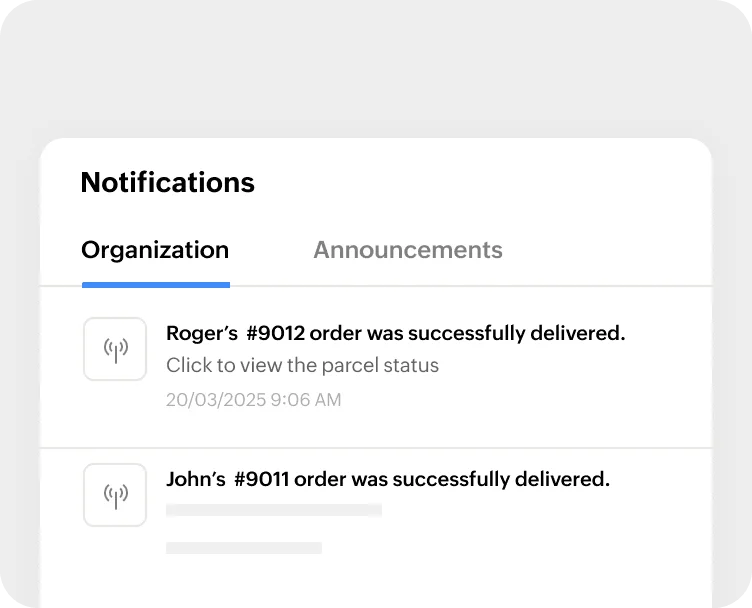
Beyond the standard recurring invoice and expense profiles, Zoho Books lets you configure automated email triggers based on specific events (quote expiry, payment overdue, invoice sent), schedule periodic tasks, set field updates based on criteria, and connect to external apps via webhooks.
For more advanced customization, Zoho Deluge is a scripting language built into the platform that lets technically inclined users build custom logic into their workflows.
Pro Tip: If you have even basic scripting comfort, Deluge is worth learning. The built-in automation covers most use cases out of the box, but Deluge unlocks cross-app automation between Zoho Books and the rest of the Zoho suite that isn't available through standard configuration. If scripting isn't your thing, the standard automation tools are more than capable on their own.
Bank Reconciliation
Zoho Books connects directly to banks through third-party providers and auto-fetches transactions periodically. If your bank isn't supported, you can auto-forward statements from your email inbox (supporting CSV, TSV, XLS, OFX, QIF, and CAMT.053 formats) or import manually.
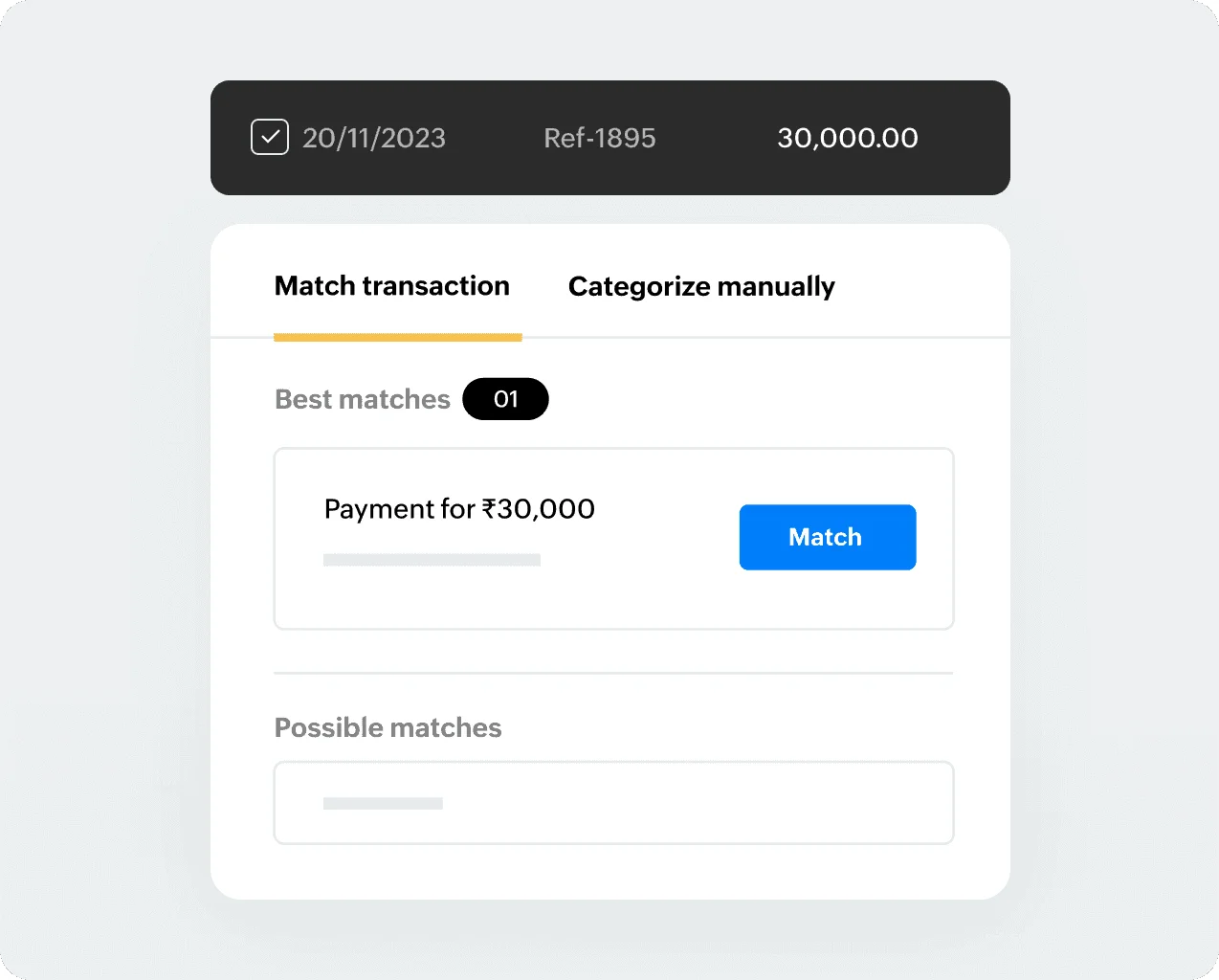
The matching algorithm surfaces a “best match” and alternative matches for every bank transaction against your Zoho Books records.
You can match in bulk for consolidated payments, handle partial payments and installments, and match transactions from customers who are also vendors.
Bank rules let you automatically categorize recurring charges like utility payments or subscriptions. The reconciliation workflow is genuinely clean and one of the most consistently praised features in user reviews.
Note: Bank feeds via a third-party provider are only available from the Standard plan ($20/mo.) upward. The Free plan requires manual statement import. If automated bank feeds are important to your workflow, factor this into your plan selection.
Accounts Payable and Bill Management
Bills, recurring bills, vendor credits, and purchase orders all work as expected. The autoscan feature extracts data from uploaded invoices and receipts in 15 languages, which is useful for teams dealing with international supplier documents.
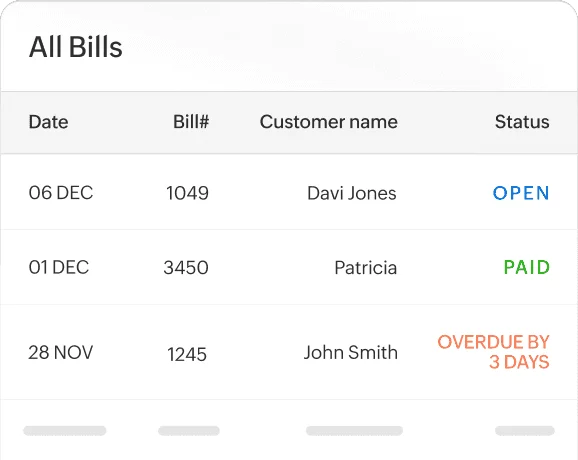
Landed cost tracking lets you add freight, shipping, customs, and other procurement costs to purchase orders for accurate cost-of-goods figures.
There's also a vendor portal where suppliers can send documents, check payment status, and communicate directly. It's a small feature that saves a meaningful amount of back-and-forth for businesses managing many vendors.
Note: Expenses and bills are capped per plan, separate from the invoice limits. Professional plan gets 10,000 combined expenses and bills per year; Free gets 1,000 expenses. Receipt autoscans are also capped: 50 per month on Free, 200 on Standard, 1,000 from Premium upward.
Reporting, Audit Trail, and Revenue Recognition
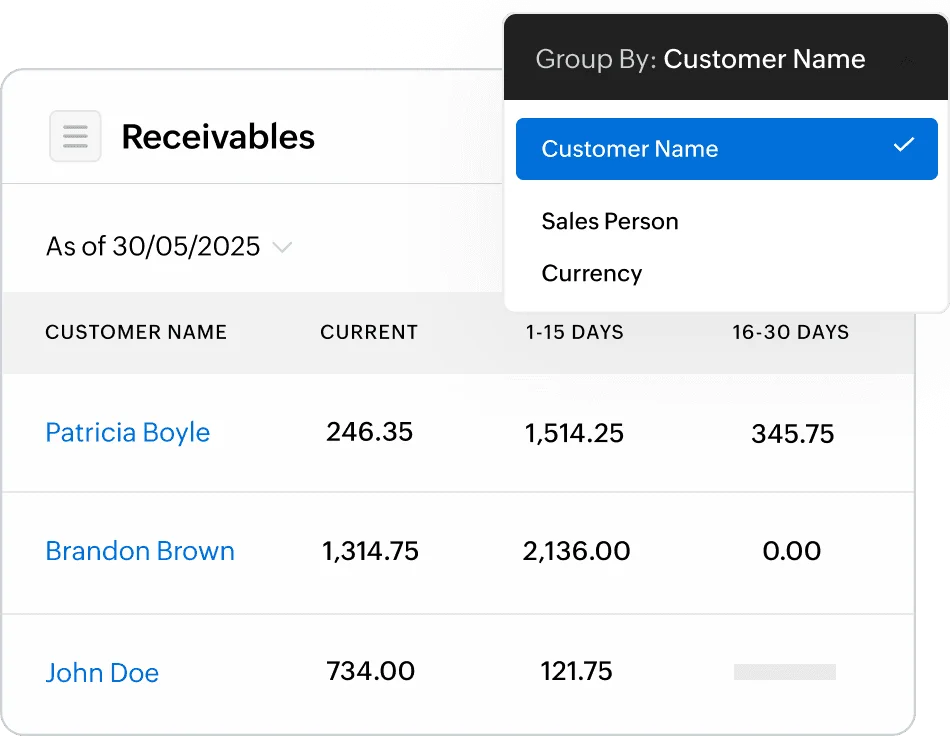
Zoho Books features 70+ built-in reports covering profit and loss, balance sheet, cash flow, AR and AP aging, tax summaries, inventory reports, and more.
- Audit trail and document linkage: For accountants and finance directors preparing for audit, Zoho Books maintains a comprehensive Activity Log (Audit Trail) that logs every user action, edit, and deletion with date and time stamps. Furthermore, source documents (bills, receipts, contracts) can be linked directly to corresponding general ledger line items, providing a clear contract-to-transaction trace for external reviewers or lenders.
- Revenue recognition standard note: Revenue recognition capability unlocks at the Premium plan ($70/mo., 2 rules) and becomes unlimited on Elite ($150/mo.). Note for CPAs: This feature provides straight-line and time-based revenue deferral rules. It is designed for straightforward subscription or service amortizations rather than full ASC 606/IFRS 15 compliance (which requires Standalone Selling Price (SSP) allocation, variable consideration tracking, or mid-contract modification accounting found in dedicated rev rec engines).
Project Accounting
Project accounting is available from the Professional plan ($50/mo.) and covers time tracking, timesheets, project budgeting, expense allocation, and project profitability reporting.
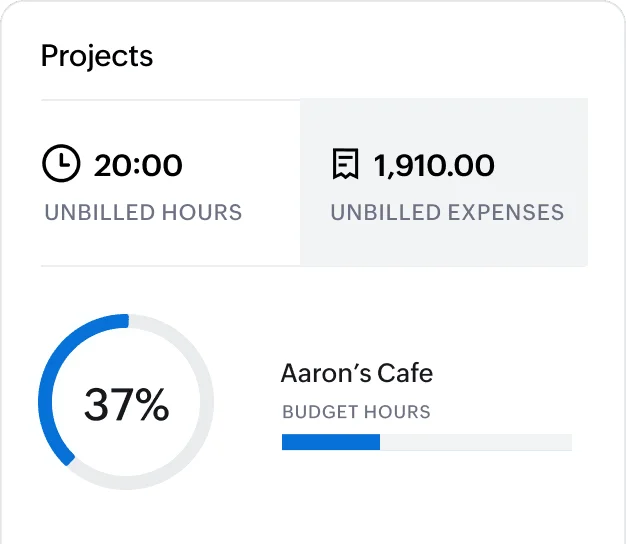
Team members can log time via web, mobile, smartwatch, or a browser timer extension. Timesheet approval workflows and retainer invoices for projects are both included.
That said, independent reviews consistently note that project accounting depth is a relative weakness compared to dedicated project accounting tools or platforms like Xero, where project tracking integrates more tightly with billing.
For straightforward project billing and time tracking, it's adequate. For complex project cost accounting, it may feel limited.
Inventory
Basic inventory management starts from the Professional plan: stock tracking, reorder points, price lists, and item management.
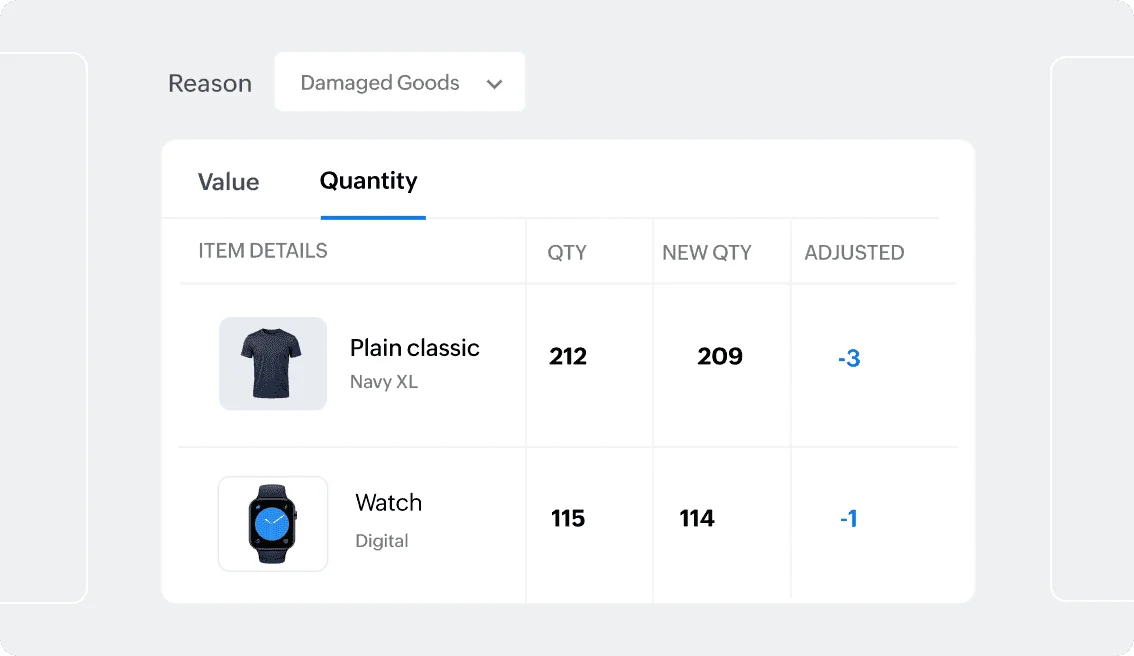
Warehouse management with up to 2,000 bin locations and barcode generation comes on Elite ($150/mo.); expanded to 5,000 bins and batch/serial number tracking on Ultimate ($275/mo.). Composite items for multi-component products are available across tiers.
What to Watch For: Inventory tracking isn't available on the Free or Standard plans at all. If inventory management is a requirement, you'll need Professional ($50/mo.) at a minimum. For more advanced warehouse workflows, the jump to Elite ($150/mo.) is considerable.
Tax and Global Compliance
This is an area where Zoho Books' international-first design shows clearly. Tax rates, tax groups, tax treatment per item and per contact, VAT MOSS reporting, and tax summary reports are all included across every plan.
GST compliance is particularly strong for Indian businesses, which explains Zoho Books' dominant position in that market.
For US-based businesses:
- 1099 Tracking and E-Filing: While Zoho Payroll lacks contractor payouts, Zoho Books natively handles 1099-MISC and 1099-NEC vendor tracking, threshold reporting, and direct e-filing with the IRS at the accounting ledger level across all paid plans.
- Sales tax automation supports tax authorities, with Avalara integration available for automated rate updates across jurisdictions.
How Much Does Zoho Books Cost?
Zoho Books has a competitive pricing structure, with a Free plan and meaningful feature depth at every tier. These are the US pricing figures. International pricing (particularly India-specific plans) differs.
Keep these pricing details in mind:
- The Free plan requires annual revenue under $50,000.
- Multi-currency doesn't unlock until Professional ($50/mo).
- Revenue recognition starts at Premium ($70/mo.) with 2 rules, then becomes unlimited at Elite ($150/mo.).
- Zoho Books offers a 14-day free trial of the Premium plan.
For a broader comparison of how Zoho Books' pricing holds up against QuickBooks, Xero, and other platforms at scale, see our cloud accounting software pricing guide.
What Is the Zoho Books Ecosystem Like?
The single biggest differentiator in a Zoho Books evaluation isn't any individual feature. It's whether your business already uses, or is willing to adopt, other Zoho products.
Zoho Books connects natively with the following:
- Zoho CRM (bidirectional customer and invoice data)
- Zoho Inventory (stock levels and fulfillment)
- Zoho Projects (time tracking and project billing)
- Zoho Expense (expense claim management and approval workflows)
- Zoho Analytics (custom dashboards and advanced reporting beyond what's built into Books).
Insight: The ecosystem argument changes the pricing comparison. A business that would otherwise subscribe to a CRM, a project management tool, a dedicated expense platform, and an analytics tool separately is potentially replacing four subscriptions with one vendor relationship at considerably lower total cost. If that's your situation, Zoho Books' price-to-feature ratio looks very different than it does as a standalone accounting tool.
On the other hand, if you rely heavily on non-Zoho integrations, independent reviews note that the third-party integration library is narrower than QuickBooks or Xero's.
The platform connects with Stripe, PayPal, Razorpay, Google Drive, Avalara, and others, but the marketplace doesn't match the breadth of QuickBooks' 750+ integrations.
What Are Users Saying About Zoho Books?
Zoho Books currently holds a 4.4/5-star rating across 325+ reviews on G2 as of Q2 2026. The praise is concentrated on a few specific capabilities, but there are two common pain points across most third-party review sites.
The customer support pattern is worth understanding in context.
- Support is available via phone, email, and chat, and the feature set on paper is strong.
- The issue is consistency rather than absence. Support quality varies significantly depending on the issue, the channel, and what region you're reaching from.
- Users with billing or account access issues tend to have the worst experiences. Technical questions about specific features generally get resolved faster.
What to Watch For: There’s a documented and unusual quirk where Zoho Books temporarily locks accounts when opened in multiple browser windows simultaneously, triggered by the number of API calls per minute. The lockout is temporary (30 to 45 minutes according to Zoho's own response on community forums), but it's not something you encounter on other platforms and isn't clearly documented during onboarding. If your team routinely works across multiple tabs, be aware of this.
How Does Zoho Books Compare to Its Alternatives?
See our dedicated comparison guides for the full breakdowns: Zoho Books vs. QuickBooks and Zoho Books vs. Xero cover the feature and pricing comparisons in depth. The table below is a quick orientation.
What Are Zoho Books’ Limitations?
For small and growing single-entity businesses, Zoho Books is a strong tool. Its limitations show up in specific scenarios worth naming directly.
- No native US payroll payments: Zoho Books does not process payroll directly. You'll need Zoho Payroll (US edition launched late 2024, maturing) or Gusto/QuickBooks integration. As noted above, this payroll constraint does not affect 1099 vendor e-filing, which Zoho Books handles cleanly in AR/AP.
- No centralized CPA firm management portal: Lacks a single-sign-on practice dashboard like QBOA for managing dozens of client books simultaneously.
- Transaction and invoice caps create upgrade pressure: The volume limits on invoices, expenses, and bills mean growing businesses can hit plan ceilings faster than expected, and each upgrade step is a meaningful price jump. Budget for the plan you'll actually need at your current and near-term transaction volume, not the one that's cheapest today.
- No native multi-entity consolidation: Each Zoho Books organization is a separate subscription with no consolidated reporting across organizations. For a CPA firm managing multiple client entities, this is the same architectural limitation as QuickBooks and Xero. Manual export and spreadsheet consolidation remain the only option.
- Third-party integration breadth: If your business depends on non-Zoho tools that aren't in the Zoho integration library, you may need Zapier or custom API work. The breadth of QuickBooks' and Xero's integration marketplaces remains an advantage for businesses with complex technology stacks.
For firms that have outgrown single-entity tools entirely, our guide on what is multi-entity accounting covers what the architectural requirements actually look like once consolidation becomes a core workflow.
Final Verdict: Is Zoho Books Worth It?
For a single-entity business that values automation, wants a real free tier to get started, operates globally, or is building on the Zoho ecosystem, yes. Zoho Books delivers meaningfully more capability per dollar than QuickBooks or Xero at comparable tiers. That isn't a close call at the SMB level.
However, the transaction caps will catch you if you don't model your volume upfront. US payroll requires a separate product, and if your accountant is QuickBooks-certified and Zoho-unfamiliar, onboarding is a real cost that doesn't show up in the subscription price.
For a CPA firm or family office looking to manage multiple client entities from one platform with consolidated reporting, Zoho Books isn't the right tool, and neither is QuickBooks or Xero for the same architectural reason.
Managing multiple client entities and need native consolidation? Eleven is built specifically for that environment. Start a free 14-day trial today; no credit card is required. →
Frequently Asked Questions (FAQs)
Is Zoho Books good for small businesses?
Yes. Zoho Books is one of the stronger options for small businesses that need accounting automation, multicurrency support, and a real free plan to start.
It's particularly well-suited for businesses already using other Zoho products (CRM, Inventory, Projects) where the native integration creates meaningful workflow efficiency.
The main caveats are the invoice and transaction volume caps, which can force plan upgrades faster than the base pricing implies, and the absence of native US payroll.
How much does Zoho Books cost in 2026?
Zoho Books' US pricing runs from $0 (Free, for businesses under $50K annual revenue) to $275/mo. (Ultimate). The mid-tier plans most businesses evaluate are Standard at $20/mo., Professional at $50/mo., and Premium at $70/mo. Multi-currency unlocks at Professional. Zoho Books offers a 14-day free trial of the Premium plan.
Does Zoho Books support multiple currencies?
Yes, from the Professional plan ($50/mo.) upward. Multi-currency invoicing with automatic exchange rates, base currency adjustments, and multi-currency transactions per customer (from Premium) are all included.
For multi-entity operations across different functional currencies with consolidated group reporting, Zoho Books shares the same limitation as QuickBooks and Xero: each organization is a separate subscription with no native consolidation.
Is Zoho Books better than QuickBooks?
Zoho Books offers more feature depth at lower price points, a real free plan, stronger automation tooling, and better value for internationally oriented businesses.
QuickBooks has native US payroll integration, a larger ProAdvisor network for accounting firms, and a broader third-party integration marketplace.
For US businesses where payroll is central and accountant familiarity matters, QuickBooks has structural advantages. For businesses that don't need native payroll or are evaluating the full Zoho ecosystem, Zoho Books delivers more per dollar at every tier.
Can Zoho Books handle multiple companies?
Each company requires its own Zoho Books organization and separate subscription. There's no native multi-entity consolidation or group reporting across organizations.
A business managing multiple legal entities or a firm managing multiple client accounts needs to log into each separately and consolidate reports manually.
This is a structural limitation shared with QuickBooks and Xero, not a Zoho-specific shortcoming.
What are the main complaints about Zoho Books?
The most consistent complaints across G2, Gartner, and NerdWallet's review data are customer support response times and quality; invoice and transaction volume caps that force plan upgrades; gaps in integration with non-Zoho tools; and a documented issue where accessing the account from multiple browser windows simultaneously triggers a temporary lockout.
None of these are dealbreakers for the right use case, but they're worth knowing before committing.
Was this article helpful?
Thank you! Your feedback has been received!
Oops! Something went wrong while submitting the form.