Wave Accounting Review 2026: Is It Still Worth It?
Home
/
Blog
/
8 QuickBooks Desktop Alternatives for 2026 and When to Switch
8 QuickBooks Desktop Alternatives for 2026 and When to Switch
Written by
Reviewed by
A practical comparison of eight QuickBooks Desktop alternatives for 2026, covering features, pricing, multi-company accounting, and migration considerations to help businesses and accounting firms choose the right replacement.
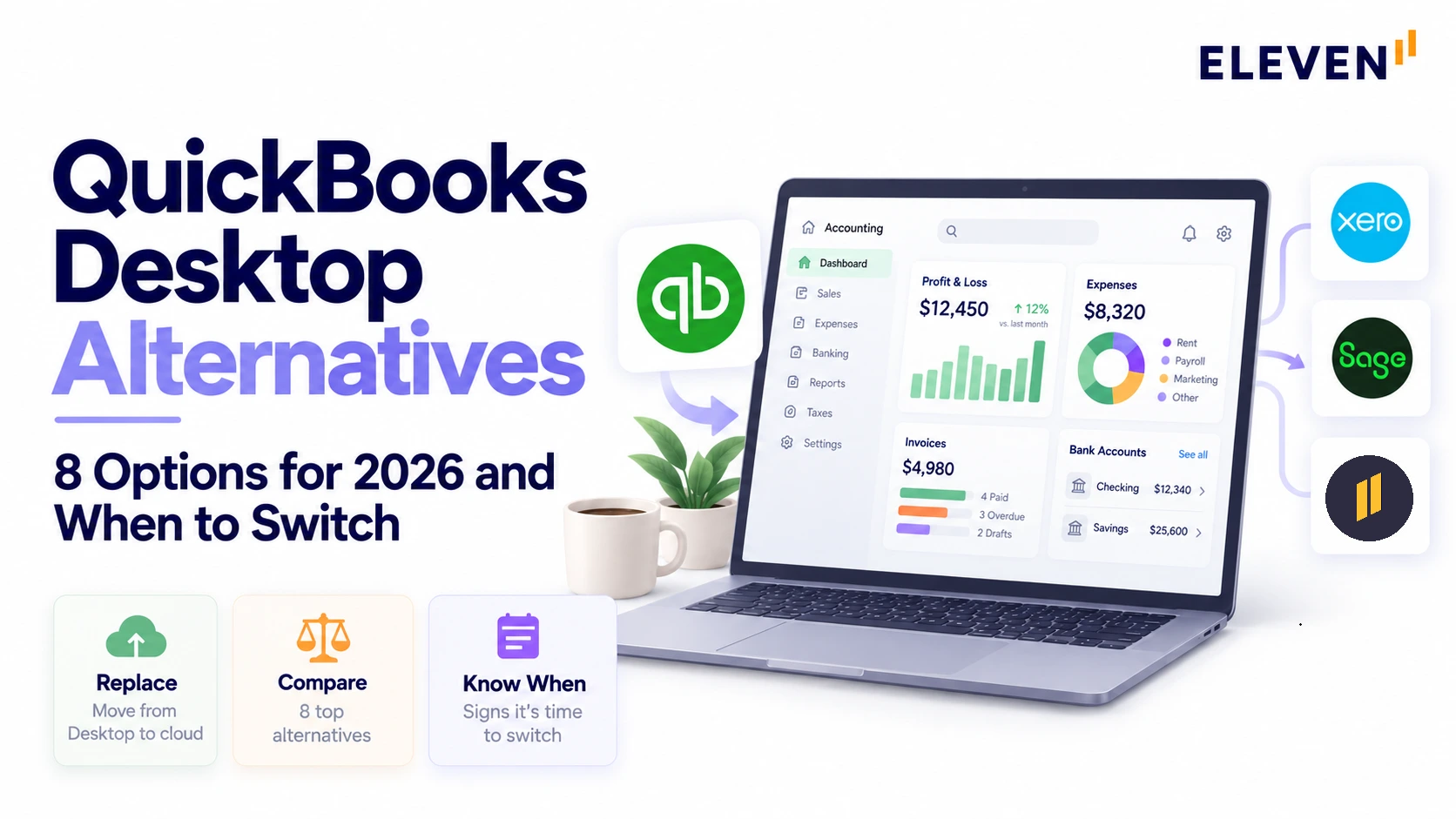
QuickBooks Desktop 2024 remains supported, but rising costs, limited remote access, and changing business needs have many users considering alternatives. This guide compares eight options, including QuickBooks Online, Eleven, Sage 50, AccountEdge, Wave, and NetSuite. It examines features, pricing, and multi-company capabilities, with a cost comparison for managing 15 company files. It also covers migration challenges, including records that may not transfer, payroll continuity, and financial reconciliation, to help businesses and accounting firms make an informed decision.
Looking for QuickBooks Desktop alternatives? You may have heard that Intuit is phasing out Desktop and wondered how much longer you can keep using it.
Here's the important update: in August 2026, Intuit confirmed that QuickBooks Desktop 2024 would continue receiving support and updates, with no announced sunset date.
That takes some pressure off the decision. You can stay with Desktop if it still meets your needs, or explore alternatives that offer remote access, different pricing, or better ways to manage multiple companies.
We'll compare eight options, what they cost, and what to prepare for before migrating.
Is QuickBooks Desktop Being Discontinued?
QuickBooks Desktop isn't disappearing entirely. Intuit has stopped selling certain versions to new US customers, and older releases have lost connected services. But Desktop 2024 remains supported.
Here's how those changes unfolded:
- September 30, 2024: Intuit stopped selling new Pro Plus, Premier Plus, Mac Plus, and Enhanced Payroll subscriptions to US customers. Existing subscribers can keep renewing, and Enterprise is still sold.
- May 31, 2026: Desktop 2023 lost several features, including payroll, bank feeds, payments, and security updates.
- August 2026: Intuit said Desktop 2024 won't be discontinued in May 2027, dropped its three-year lifecycle, and committed to keeping version 24.0 updated with no sunset date.
What this means for you: Desktop 2024 users aren’t facing an immediate migration deadline. However, businesses running older versions, needing additional licenses, or reconsidering how they access multiple company files still have reasons to review their options.
What Doesn't Transfer From QuickBooks Desktop to Online?
Moving from Desktop to QuickBooks Online isn't simply a matter of uploading your company file. Some information transfers, some features work differently, and certain records need to be preserved separately.
Intuit's migration documentation identifies several important differences:
Intuit also warns that migrated sales tax payments apply to the wrong filings and must be deleted and recreated.
QuickBooks Online supports multicurrency on Essentials, Plus, and Advanced, but not Simple Start. If your Desktop company uses multiple currencies, check how foreign-currency accounts and transactions will transfer before starting the migration. Once multicurrency is enabled in QuickBooks Online, it cannot be turned off.
Users who skipped this step paid for it. One Reddit user said payroll history didn't migrate, so they had to buy Desktop again for a month just to extract it.
Before moving, save a secure archival copy of your Desktop company file along with its audit trail, reconciliation history, and other reports you may need later. Then compare the balances in both systems at the agreed migration cutoff date. We'll cover those checks in the migration preparation steps below.
Our accounting system migration guide covers how to plan the move.
Good to know: You may come across third-party websites advertising lifetime QuickBooks Desktop licenses. Intuit stopped selling new US subscriptions to Desktop Pro Plus, Premier Plus, and Mac Plus after September 30, 2024, and warns buyers about unauthorized sellers. Before purchasing, verify the license's legitimacy, compatibility, and access to updates or connected services directly with Intuit.
Why Consider Switching From QuickBooks Desktop?
Desktop 2024 is still supported, but that doesn't solve every problem. Subscription costs, limited remote access, and managing separate company files can make it less practical as your business grows.
Older versions are legacy now. Desktop 2023 has lost access to connected services such as payroll and bank feeds, while new US customers can no longer purchase Pro Plus, Premier Plus, or Mac Plus subscriptions.
If your team needs easier collaboration, cloud access, or a better way to manage multiple clients, it's worth looking beyond Desktop.
The alternatives below offer different approaches depending on your accounting needs and budget.
What Are the Best Alternatives to QuickBooks Desktop?
The best alternative depends on whether you want to stay on desktop software, move to the cloud, or need multi-entity accounting. The eight options at a glance:
1. Eleven
Eleven is cloud accounting built for accounting firms and family offices that manage many entities. Instead of a separate file or subscription for every company, each entity gets its own ledger under one login, and every plan includes unlimited users.
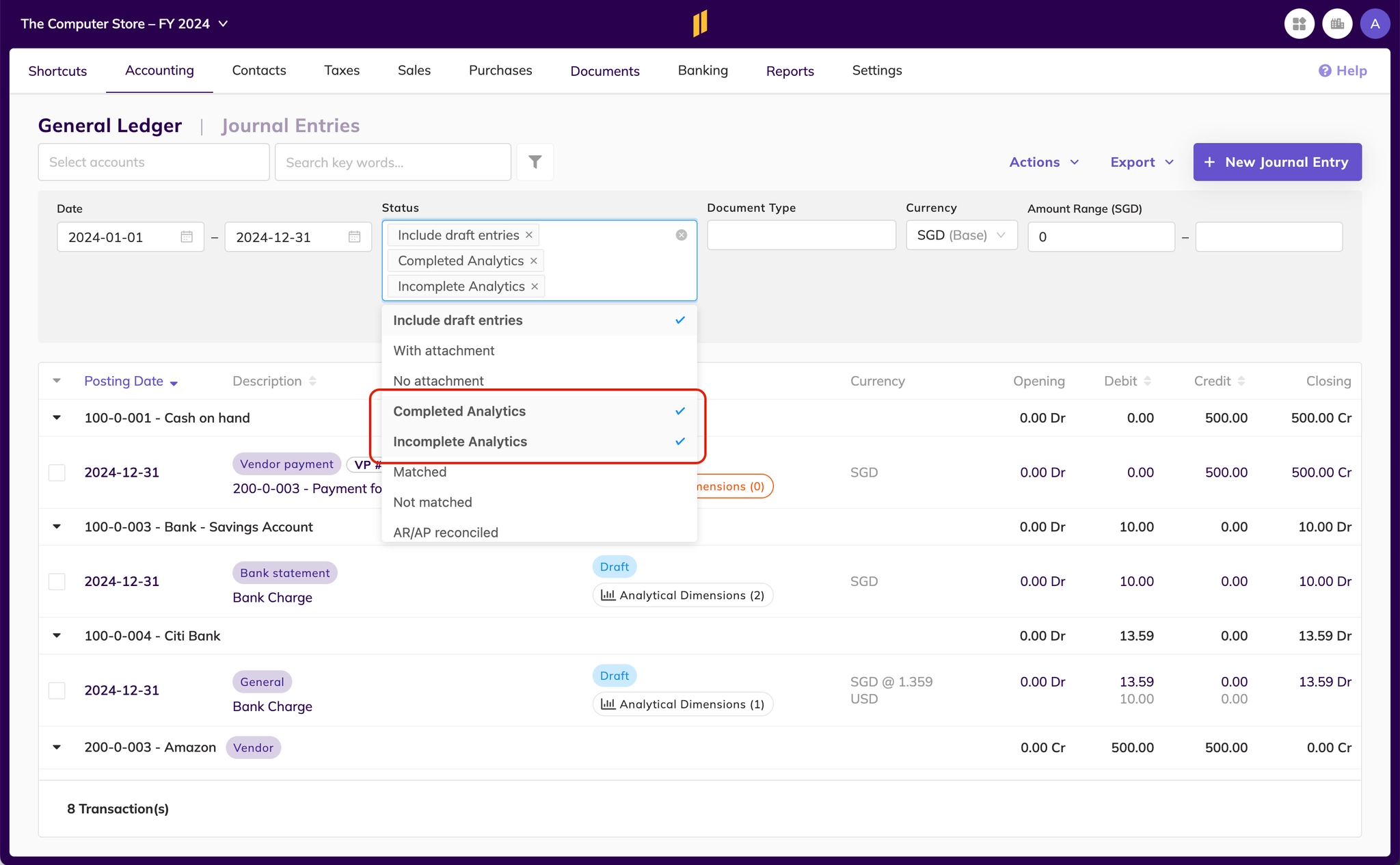
Pricing is published per entity, and it gets cheaper as you add entities. Professional adds consolidated reporting and includes implementation, migration, and training.
For more information on Eleven and its features, read our complete Eleven review.
Notable features
- A separate ledger for each entity under one login
- Unlimited users on every plan
- 170+ currencies with IAS 21 period-end revaluation
- AI extraction for invoices and bank statements
- Built-in document management
- Bank feeds, reconciliation, basic approval workflows, and API access
- Consolidated reporting and a custom report builder on Professional
Pros and cons
Pricing
Best for: accounting firms and family offices that keep the books for many entities.
2. QuickBooks Desktop Enterprise
Enterprise is Intuit's only Desktop product still sold to new US customers, and it’s the natural upgrade if you like Desktop but need more users, deeper inventory, or several companies under one license.
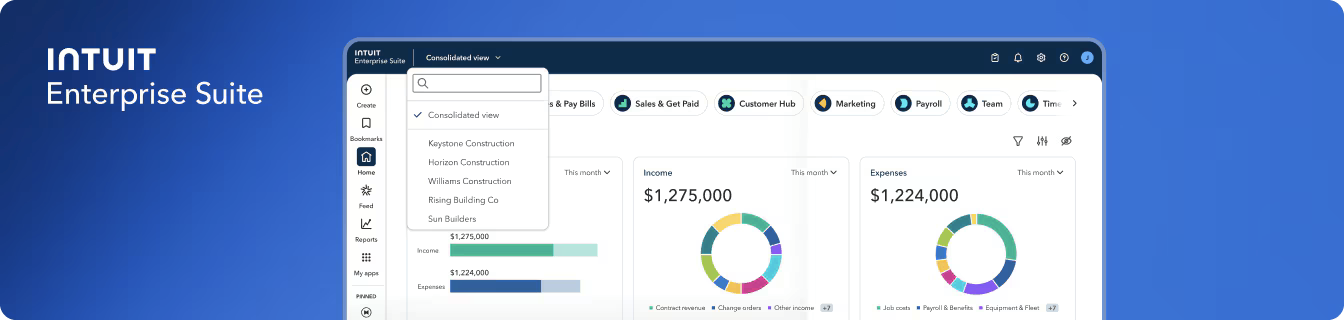
The annual plan commits you to 12 months, with a 60-day money-back window. After that, cancelling gets you no prorated refund, though you keep access for the rest of the term. Diamond is only sold on a monthly plan.
Notable features
- Multi-company management on every tier
- Up to 30 users on Gold and Platinum, and up to 40 on Diamond
- Enhanced Payroll included on Gold and Platinum, and Assisted Payroll on Diamond
- Intercompany transactions, advanced inventory, advanced pricing, and bill and PO approvals on Platinum and Diamond
- Online backup, advanced reporting, and Priority Circle support
- Optional cloud hosting through Intuit's partner, Rightworks
Pros and cons
Pricing
Best for: businesses that want to stay on Intuit's desktop software and need more users, inventory depth, or several company files.
3. Hosted QuickBooks Desktop
Hosting lets you keep using QuickBooks Desktop while accessing it remotely through a third-party provider's servers. That can save you from maintaining your own office server, although performance, backups, security and support depend on the hosting company and plan you choose.
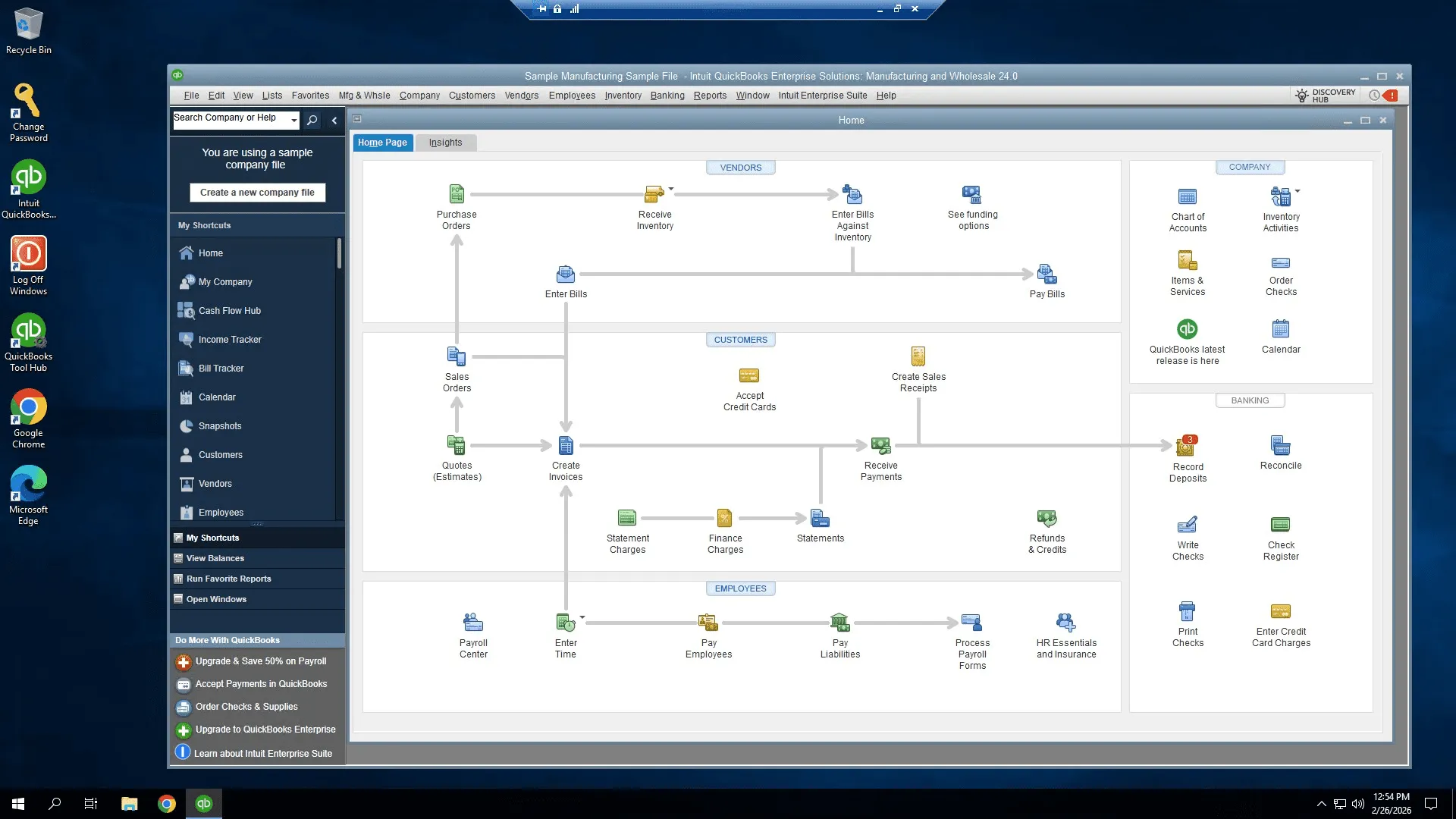
Intuit lists 21 authorized hosting providers, including Rightworks, Ace Cloud Hosting, and Apps4Rent, though it says it doesn't endorse or guarantee their services.
Support is split. Your host handles setup and hosting problems, while Intuit handles QuickBooks issues, and Intuit may ask for your IT administrator or a host representative to join the call.
Notable features of Ace Cloud Hosting
- 99.99% uptime, 30-day backups, and Tier 4 and 5 data centers on the entry plan
- Assisted setup and migration, plus round-the-clock support
- Multiple QuickBooks files, 45-day backups, and disaster recovery on the Business plan
- CrowdStrike security management and event monitoring on Business
- Multi-factor authentication and user and folder permissions on the custom plan
Pros and cons
Pricing
Best for: teams that are happy with Desktop and just need remote access. Ask any host whether your QuickBooks license is included in the price.
4. QuickBooks Online
QuickBooks Online is Intuit's cloud-based alternative to Desktop. It offers invoicing, accounting, reporting, and additional features depending on your plan, but some Desktop workflows and records won't carry over unchanged.
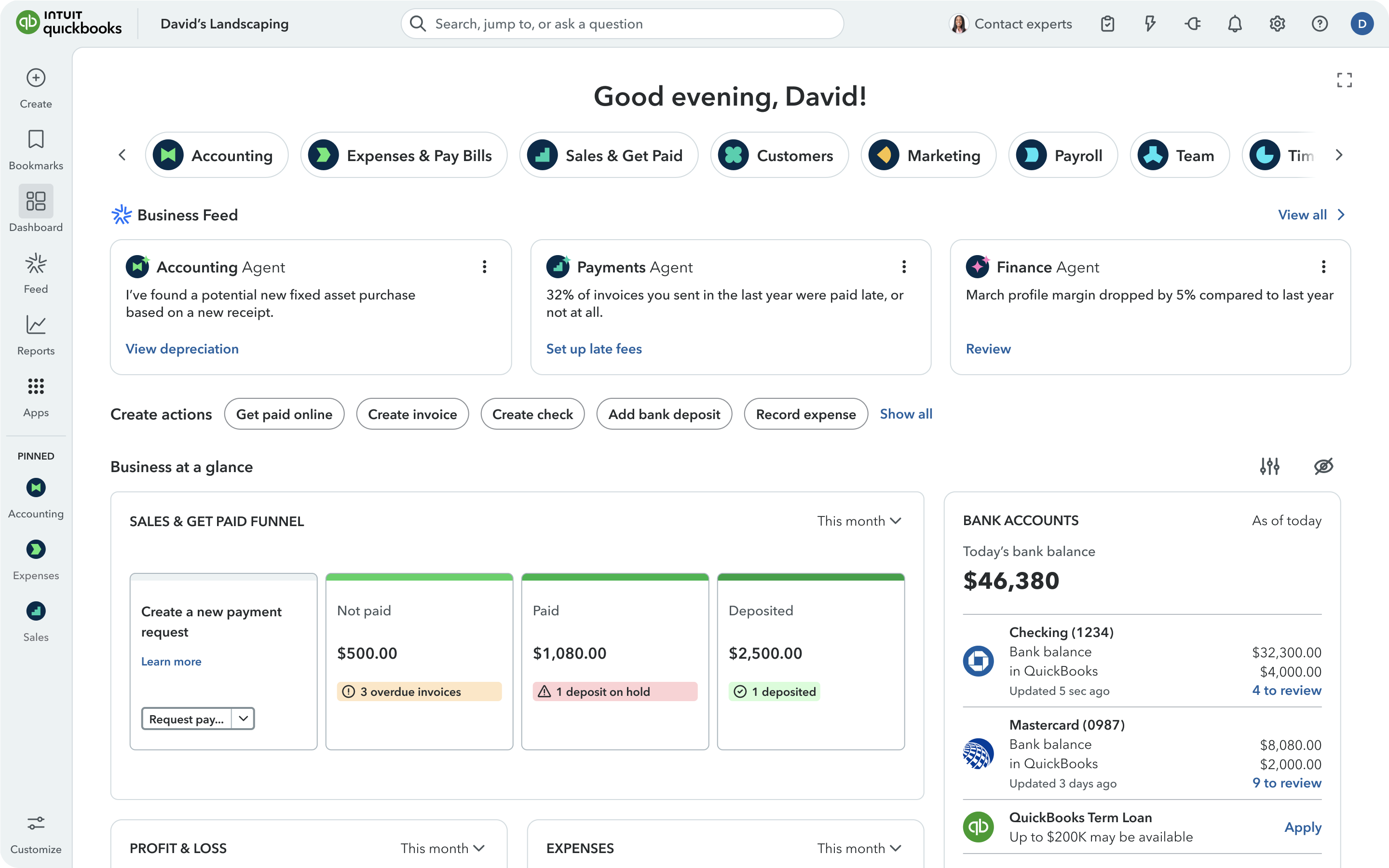
Intuit offers free assisted migration to eligible Desktop customers who sign up for the program, subject to availability and file complexity. Accounting firms can also use Intuit's Accountant Batch Migration Tool to move up to 50 client company files, provided they meet the tool's requirements. These include supported Desktop Accountant versions, eligible Pro, Premier or Mac files, and file-size limits.
If you cancel Desktop, eligible installations can retain 12 months of view-only access, but restrictions apply. For example, Intuit limits this to supported releases, requires an existing local installation, and excludes certain hosted environments. Export and archive your historical records before cancelling.
Two things catch Desktop users off guard. QuickBooks Online charges one subscription per company, while one Desktop license can open many company files, and several Desktop features don't migrate (see the table further down).
Our QuickBooks review covers the August 2026 price increase and what users report.
Notable features
- Bank feeds are available across QuickBooks Online plans; AI-powered categorization varies by plan.
- Invoicing and bill payments are widely available, with Bill Pay Elite included on Advanced.
- Inventory tracking is included on Plus and Advanced, with an optional inventory add-on for lower tiers.
- Sales orders and purchase orders are available on Plus and Advanced; sales orders can also be accessed through the Inventory add-on on supported lower plans.
- Project profitability is available on Plus and Advanced.
- Multicurrency is available on Essentials, Plus, and Advanced.
- Payroll is available separately through QuickBooks Workforce, with subscription and per-employee charges.
- Migration assistance is available to eligible Desktop customers, subject to Intuit's program conditions.
Pros and cons
Pricing
Best for: a single business that wants Intuit in the cloud and doesn't run many company files.
5. Sage 50
Sage 50 is worth considering if you want to keep desktop-style accounting workflows, particularly for inventory, job costing and financial reporting. Sage offers a locally installed Desktop edition and a separately marketed Cloud edition with remote access.
Check the deployment and access requirements before assuming the two work in exactly the same way.
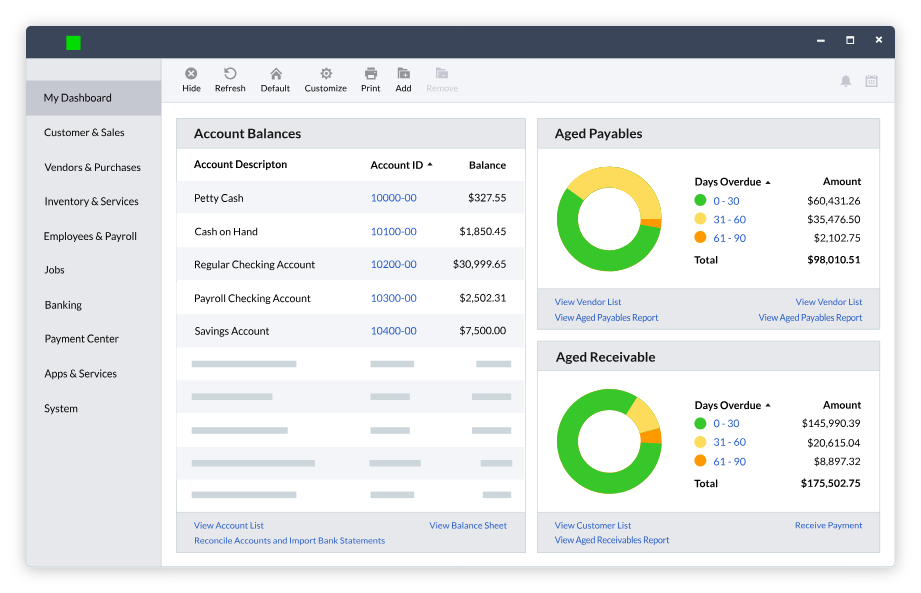
It's still a subscription. Sage requires a one-year commitment and describes the plan as a lease on the software license. If you stop paying, you keep read-only access to your data, and you can cancel with 30 days' notice for a prorated refund.
Don't confuse it with Sage Intacct, a separate cloud platform for mid-market finance teams.
Notable features
- Cash Flow Manager with projections of money coming in and going out
- Batch and recurring invoices, plus a "Pay Now" button for online payment
- Bank feeds with automatic clearing of matched transactions
- Inventory with units of measure, assemblies, serial numbers, and FIFO, average, or specific-unit costing
- Job costing with phases and cost codes
- More than 150 reports, including construction, manufacturing, and distribution reports
- Multiple companies, consolidation, and audit trails from Premium up
Pros and cons
Pricing
Sage requires a minimum one-year commitment on its Desktop and Cloud plans. Paying annually is often cheaper than paying monthly.
Best for: product and project businesses that want to stay on desktop software and need stronger inventory or job costing.
6. AccountEdge
AccountEdge offers desktop accounting for Windows and Mac, with a separate Hosted option for browser-based access. Its regular desktop subscriptions include ten company files, with additional files costing $10 each per month.
AccountEdge Hosted works differently: its documentation says users can keep as many company files as their allocated hosting storage allows, with pricing charged per user rather than per additional company file.
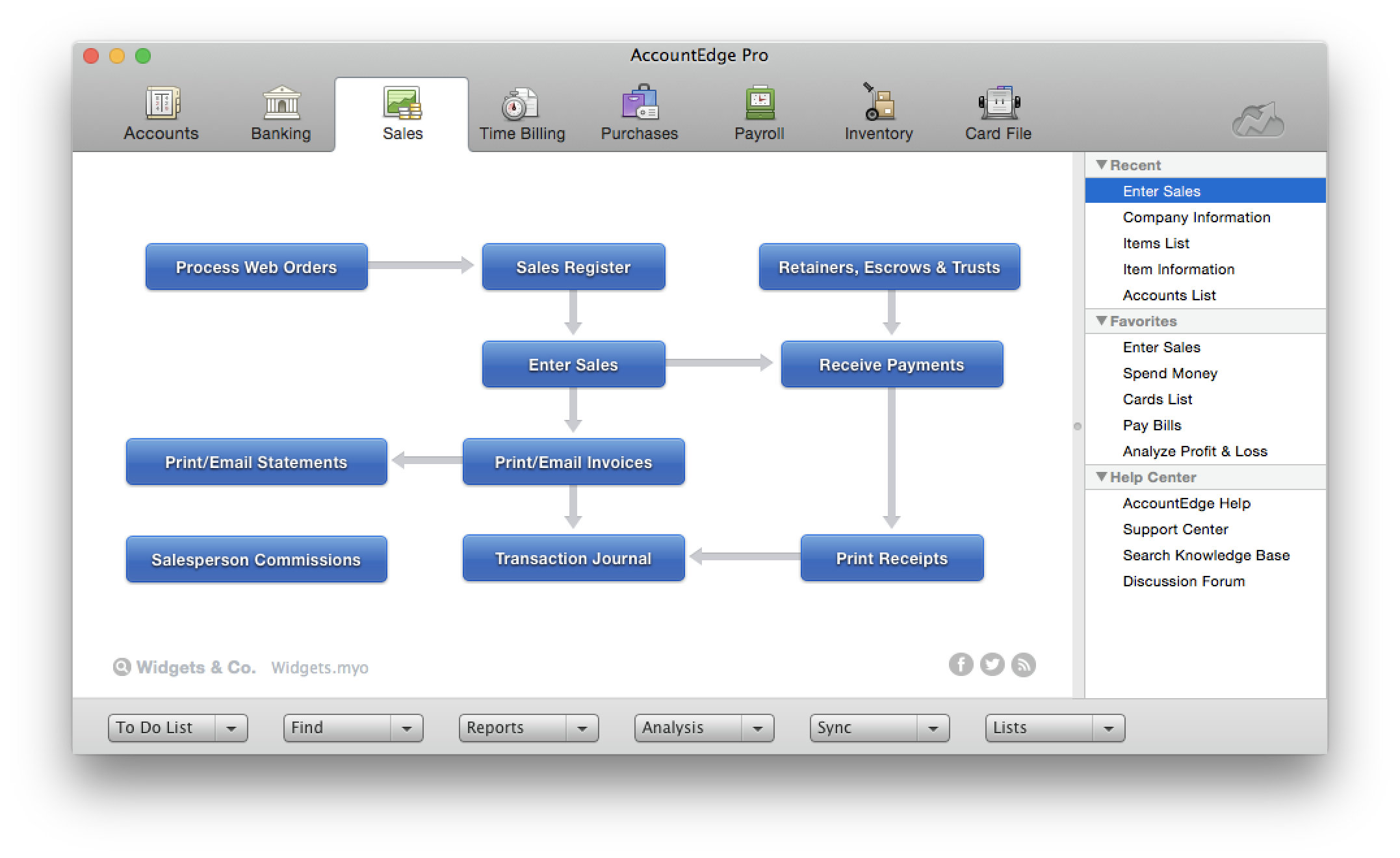
It moves QuickBooks Desktop or Online data through a conversion partner, MMC Convert, or you can import lists yourself with its QuickBooks IIF tool.
Two details to check:
- The software must connect to AccountEdge's servers at least every 30 days or it goes read-only after a 7-day grace period, and
- Before installing AccountEdge on a Mac, check the system requirements for your chosen edition and release. AccountEdge's current compatibility page lists support for modern macOS versions, including Sonoma and Tahoe. An older Catalina warning still appears in its published terms, but it shouldn't be presented as the compatibility status of today's software.
Notable features
- Windows and Mac versions at the same price
- Payroll for unlimited employees, with optional full-service payroll through SurePayroll
- Bank feeds through Plaid
- Inventory with price levels, quantity breaks, serial numbers, and kits
- Multicurrency with recorded exchange gains and losses
- Lock periods and audit trail tracking
- A free copy for your accountant and an optional cloud add-on (AccountEdge Connect)
Pros and cons
Pricing
Best for: small businesses and bookkeepers who want inexpensive desktop software and run many company files.
7. Wave
Wave offers a genuinely free Starter plan for basic invoicing and bookkeeping, making it worth considering if keeping subscription costs down matters more than retaining desktop functionality. Its Pro plan adds features such as bank feeds and additional user access for $19 a month per business.
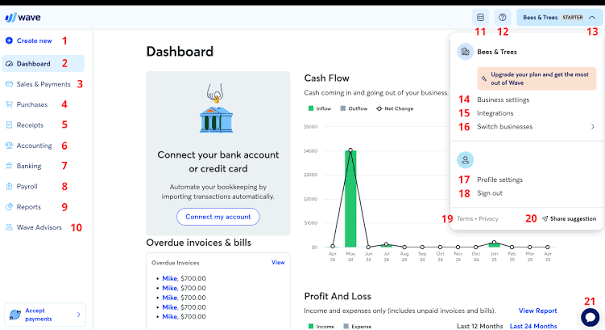
Wave is cloud-only and serves new subscribers in the US and Canada. Since June 2026, businesses also need Pro to invite accountants and other users. Some reviewers report payment-processing delays and support problems, so compare those services carefully before deciding whether to use Wave for payments or payroll.
We break down Wave Accounting in more detail in our Wave review.
Notable features
- Unlimited invoices, estimates, and bills on the free plan
- Automatic bank imports and categorization on Pro
- Unlimited receipt scanning on Pro
- Online payments by card, bank transfer, and Apple Pay
- Payroll add-on in the US and Canada (except Quebec)
Pros and cons
Pricing
Best for: sole proprietors who want free, simple books and don't need desktop software.
8. NetSuite
NetSuite is for companies that have outgrown QuickBooks entirely. It's a full cloud ERP from Oracle that combines accounting with inventory, orders, and CRM and handles groups of companies through its OneWorld add-on.
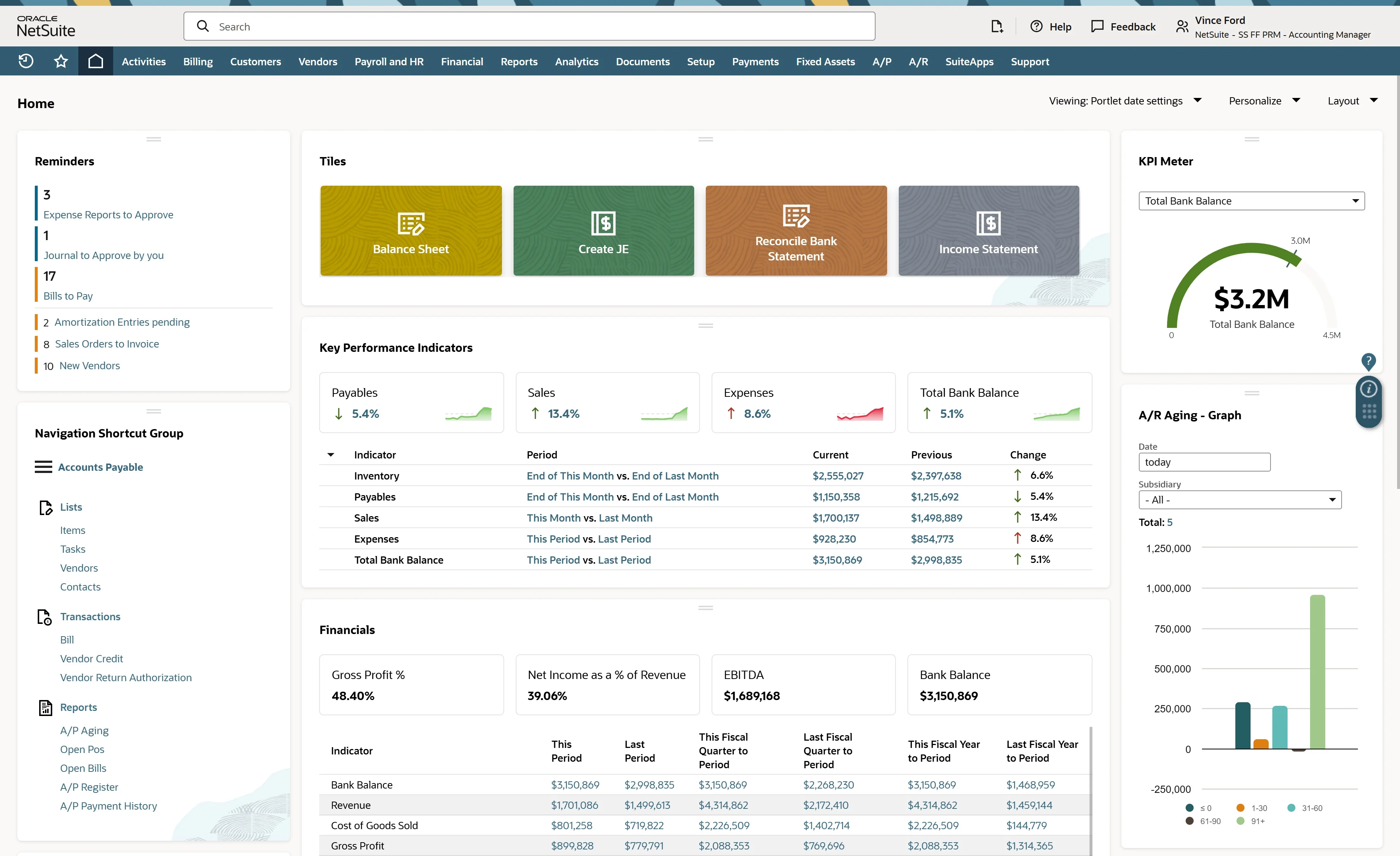
It doesn't publish prices, implementation is a separate project, and its contracts are strict: orders can't be cancelled once signed, and subscriptions auto-renew unless you give written notice 30 days before the term ends.
We review NetSuite in more detail in our dedicated NetSuite review.
Notable features
- OneWorld for managing subsidiaries and consolidated financial reporting across currencies
- Full Multi-Book Accounting, available with OneWorld and requiring additional setup; supports up to five active accounting books, including the primary book
- Custom segments for additional reporting and classification needs, subject to NetSuite's configuration and feature limits
- Advanced Revenue Management capabilities supporting ASC 606, subject to the features enabled and implementation requirements
- Inventory, order management, and CRM capabilities
- Accountant access through SuiteAccountants
Pros and cons
Pricing
Best for: one company group that needs a full ERP and can budget for implementation and a multi-year commitment.
How Much Does It Cost to Leave QuickBooks Desktop?
It depends on how many company files you run. One Desktop license can open as many company files as you need, which is why many bookkeepers and multi-company owners stay.
- "One subscription. Each client at no additional cost," one Desktop user explained on Reddit.
- An IT provider described clients with "8 people running 30 separate companies" who couldn't justify per-company pricing online.
To see how the pricing models differ, consider an accounting practice managing 15 company files. The estimates below use entry-level configurations that support multiple companies where available, but they're not like-for-like quotes: user allowances, payroll, hosting, migration and support differ substantially between products.
For a single company, QuickBooks Online Plus costs $1,680 annually at its standard price, which may be reasonable compared with a Desktop subscription once access, maintenance and features are considered.
The difference becomes much more noticeable across 15 company files. QuickBooks Online Plus would cost $17,640 annually under eligible ProAdvisor firm billing, or $25,200 at standard pricing.
That's why the number of companies, rather than just the cost of one license, matters so much.
Desktop and hosted-desktop options can be inexpensive for maintaining separate files, while platforms such as Eleven offer a different workflow for firms managing many entities. Compare the total cost alongside user access, consolidation, support and migration requirements.
For more on that setup, see our multi-entity accounting guide.
How to Prepare for a QuickBooks Desktop Migration
Once you've chosen a replacement, agree on a migration cutoff, ideally at month-end or year-end.
Close out the accounting period in Desktop and save a verified backup, along with your audit trail, historical reconciliation reports, financial statements, and any custom reports you may need later. Not everything transfers to QuickBooks Online.
Payroll needs particular attention if you're switching midyear. Preserve year-to-date wages, withholdings, tax deposits, and previous filings, including Forms 941 and W-2. Confirm how your new provider will handle the remaining pay periods.
After importing your data, compare the opening balances against your final Desktop trial balance. Check receivables, payables, inventory, and bank reconciliations, and test a few everyday transactions. You may also need to recreate user permissions, bank connections, invoice templates, and reporting configurations.
Keep your old records accessible until you've verified the migrated books and confirmed what access you'll retain after canceling Desktop.
For a more detailed walkthrough, see our accounting system migration guide.
Eleven Gives Accounting Firms One Place to Manage Client Books
QuickBooks Desktop still has its place, particularly for businesses that rely on familiar workflows and don't need to change how they manage their books.
But for accounting firms and family offices maintaining a separate Desktop file for every client or entity, the challenge goes beyond the software itself. Switching between files, managing access, and bringing financial information together can become cumbersome as the number of entities grows.
Eleven takes a different approach. Each entity has its own ledger, but your team manages them all from one cloud platform. Every plan includes unlimited users and support for 170+ currencies with automatic revaluation. Professional adds consolidated reporting, implementation and migration.
Instead of maintaining a growing collection of separate Desktop files, you can manage your clients' books in one place with pricing that scales by entity.
Frequently Asked Questions (FAQs)
Is QuickBooks Desktop being discontinued in 2027?
No. In August 2026, Intuit confirmed that QuickBooks Desktop 2024 will not be discontinued in May 2027 and has no announced sunset date. It’ll continue receiving updates and support.
However, older versions are a different story. QuickBooks Desktop 2023 lost access to connected services, including payroll, bank feeds, and payments, on May 31, 2026. If you're using Desktop 2024, there's no immediate need to migrate, but it's worth keeping an eye on Intuit's support announcements and your subscription renewal.
Can I still buy QuickBooks Desktop?
Yes, but your options are limited. QuickBooks Desktop Enterprise is the only Desktop edition still sold to new US customers. Intuit stopped selling new Pro Plus, Premier Plus, and Mac Plus subscriptions on September 30, 2024.
If you already subscribe to one of those discontinued editions, you can continue renewing it. If you're a new customer, Enterprise is your main option for staying with QuickBooks Desktop, although it's worth comparing the subscription and hosting costs against cloud alternatives before committing.
Is there a QuickBooks Desktop alternative with no subscription?
Not among the desktop accounting products covered in this guide. QuickBooks Desktop, Sage 50, and AccountEdge all use subscription pricing, so switching between them won't eliminate recurring software costs.
If avoiding a monthly fee is your priority, Wave's Starter plan is free, but it's cloud-only and lacks some of the more advanced features you'd find in Desktop accounting software.
For businesses managing multiple company files, it's also worth comparing per-company pricing against per-user or per-entity plans, since the cheapest subscription isn't always the cheapest setup overall.
What happens if I stop paying for QuickBooks Desktop?
If your QuickBooks Desktop Plus subscription expires, you'll lose full access to the software unless you renew. Intuit offers eligible customers up to 12 months of view-only access after their subscription ends, allowing them to review reports and export data without entering new transactions.
The separate 30-day grace period applies to resolving certain billing or renewal problems after Intuit sends its final notice. It isn't an additional year of software access, and it shouldn't be confused with view-only mode.
View-only eligibility depends on your Desktop version, license and installation. Export your records before cancelling rather than relying on continued access.
Was this article helpful?
Thank you! Your feedback has been received!
Oops! Something went wrong while submitting the form.