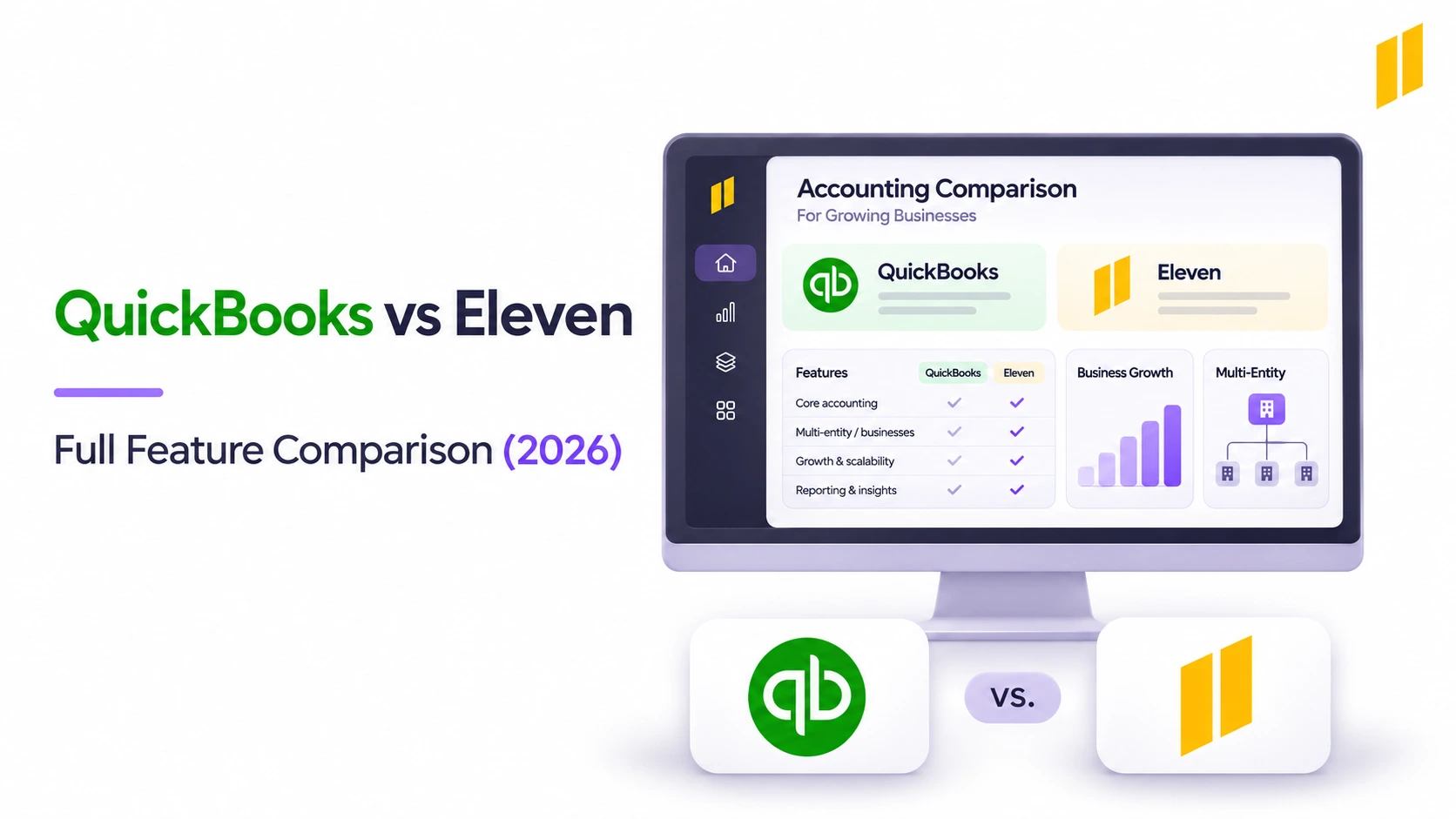
QuickBooks vs Eleven in a Full Feature Comparison (2026)
Home
/
Blog
/
9 Best Accounting Software for CPA Firms in 2026
9 Best Accounting Software for CPA Firms in 2026
Written by
Reviewed by
Dedicated accounting software for CPA firms can guarantee to make your firm more efficient, accurate, offer more comprehensive reporting, without the risks of breaking tax laws or regulations.
The best accounting software for CPA firms isn't the same as the best software for a small business. CPA firms manage other people's finances across multiple clients, entities, and jurisdictions, with compliance, security, and audit-readiness requirements that general tools weren't built to handle. This guide profiles 9 of the most widely used tools and explains where each one fits.
Your CPA firm might use QuickBooks to maintain client books, UltraTax to prepare returns, and Canopy to chase missing documents. Each application handles a different part of the job, and finding one that does everything well is difficult.
That's why choosing accounting software for CPA firms isn't quite the same as choosing it for a small business. You're managing multiple clients, working to different deadlines, and trying to keep the practice profitable along the way.
We've compared nine platforms used for client accounting, tax preparation, and practice management. Below, we'll explain what each does best, where it falls short, what it costs, and what actual users think.
What’s the Best Client Accounting Software for CPA Firms?
Before comparing products, it helps to understand what you're shopping for. Client accounting software maintains your clients' books, tax software prepares returns, and practice-management tools help your firm organize the work.
Firms that perform audits, reviews, or compilations also need engagement software for trial balances, adjusting entries, workpapers, and reviewer sign-offs.
Tools such as CCH Axcess Engagement, Thomson Reuters Engagement Manager, and Caseware Working Papers serve that purpose. They're not part of the nine platforms reviewed here, but evaluate them separately if assurance or compilation work is a major part of your practice.
Most CPA firms use a combination of applications rather than expecting one platform to cover everything.
Prices reflect available US information as of October 26, 2026. They use different billing models and exclude applicable taxes, additional services, and implementation costs. Eleven’s and Canopy’s published monthly rates assume annual agreements.
What’s the Best Software for Client Accounting and Bookkeeping?
If your firm handles monthly bookkeeping, outsourced accounting, or controller services, take a closer look at these five platforms.
They cover similar accounting fundamentals, but differ considerably in how they manage multiple clients, automate work, and charge for access.
1. Eleven for Multi-Entity Bookkeeping
Eleven is cloud accounting software designed for accounting firms and family offices that maintain separate books for multiple clients or legal entities.
Rather than purchasing and managing a collection of independent accounting subscriptions, your team can maintain those entity ledgers within one platform.
Each entity has its own records, while accountants work across the portfolio from the same environment.
The system covers everyday accounting, including general ledgers, bank reconciliation, document management, and financial reporting.
Its AI-assisted tools also extract information from invoices and bank statements, preparing entries for accountants to review before posting.
Eleven's main capabilities include:
- Multi-entity accounting with separate ledgers and charts of accounts.
- Bank feeds, statement extraction, and assisted reconciliation.
- AI-assisted invoice processing and draft accounting entries.
- Document management with supporting records attached to transactions.
- Multi-currency accounting across more than 170 currencies.
- Entity-level financial statements and API access for external reporting.
The automation is useful when your firm processes a large volume of supplier documents.
In Eleven's Alpadis customer case study, the firm reported that their accountants were processing invoices 78% faster, lowering processing times below one minute after ten months of using the platform
That's an individual customer's experience rather than a guaranteed result, but it gives you an idea of the work Eleven is designed to simplify.
However, Eleven doesn't prepare or electronically file US income-tax returns, so you'll still need professional tax software.
It also doesn't currently perform native automated group consolidation or intercompany eliminations. Instead, its API lets you retrieve financial data from one or several entities and prepare group reports in Excel, Power BI, or another reporting tool.
Eleven holds a 4.9/5 rating on Capterra from 122 reviews as of October 2026. Here’s what one user said about the platform:
"My favorite feature would be the reporting section because it helps me create summaries and export the data without having to spend extra time cleaning the spreadsheets manually and The invoice management process is also very smooth. Create invoices, monitor pending payments and also monitor customer payment history all in one place. This was previously managed by our team using excel sheets and emails which resulted in confusion and duplicate records. When we moved over to Eleven, it got a lot more organized.”
— Rajiv D., Data Analyst
Eleven is a good fit for practices that spend much of their time maintaining client ledgers, processing documents, and preparing financial reports, but if your firm requires extensive tax-preparation or assurance functionality, you'll need complementary applications.
Eleven Pricing
Eleven's pricing follows the number of entities rather than the number of accountants, and every plan includes unlimited users:
Volume discounts begin at ten entities. For example, 50 entities on Professional cost $19,200 annually after the applicable 20% discount.
Implementation and migration are included with Professional and Enterprise, while Standard customers pay separately for those services.
2. QuickBooks Online for Small-Business Client Accounting
QuickBooks Online is a familiar option for CPA firms serving small businesses, especially when their clients already use it.
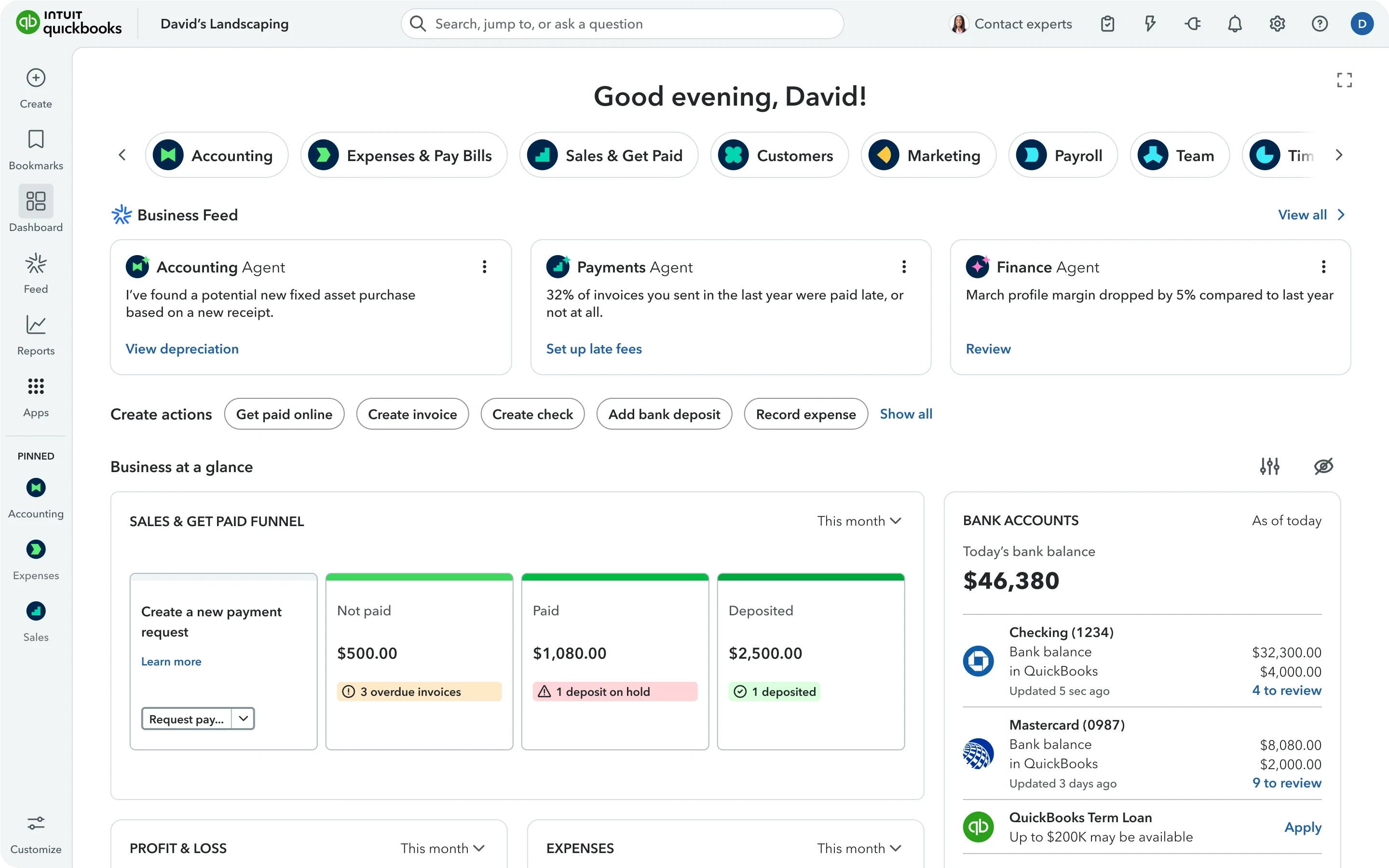
The platform handles invoicing, bill payments, expense tracking, bank reconciliation, and financial reporting. Higher plans add inventory, project profitability, budgeting, and more advanced reporting tools.
Its extensive marketplace also connects accounting records with payroll, payments, e-commerce, and other business applications.
For accountants, one of the main advantages is being able to work directly with clients in their existing company files. Intuit's accountant tools provide a central workspace for accessing those accounts and managing firm workflows.
Each client company generally maintains its own QuickBooks subscription, however, so costs can climb as your portfolio grows.
QuickBooks is generally well regarded for routine accounting. It has a 4.0/5 rating on G2 from approximately 3,895 reviews.
Although it’s praised for its user-friendly interface and convenience, some users complain about its lack of seamlessness in handling complex accounting tasks and its pricing:
“One thing I dislike about QuickBooks Online is that some features can be confusing to navigate, especially when handling complex accounting tasks. Occasional syncing issues with bank transactions and limited flexibility in certain reports can also be frustrating. Additionally, resolving technical issues can sometimes take time, and the subscription cost may feel high for smaller businesses.”
— Heena G., Supervisor, Mid-Market, G2
QuickBooks is a practical choice when clients depend on its invoicing, inventory, payroll connections, and wider ecosystem, but for firms maintaining dozens of straightforward company ledgers, the cost of separate subscriptions might be too high.
For a more detailed breakdown, see our QuickBooks Online review.
QuickBooks Pricing
Current regular US prices are:
These limits apply within each company. External accountant access is treated separately, so adding another accountant to your practice doesn't necessarily require upgrading every client's subscription.
Eligible accounting firms can also receive an ongoing 30% discount on qualifying firm-billed subscriptions through ProAdvisor Preferred Pricing.
For simpler bookkeeping engagements, QuickBooks Ledger costs $10 per month through the accountant channel, although existing QuickBooks Online company files can't simply be downgraded to it.
Intuit's accountant workspace is changing, too. QuickBooks Online Accountant is scheduled to retire on December 31, 2026, as Intuit transitions firms to Intuit Accountant Suite.
The new Core offering is free, while the Accelerate tier has separate commercial terms following its beta period.
3. Xero for Collaborative Cloud Bookkeeping
Xero works well when business owners and their accountants regularly collaborate on the same records.
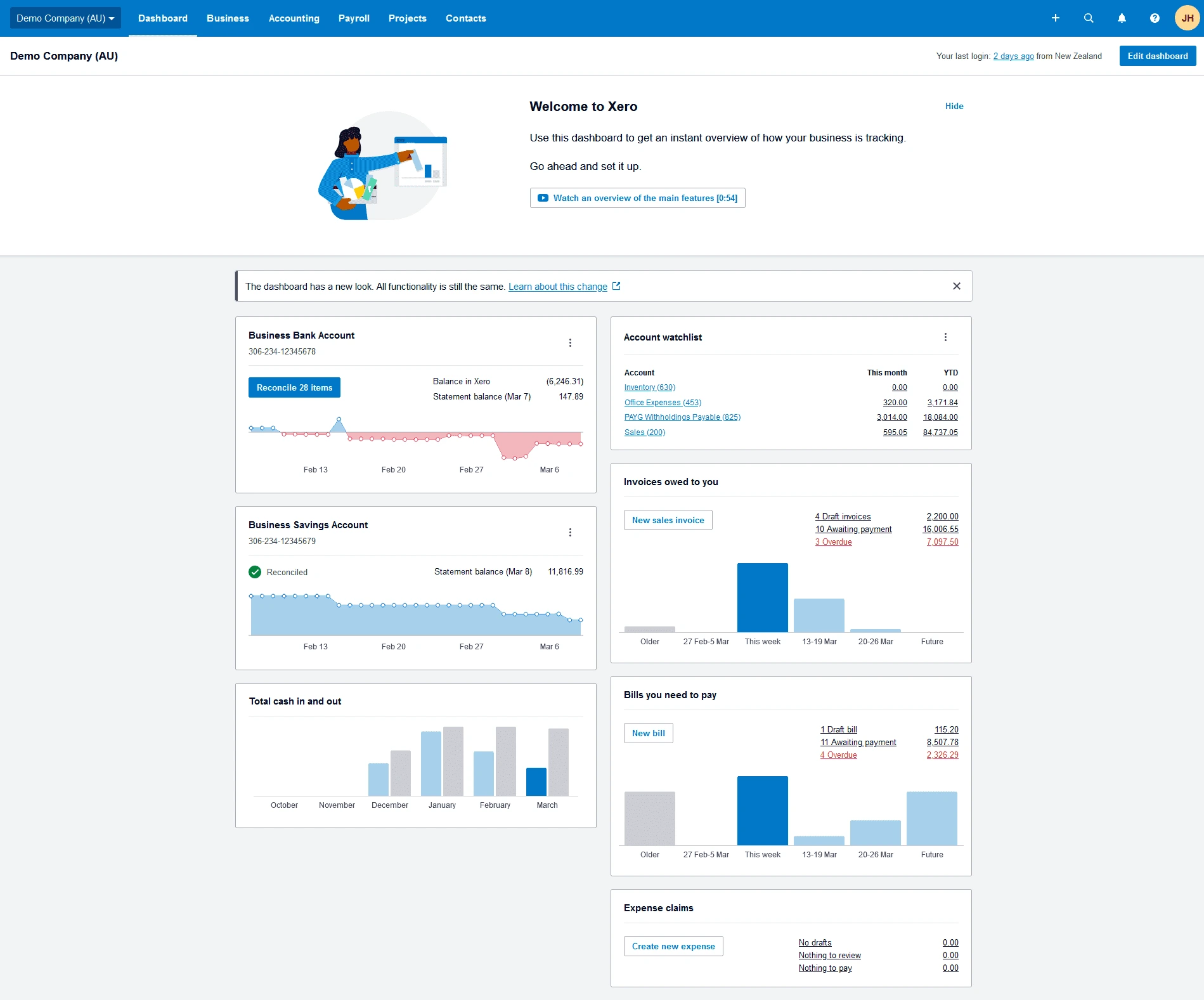
It includes invoicing, supplier bills, bank reconciliation, reporting, and document capture. All three US plans support unlimited users, which helps when several employees and external accountants need access.
Xero also has a substantial marketplace of connected applications, covering payroll, payments, inventory, e-commerce, and other operational requirements.
Accounting firms can manage client relationships through Xero's partner tools and access multiple organizations from one account.
Each organization still requires its own accounting subscription, though, and the required plan depends on what that particular client needs.
On G2, Xero scores 4.4/5 from approximately 1,845 reviews. Users like its organization, integrations, invoicing, and collaborative workflows, though bank connection and support frustrations are frequent complaints.
“Sometimes, certain features can take a little time to get used to, and I would like to see more flexibility with some reports and customization options. Overall, though, Xero is easy to use and works well fr managing day-to-day accounting tasks.”
— Greicy B., HR Specialist, Small-Business, G2
Xero is a good option for firms whose clients value easy collaboration and connected business tools. Its organization-based pricing is the main trade-off for accounting practices maintaining many companies.
You can learn more about its features and costs in our Xero review.
Xero Pricing
Xero's regular US prices increased on October 1, 2026:
Xero also began phasing out its multi-organization discount in October. If your firm manages a large portfolio, it’s worth comparing the total subscription bill rather than focusing on the cost of one account.
Reporting is another consideration. Core Xero accounting produces reports for individual organizations, but its Syft Analytics integration supports multi-entity reporting and consolidation.
Qualifying Xero partners can access Syft for eligible Growing and Established subscriptions without an additional Syft subscription charge, subject to the features in their arrangement.
4. Sage Intacct for Complex Client Accounting
Sage Intacct is better suited to demanding financial management than straightforward small-business bookkeeping.
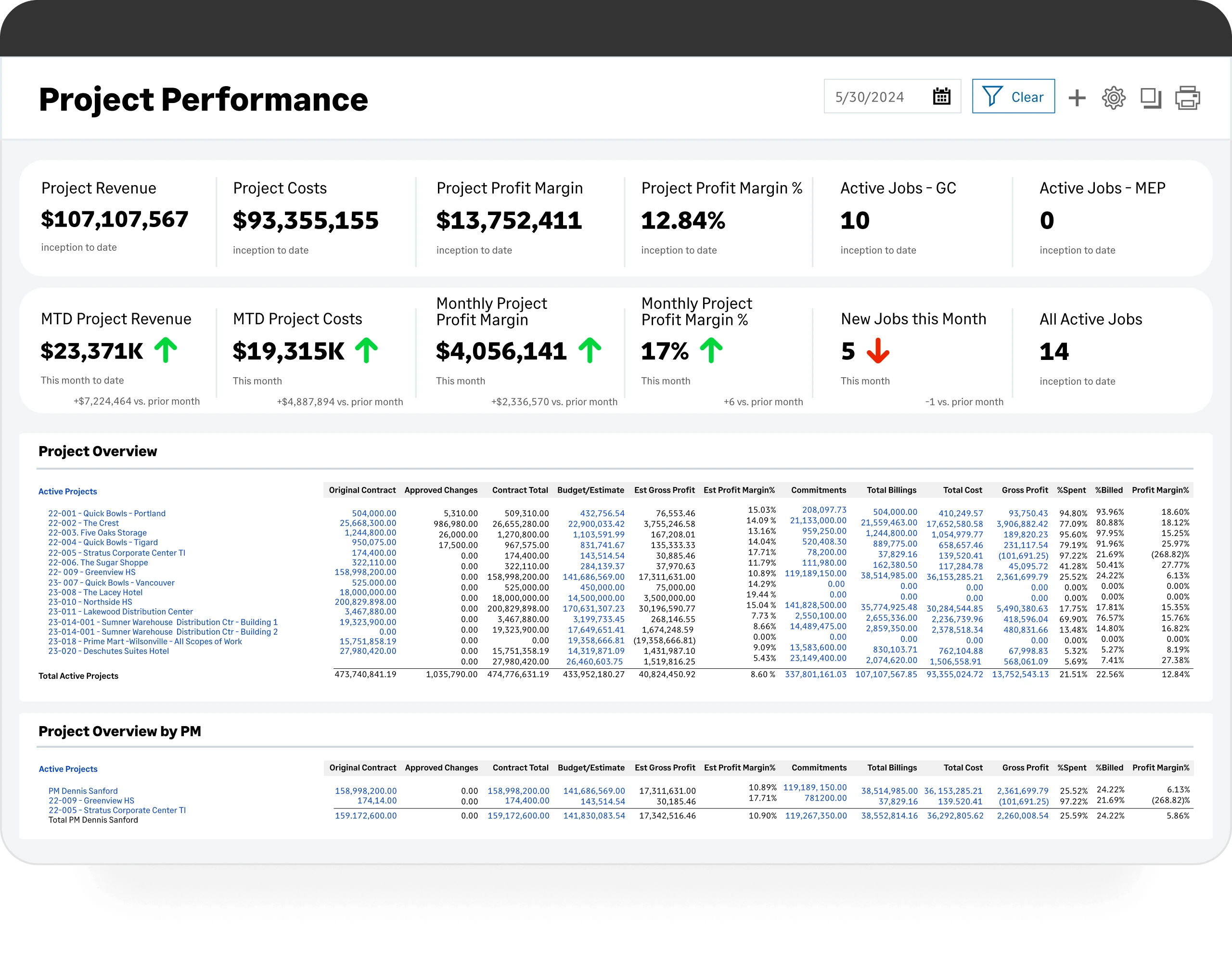
Alongside general ledger accounting, accounts payable, accounts receivable, and cash management, it provides dimensional reporting, configurable financial controls, and advanced accounting applications.
Its dimensions let finance teams analyze performance across departments, locations, projects, and other categories without creating a separate general ledger account for every combination.
This is useful for firms providing outsourced CFO or controller services, where clients may need more sophisticated reporting than a conventional bookkeeping platform provides.
Sage also has an Intacct Accountants Program specifically aimed at accounting practices and outsourced finance providers.
One of Intacct’s biggest advantages is native group consolidation. With the appropriate subscriptions and configuration, you can manage multiple entities, translate currencies, and automate configured intercompany eliminations within the financial management system.
Its automation extends to accounts payable, reporting, and elements of the financial close. Additional applications support requirements such as revenue recognition, project accounting, and budgeting.
The trade-off is that Sage Intacct is more expensive and complex. It requires more configuration than a conventional small-business accounting package, and the implementation can involve considerable work.
Sage Intacct has a 4.3/5 rating on G2, based on approximately 4,525 reviews. Users appreciate its web interface and reporting tools, though slower performance with large lists and its learning curve are common pain points. For example:
“I see lag time when trying to load large lists. For example, list of recent vendors... it takes time for all the options to load, and being web-based if you have a slower connection, it really takes longer than server based. Like each program, it has its quarks. Reporting could always use upgrades and the dimensions you use to define reports and fields could be more grand.”
— Lindsay S., Senior Accountant, Mid-Market, G2
Sage Intacct is worth the investment when your firm manages complex client finance operations or related entities requiring native consolidation. For ordinary bookkeeping, its implementation and subscription requirements may be more than you need.
For more information on Sage, read our complete Sage Intacct review.
Sage Intacct Pricing
In terms of pricing, Sage doesn’t publish standard US subscription prices. Independent implementation partners report entry-level subscriptions around $9,000–$12,000 annually for some configurations, with more demanding deployments costing substantially more.
For example, RKL eSolutions describes a three-entity configuration with approximately $33,000 in annual software costs and $35,000–$50,000 in implementation fees. Its estimated first-year total is therefore $68,000 to $83,000.
5. Accounting CS for Thomson Reuters Practices
Accounting CS is professional accounting software from Thomson Reuters. It’s designed around the work accounting firms perform for clients.
It handles write-up accounting, trial balances, adjusting entries, and financial statement preparation.
Firms can process client records, review the resulting accounts, and prepare the reports needed for an accounting period.
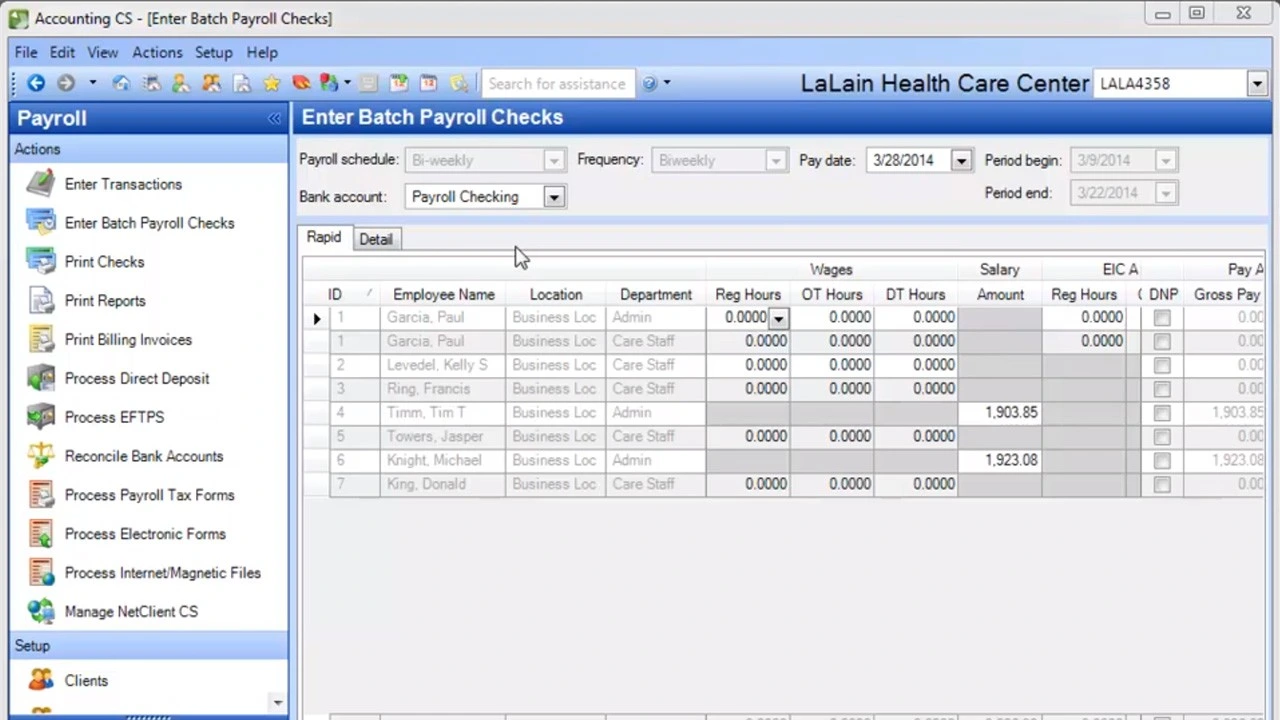
Accounting CS’s appeal is the wider CS Professional Suite ecosystem. Thomson Reuters also develops UltraTax CS and supporting products for payroll, documents, tax workflows, and practice management.
For practices already using that software, Accounting CS can help keep accounting work within a familiar product family. But each application has its own licensing requirements, so buying Accounting CS doesn't automatically include the rest of the suite.
Deployment is another difference. Accounting CS is an installed application, with hosted access available through relevant Thomson Reuters services. If your firm has remote employees, you'll need to account for that setup and any associated costs.
The product has a 3.5/5 rating on G2 from 28 reviews. The review sample is very small, though user friendliness, customization options, feature set, and learning curve consistently show up. Here’s what one user reported:
“One downside is that it can feel overwhelming for new users because of all the features. Some folks find it slow when handling a lot of data, and the pricing might not be ideal for smaller businesses. Plus, while customer support is usually good, sometimes the response times can be a bit frustrating.”
— Kaitlyn E., Secretary/Bookkeeper, Small Business, G2
Accounting CS is best suited to firms already invested in Thomson Reuters products, especially those that need dedicated write-up accounting rather than a general small-business ledger.
Accounting CS Pricing
Thomson Reuters doesn't publish a standard US price covering every Accounting CS configuration. You'll need a quotation based on users, services, hosting, and any additional applications.
What’s the Best Tax Software for CPA Firms
Client accounting systems help maintain the records that feed into tax work, but they don't automatically prepare professional income-tax returns.
If your practice files individual, corporate, partnership, trust, or estate returns, you'll need software designed for that work.
6. UltraTax CS for Professional Tax Preparation
UltraTax CS is Thomson Reuters' professional tax-preparation application. It supports federal, state, and local returns across a range of individual and business tax situations, including trusts and estates.
Preparers can use it to calculate returns, review diagnostics, track electronic filing, and manage information across supported forms and jurisdictions.
Accounting CS is best suited to firms already invested in Thomson Reuters products, especially those that need dedicated write-up accounting rather than a general small-business ledger.
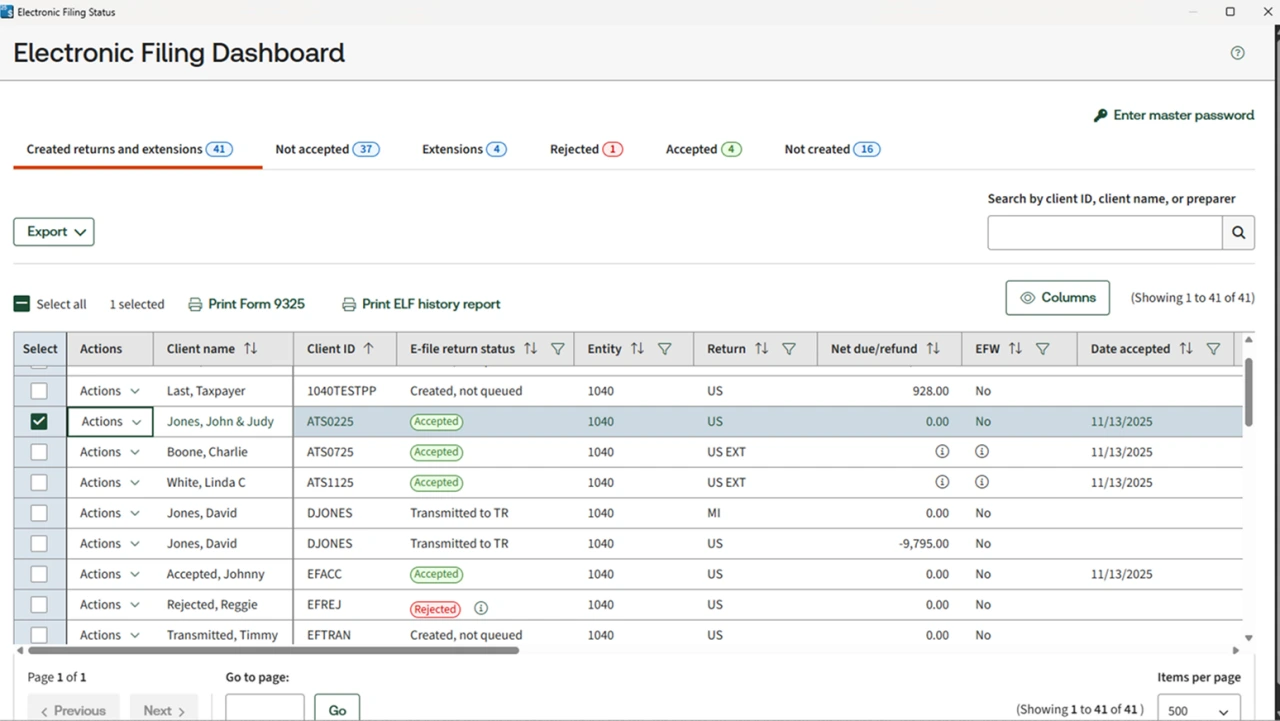
UltraTax also connects with other Thomson Reuters applications. Data sharing between applicable returns and supporting tools can reduce repeated entry, especially when your practice handles related taxpayers.
The software includes return diagnostics and data-mining functions, although some document automation and tax research capabilities belong to separately licensed products.
Consider this when you’re evaluating the full setup, as you shouldn’t treat features associated with the wider Thomson Reuters suite as part of the UltraTax subscription.
UltraTax is also an installed Windows application rather than a browser-native platform. Firms needing remote access may require a hosted arrangement.
UltraTax holds a 3.4/5 rating on G2 from 61 reviews, though a considerable amount of reviews are one-star. Here are examples of the good and the bad:
“It is unreliable, slow and shuts down regularly. As tax preparers, we have a very short amount of time to get a substantial amount of work done. Time is money. The time we spend waiting for Ultra Tax CS to work properly costs us money, a lot of it. “
— Nancy W., Managing Director, Small-Business, G2
Sandi T., in contrast, loved Ultra Tax' integrations and information rollover feature:
“I love that Ultra Tax integrates with the other Thompson Reuters applications that all a great flow through of information. The integrations saved a lot of data entry time. I also love that information can rollover from year to year once it is used for more than one year. "
— Sandi T., Human Resources Manager, Small-Business, G2
There's also useful evidence from the 2026 Journal of Accountancy Tax Software Survey. Among 1,808 surveyed AICPA members preparing paid returns, 22.3% reported using UltraTax CS. That's a share of survey respondents, not an estimate of national market share.
If tax preparation is a substantial part of your practice, take a look at UltraTax CS, especially when you’re already using Thomson Reuters software.
UltraTax CS Pricing
Pricing is customized based on factors such as user count, return volume, states, and jurisdictions. You'll need a quotation covering the return types your firm prepares, any additional services, and the renewal terms.
7. CCH Axcess Tax for Connected Tax Workflows
CCH Axcess Tax, developed by Wolters Kluwer, is another professional tax-preparation platform.
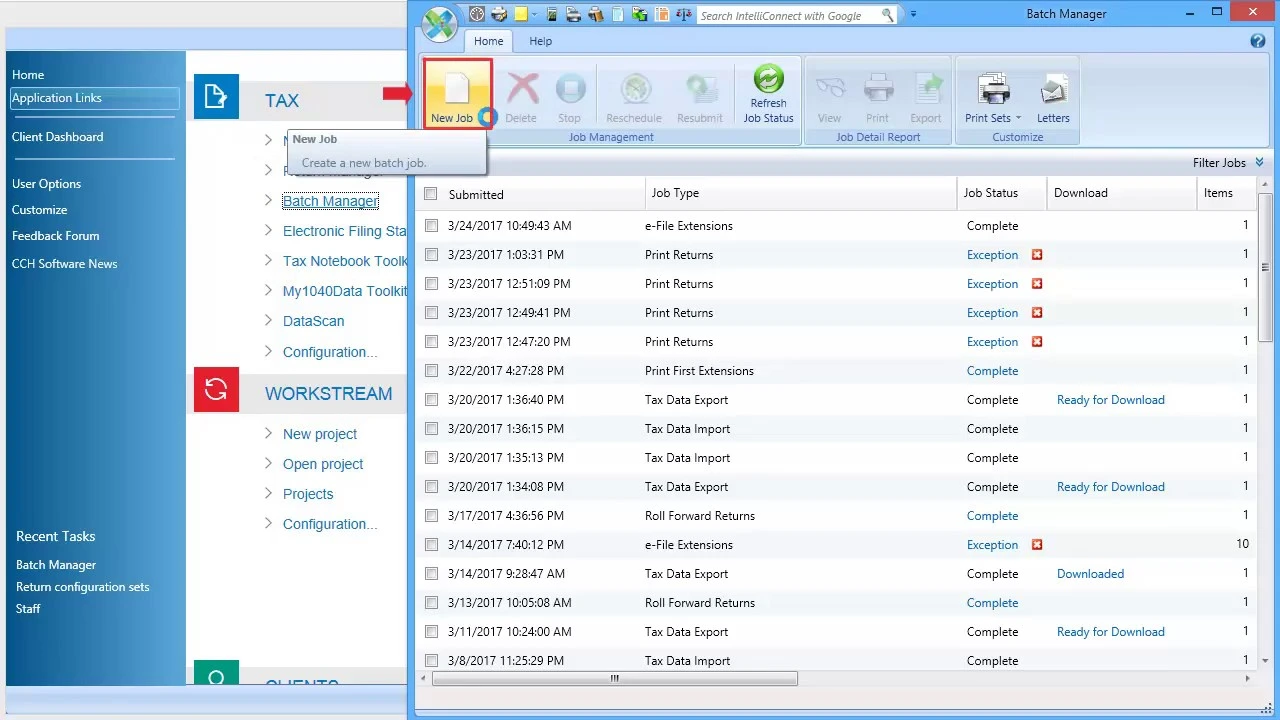
It supports the preparation, review, and electronic filing of supported tax returns. The wider CCH Axcess product family also includes applications for documents, practice management, engagements, and other professional workflows.
This can be helpful if your practice wants connected tools from the same vendor, although the applications have separate licensing arrangements.
For example, CCH Axcess Tax handles return preparation, while CCH Axcess Engagement supports workpaper and assurance workflows. Buying Tax doesn't automatically provide the functionality of Engagement.
Depending on your package, related automation tools like Scan and AutoFlow can also support tax preparation. These help process source documents and transfer information into the preparation workflow, with the preparer remaining responsible for reviewing the results.
Customer feedback for CCH Axcess is very limited on G2. The only reviewer we could find said the following:
“I overall like the ease of use - I primarly use CCH Axcess on the Accounts Receivable side of things. I enjoy the ease of payment application and research. I also enjoy the ease of using the report manager. I overall use CCH Axcess daily.”
— Kelly K., Accounting Coordinator, Mid-Market
On TrustRadius, this platform has a 7.4/10 rating across 26 reviews, with the main complaints centering on the customer support experience. For example:
“If you have a pro that uses the software then you should be fine. If you are using the software and need any support from THEIR customer support people or dedicated rep, be prepared to be frustrated!”
— Jason Bovell, Partner in Corporate at Bovell Financial Inc., TrustRadius
Evaluate CCH Axcess Tax if you need professional tax preparation with the option to expand into connected practice and engagement applications. Smaller firms can also consider Tax Essentials, provided the package limits fit their return workload.
CCH Axcess Pricing
Wolters Kluwer publishes prices for selected CCH Axcess Tax Essentials packages, making its entry-level pricing somewhat easier to investigate than many professional tax platforms:
Those figures aren't unlimited subscriptions. Packages can restrict users, states, return types, and authorizations, with additional charges depending on your requirements.
You'll need to establish the relevant tax year and licensing terms before calculating recurring costs.
What’s the Best Practice Management Software for CPA Firms?
Even when your accounting and tax software work well, you still need to organize client requests, deadlines, employee workloads, and billing. That's where practice-management applications come in. They help run the firm rather than maintain every client's general ledger.
Canopy and Deltek Maconomy are our two featured options, but smaller CPA firms should also consider TaxDome and Karbon:
- TaxDome brings together client portals, document requests, e-signatures, tax workflows, and billing. It follows a per-client pricing, with 150 active clients costing $1,500, billed annually.
- Karbon focuses on team collaboration, shared email, task management, and recurring workflows. Its Team plan starts at $59 per user per month with annual billing.
Both are worth shortlisting if your main problem is keeping client work organized rather than replacing your accounting system. TaxDome may appeal more to firms prioritizing client communication and document collection, while Karbon is useful when coordinating work across several accountants.
The two platforms reviewed below offer different approaches: Canopy emphasizes client management and practice workflows, while Maconomy goes further into engagement profitability, resource planning, and firm financial management.
8. Canopy for Client Management and Practice Workflows
Canopy is practice-management software for accounting and tax firms. It combines client records, document management, task tracking, billing, and workflow automation.
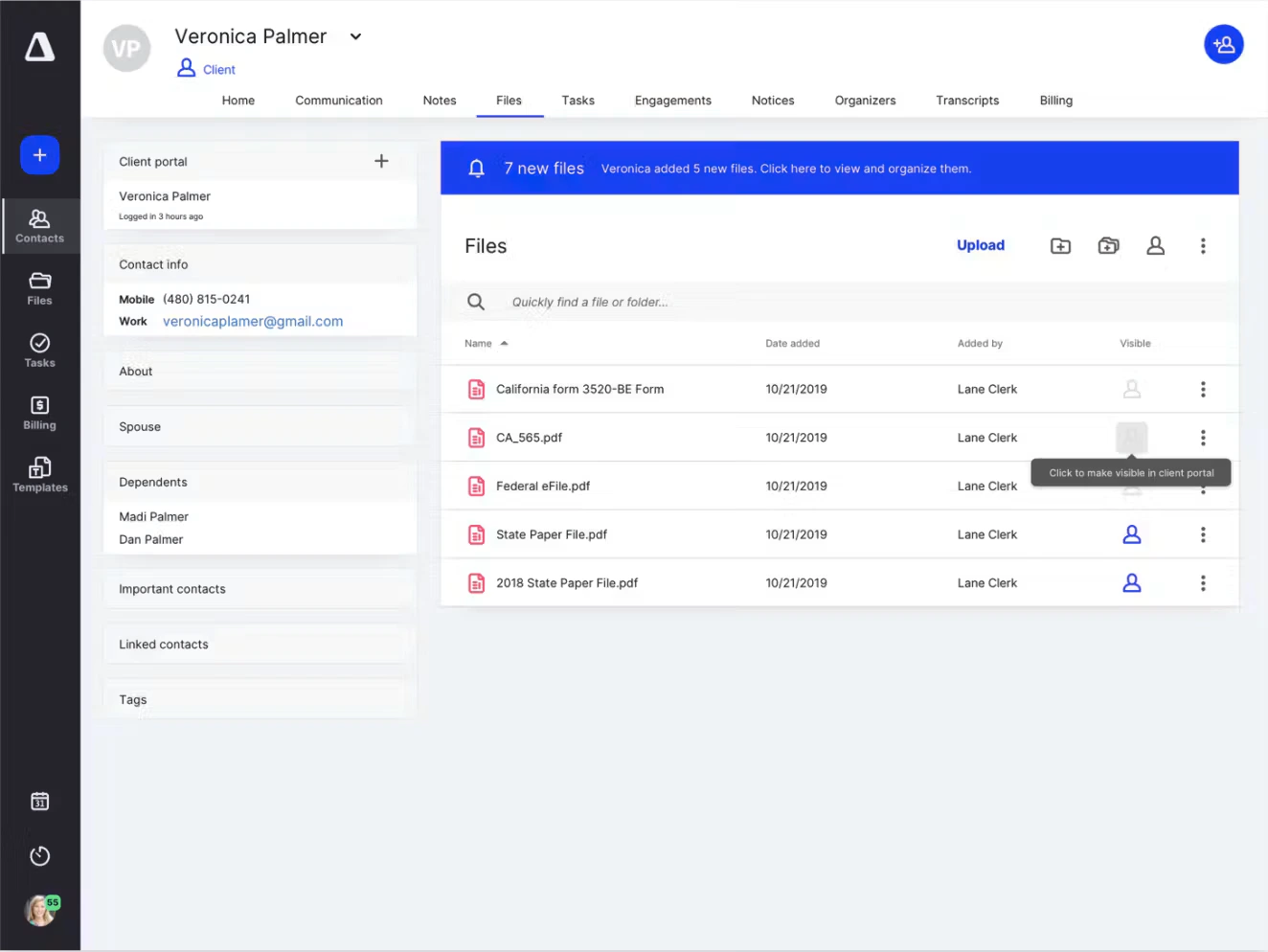
The platform also includes a client portal, giving clients somewhere to upload requested documents and access information without relying entirely on email.
That becomes useful during busy filing periods. Your team can track outstanding documents, assign work to preparers, manage review stages, and see which engagements are approaching their deadlines.
Canopy's core functions cover:
- Client relationship management and contact records.
- Document requests, storage, and electronic signatures.
- Task assignments and recurring workflows.
- Client portal access.
- Invoicing, payments, and practice billing.
- Optional tax workflow and resolution services.
Canopy also connects with accounting applications and other professional tools, but it doesn't replace a client general ledger or a full income-tax preparation engine.
Canopy has a 4.6/5 rating on G2 from 921 reviews. User consensus is fairly positive, though some regard the platform as inefficient and lacking in terms of customization. Sarah noted the following:
“There are some things that I feel should have been standard from the start that were not. For example, being able to select the recipient, or multiple recipients, to receive an invoice (July 2026, this is now fixed). And, being able to specify which contacts can see which folders or documents on the client portal. Those are already options in other similar software.”
— Sarah V., Firm Administrator, Small-Business, G2
Canopy is a good choice when client communication, missing documents, and engagement deadlines are taking too much time, though you’ll still need appropriate bookkeeping and tax applications alongside it.
Canopy Client Management Pricing
Here’s what Canopy costs in 2026. Note that Premium is marked as coming soon and the platform bills you annually.
Some services cost extra. Tax Resolution, for example, starts at $50 per user per month with annual billing, while Tax Workflow has separately priced credits.
9. Deltek Maconomy for Engagement and Firm Financial Management
Deltek Maconomy is a professional-services ERP system with a documented CPA Solution for public accounting firms. It focuses on the financial and operational side of running a practice, rather than maintaining the books of every client.
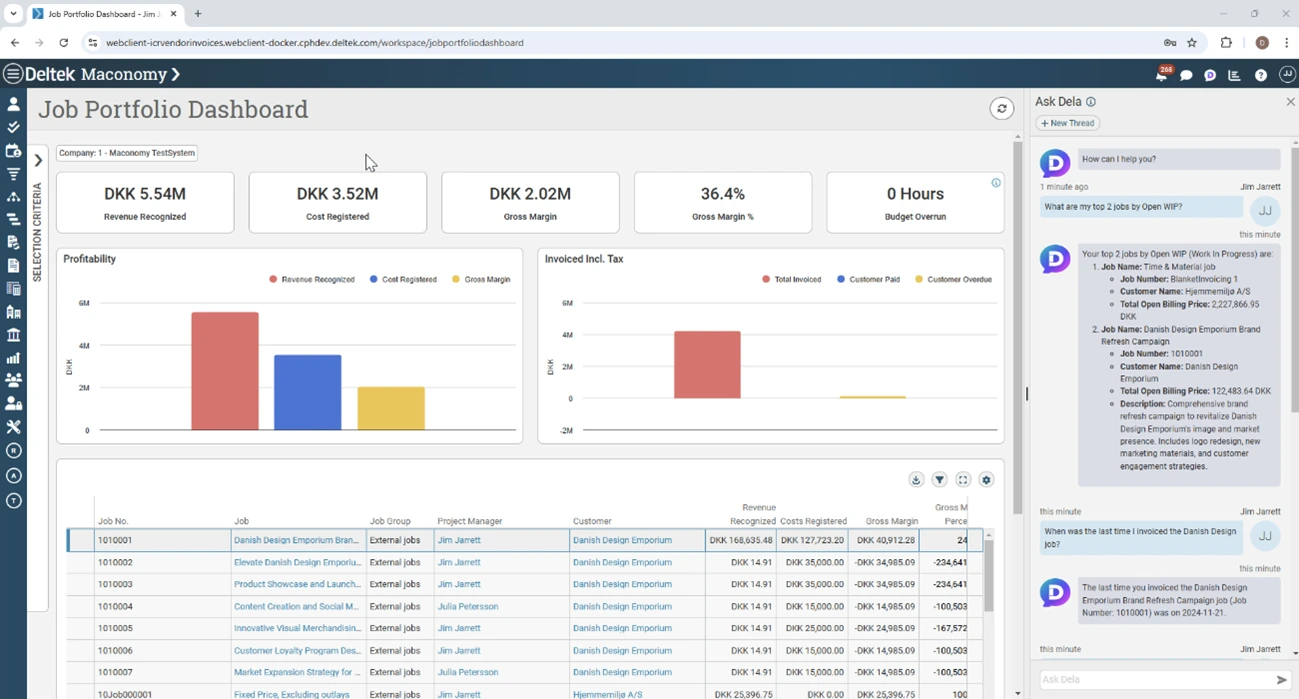
Its features include engagement budgeting, employee time and expenses, work-in-progress calculations, billing, collections, and profitability reporting.
For firms delivering audit, advisory, or consulting engagements, those capabilities can help management understand whether work is progressing within budget and how much revenue each engagement generates.
Maconomy connects project and financial information, so partners and managers can examine engagement performance without manually reconciling multiple operational spreadsheets.
It also includes reporting, approval workflows, and automation capabilities, with newer AI-assisted features available through Deltek’s Dela tools according to the relevant product configuration.
The downside is that Maconomy is a substantial professional-services system. Implementing it involves defining engagements, staff assignments, billing rules, and reporting structures. It isn’t a direct replacement for ordinary client bookkeeping or professional tax preparation.
On G2, Maconomy has a 3.4/5 rating from 74 reviews. The general consensus is that it’s comprehensive and very customizable, though there are some minor drawbacks. Here’s an example:
“The user interface can sometimes feel complex and less intuitive, especially for occasional users or employees who are not highly familiar with ERP systems. Certain workflows require several steps, which may affect the overall user experience and learning curve. Additionally, while the platform is very comprehensive, this complexity can make onboarding and adoption slower without proper training and support.”
— Verified User in Marketing and Advertising, Mid-Market, G2
These reviews aren’t specific to CPA firms, but they’re relevant to any practice evaluating a larger ERP system.
Maconomy is best suited to firms that need more control over engagement profitability, work in progress, and resource management.
Deltek Maconomy Pricing
Deltek doesn’t publish a standard US subscription price. You’ll need a tailored quotation covering modules, deployment, users, and implementation.
What Does Accounting Software Cost for a CPA Firm?
The most useful budget starts with the services your practice provides, not simply the number of employees.
- A tax-heavy firm might spend more on preparation licenses and return authorizations.
- An outsourced bookkeeping practice may spend more maintaining client ledgers.
- A larger advisory firm may need expensive practice-management and engagement tools.
Here's how the main costs differ:
The price also depends on who pays for client accounting subscriptions and whether your firm qualifies for accountant-specific discounts.
For instance, a small practice maintaining ten basic client ledgers could pay $3,192 annually for ten eligible firm-billed QuickBooks Simple Start subscriptions. Eleven Standard would cost $3,780 for ten entities under its published volume pricing, before separately charged implementation.
QuickBooks has the lower subscription price in that case.
Now take a five-person CPA firm maintaining twenty client ledgers that need functionality comparable to QuickBooks Essentials. The firm also uses Canopy Plus for client management and practice workflows.
QuickBooks assumes eligible ongoing 30% firm-billed pricing on Essentials. Eleven uses Professional with its 15% volume discount. Both calculations exclude tax software, migration work outside the applicable included services, and additional integrations.
That’s a $6,120 annual difference in priced recurring subtotal, not a guaranteed saving for the entire practice.
The firm would still need professional tax software and might incur costs connecting or transferring data between its systems.
At a larger scale, the subscription difference can become substantial. One hundred eligible firm-billed QuickBooks Plus subscriptions cost $117,600 annually, compared with $31,200 for one hundred Eleven Professional entities.
However, those products don’t have identical capabilities, so your comparison should account for any QuickBooks features or integrations that your clients need to retain.
The practical approach is to calculate the full software stack and distinguish recurring subscriptions from one-time implementation costs.
How Should a CPA FIrm Choose Accounting Software?
Before booking another product demonstration, identify which tasks are slowing your practice down.
- If you spend hours preparing transactions and reconciling client books, examine accounting workflows first.
- If tax-season bottlenecks come from collecting documents and keeping engagements moving, a practice-management system may be more useful than replacing the general ledger.
- For firms handling complex clients, reporting requirements and integrations deserve greater attention.
A useful demonstration should follow one representative client through the work your team actually performs. Ask the vendor to show how records are imported, how exceptions are handled, and how information moves between applications.
Pay attention to the less glamorous tasks too, such as correcting transactions, retrieving supporting documents, adjusting permissions, and exporting records.
You should also establish what happens during a migration. Historical data, account mappings, bank connections, staff training, and reporting continuity all affect the cost of changing software.
Don’t forget to look beyond the initial subscription. A discounted first year won't tell you much if the renewal cost, additional modules, or implementation fees make the complete system substantially more expensive.
Spending More Time Juggling Client Ledgers Than Advising Clients? Bring Them Into Eleven
You'll still need tax software and probably a practice-management tool, but your client books don't have to get harder with every new client you sign.
Eleven keeps every client entity in one cloud platform, each with its own ledger, so your whole team works from one login.
You get unlimited users, AI capture for invoices and bank statements, 170+ currencies, and per-entity pricing that drops as your client list grows, and Professional includes implementation and migration.
Paying for a separate accounting subscription for every client? Try Eleven free and run one of your busiest client entities through it before your next renewal.
Frequently Asked Questions (FAQs)
Can One Software Platform Handle Everything a CPA Firm Needs?
Some suites cover several functions, but most CPA practices still use separate tools for bookkeeping, tax preparation, and practice management.
A general ledger doesn't automatically prepare income-tax returns, and tax software doesn't necessarily manage your firm's staffing, engagements, and client billing.
Choose applications based on the work your practice performs and how well the systems need to exchange information.
Is QuickBooks Online Accountant Free?
Intuit's core accountant workspace is available without an additional firm subscription, although individual client companies generally require their own accounting subscriptions.
Intuit is transitioning QuickBooks Online Accountant to Intuit Accountant Suite, with the former scheduled to retire on December 31, 2026.
Premium suite capabilities may have separate pricing and beta conditions.
Does Eleven Prepare and File Tax Returns?
No. Eleven focuses on accounting and bookkeeping for multiple client or company entities.
You can use it to maintain financial records and prepare accounting reports, but professional income-tax preparation and e-filing require dedicated tax software.
What's the Best Accounting Software for Small CPA Firms?
For everyday small-business bookkeeping, QuickBooks Online and Xero are practical choices. Eleven is worth evaluating when you maintain multiple client ledgers and want to manage them in one accounting platform.
If tax preparation is central to your firm, compare UltraTax CS and CCH Axcess Tax Essentials based on the returns you prepare.
Canopy may also be useful if your team needs help managing client documents, assignments, and deadlines.
How Much Does Accounting Software for CPA Firms Cost?
Basic client-accounting subscriptions can start below $40 per month per company, while professional tax software may be priced by users, returns, and jurisdictions.
Practice-management applications commonly charge per employee, and larger financial management systems require customized quotations.
Your total cost depends on the combination of tools your firm needs, including implementation and connected services.
Disclosure: This guide is published by Eleven, an accounting software provider included in the comparison. Our assessment draws on published product documentation, pricing information, and third-party customer reviews.
Was this article helpful?
Thank you! Your feedback has been received!
Oops! Something went wrong while submitting the form.